Working the customer reports
Customer Health, Retention, Expansion, Renewal Calendar and Top Accounts: what each answers for a CS team, the limits to know, and the work each one leads to.
Five reports, one book
The Customers category in Reporting holds five separate reports, no longer tabs of one page. Customer Health answers "who needs attention now?" Retention answers "how much did we keep?" Expansion answers "how much did we grow?" Renewal Calendar answers "what renews, and when?" Top Accounts answers "where does our revenue concentrate?" Renewals, in the Forecast category, is the forecasting side of the same book.
Four of them need View Accounts. Renewal Calendar needs View Deals, because it reads renewal deals directly. Retention can be switched off for a workspace. Customer Health, Retention and Expansion take the Team filter, Renewal Calendar takes Team, fiscal year and quarter, and Top Accounts takes none. On Home, a CSM opens on Renewal Calendar, and a CS manager on CS Team with Retention second.
Renewal Calendar: the daily surface
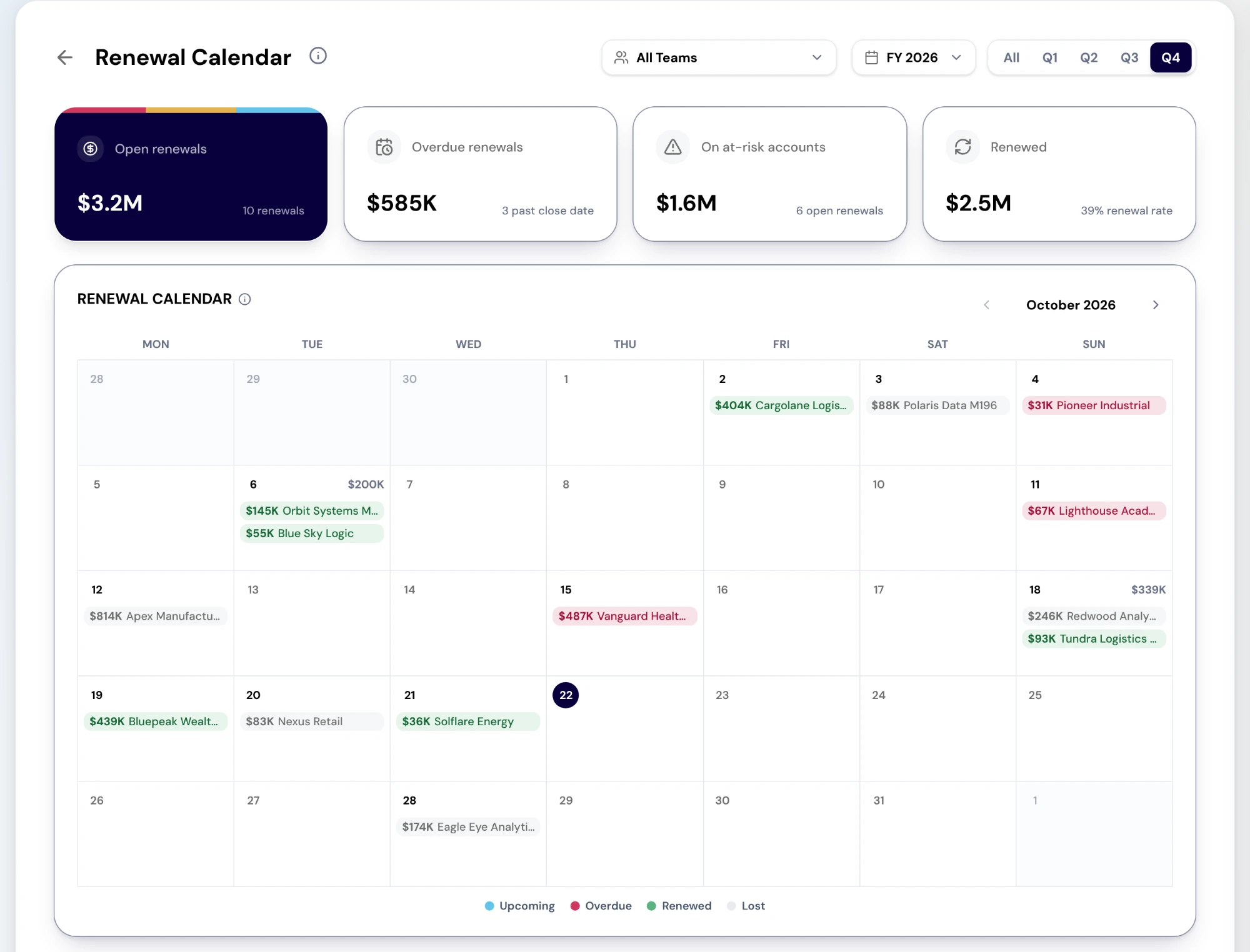
Renewal Calendar puts every renewal deal closing in the selected period on a month calendar, with today marked and previous and next month controls inside the period. Each renewal sits on its close date, tinted Upcoming, Overdue, Renewed or Lost. Selecting a renewal opens the deal, and selecting a day lists everything renewing on it. The cards read Open renewals, Overdue renewals, On at-risk accounts and Renewed, with the renewal rate where it can be measured.
The Renewal book under the calendar lists the same deals with amount, close date, stage and forecast category, filtered from its side panel. Two limits apply. Only renewal deals appear: a contract that ends without a renewal deal in the CRM is not on the calendar. And the account name and health under each deal come from Customer Health, so they show only when Customer Health knows the account.
Customer Health: who needs attention now
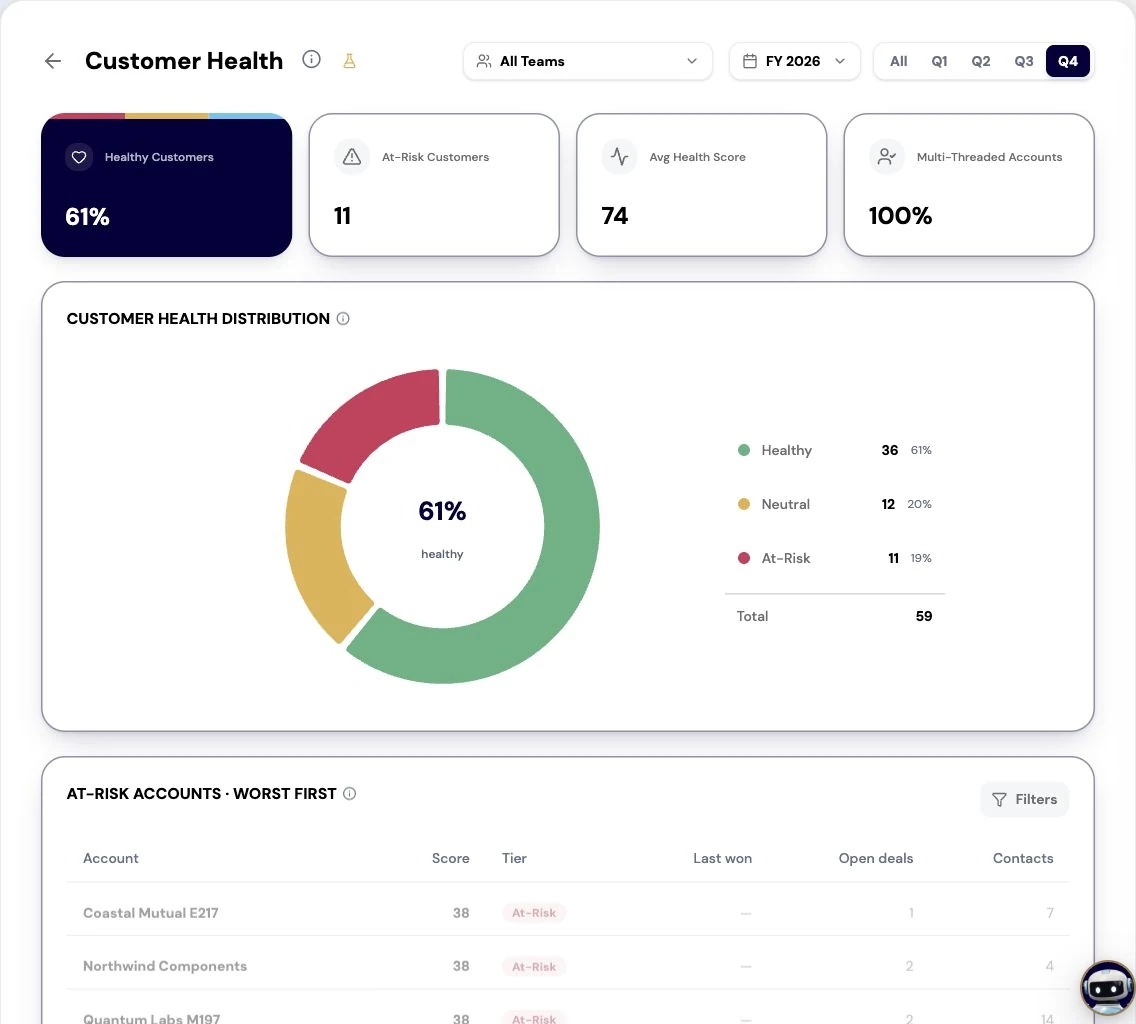
Customer Health is a snapshot of today, so it has no fiscal year or quarter. The cards read Healthy Customers, At-Risk Customers, Avg Health Score and Multi-Threaded Accounts. Customer Health Distribution splits the book into Healthy, Neutral and At-Risk, and selecting a slice or tier opens those accounts. The accounts table below lists the chosen tier, worst first.
Know what the score is. It runs from 0 to 100 and is built from CRM engagement: a recent win, open deals and how many contacts you have. It is not product usage or support data. Healthy is 70 and above, At-Risk below 40. The Churn Risk card on Renewals uses a different line, below 60, so the two reports will not always agree about which accounts are at risk.
Retention: what you kept, and how it is worked out
The cards read Gross Revenue Retention, Churn Rate, Revenue at Risk (as of today, whatever period is selected) and Renewal Rate. Retention Components charts the monthly movements with net retention on the right axis, the ARR Bridge walks from start ARR through new, expansion, contraction and churn to end ARR, and Movements by Month tabulates the same.
How the numbers are derived matters. ARR here comes from won renewal and new-business deals, each assumed to run twelve months from close, because no contract dates are mapped from your CRM yet. A period that ends after today is partly a projection, and its cards say "Projected from implied 12-month expiries". Renewal Rate shows a dash because it has no source yet. The accounts behind each movement are not listed yet either.
Expansion, and why NRR reads as a dash
The cards read Net Revenue Retention, Expansion Revenue, Expansion Rate and Customers with Expansion. Monthly Expansion by Segment, Share by Segment and Expansion by Month and Segment show where expansion comes from.
Net Revenue Retention shows a dash with "No ARR source yet" in production, and so does the NRR column on CS Team. Do not quote it, and do not set a CSM's goals against it until it reads a number. Expansion Rate is expansion's share of all won bookings in the period, not growth over a prior period, so read it as mix, not momentum.
Top Accounts: where revenue concentrates
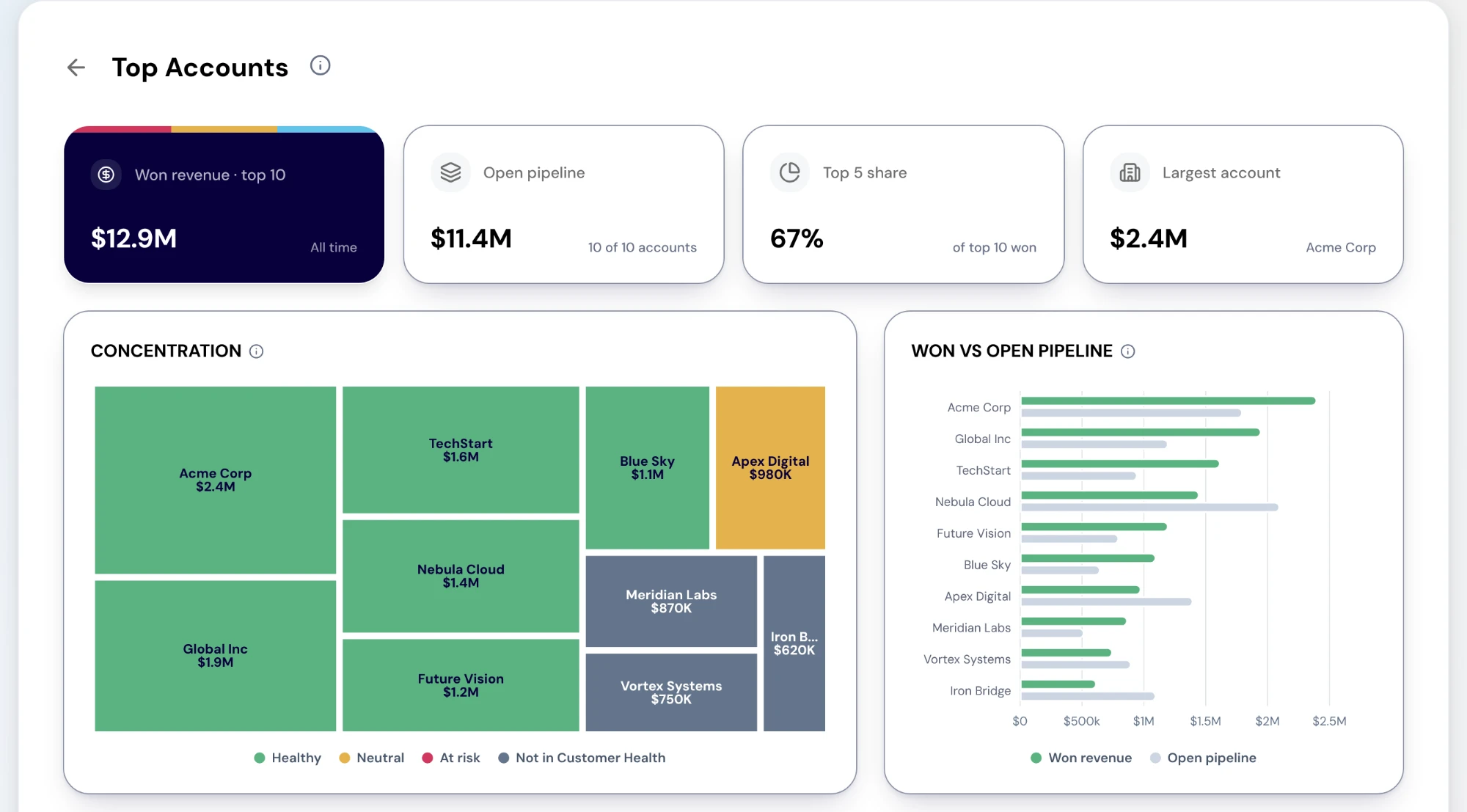
Top Accounts ranks your largest accounts by won revenue, with their open pipeline and health. The cards read Won revenue for the top accounts, Open pipeline with how many of them have any, Top 5 share and Largest account. Concentration draws each account as a tile sized by won revenue and coloured by its health segment. Won vs open pipeline compares the ten largest. The Accounts table ranks them all, and every tile, bar and row opens the account.
Its limits are in its shape. The ranking is all-time, with no period, segment or Team filter, so the page shows neither control. Shares such as Top 5 share are shares of the top 25, not of your whole book. Read it as "how dependent are we on a few names?", not as this quarter's performance.
Renewals belongs to the forecast
Renewals sits in the Forecast category because it is part of the number. Its cards read Renewal Commit, Best Case, Renewed, Overdue Renewals and Churn Risk, which is open renewal value on accounts whose engagement health is below its threshold, as of today. It takes the Team filter.
Use the two together. Renewal Calendar tells a CSM what to work today. Renewals tells the forecast call how much of the number CS is carrying, and how much of it is at risk.
From the read to the work
Every one of these reports should send someone somewhere. An overdue or at-risk renewal on the calendar: open the deal, and escalate its Action Center item if it needs a manager. A cluster of at-risk accounts in Customer Health: enroll them in a RevPlay from Objects, under Accounts, with Add to RevPlay. That needs the Approve RevPlays permission, and adding them to a campaign from that list is not available yet. A top account with no current plan: run an account plan for it, which asks you to confirm before it uses credits.
For a CS manager, the 1:1 runs from CS Team. Open a CSM, read their renewal pipeline by how far out each renewal is, and use the Coverage tab to select the accounts that need a motion and add them to a campaign. The report shows the book. The move is the play, the plan or the conversation it leads to.
What to take away
- Renewal Calendar is the CS team's daily surface: every renewal deal on the date it closes.
- Customer Health is a now-state score from CRM engagement, not product usage. Read it as a prompt to look, not a verdict.
- NRR reads as a dash in production because there is no ARR source yet. Do not quote it, and do not coach to it.
- Retention assumes twelve-month terms from close. Contract-end dates are not read, and renewals with no renewal deal do not appear.
- Top Accounts ranks all-time won revenue, and its shares are within the top 25, not the whole book.
Put it to work
Jobs this page is behind
- Forecast and planTrust the ARR bridge“I want to report ARR and retention from numbers I can defend.”
- CustomersSee renewal risk while it is still fixable“I want to know which customers need attention before the renewal is thirty days out.”
- CustomersWalk into a renewal with the brief done“I want to start every renewal from a prepared position rather than from a spreadsheet.”
- CustomersFind expansion before the customer asks“I want to find the expansion conversations that are ready, rather than waiting to be asked.”
- CustomersReport retention from one place“I want to report retention and net revenue retention without assembling them by hand.”
- CustomersNever miss a renewal date“I want to see every renewal on a calendar and start each one before its date arrives.”
- CustomersKnow how much rides on a few accounts“I want to know how dependent the business is on a handful of accounts, and protect them.”
See how the work gets done.
Explore how agents prepare work across your revenue teams, and how people review it, guide it and decide what happens next. Fictional data. Real product.
Explore the demo