Sales · Next best action
Increase rep quota capacity
by 100%.
Give each rep twice the selling capacity. Agents prepare research, meeting context, follow-ups and CRM updates.

In short
What is RevTech for sales teams?
RevTech helps sales teams identify and prepare the next best action using account and opportunity context. Fully managed agents assemble the background, explain the recommendation, and prepare follow-up for review. Sellers choose the approach and own the relationship. Your CRM remains the system of record.
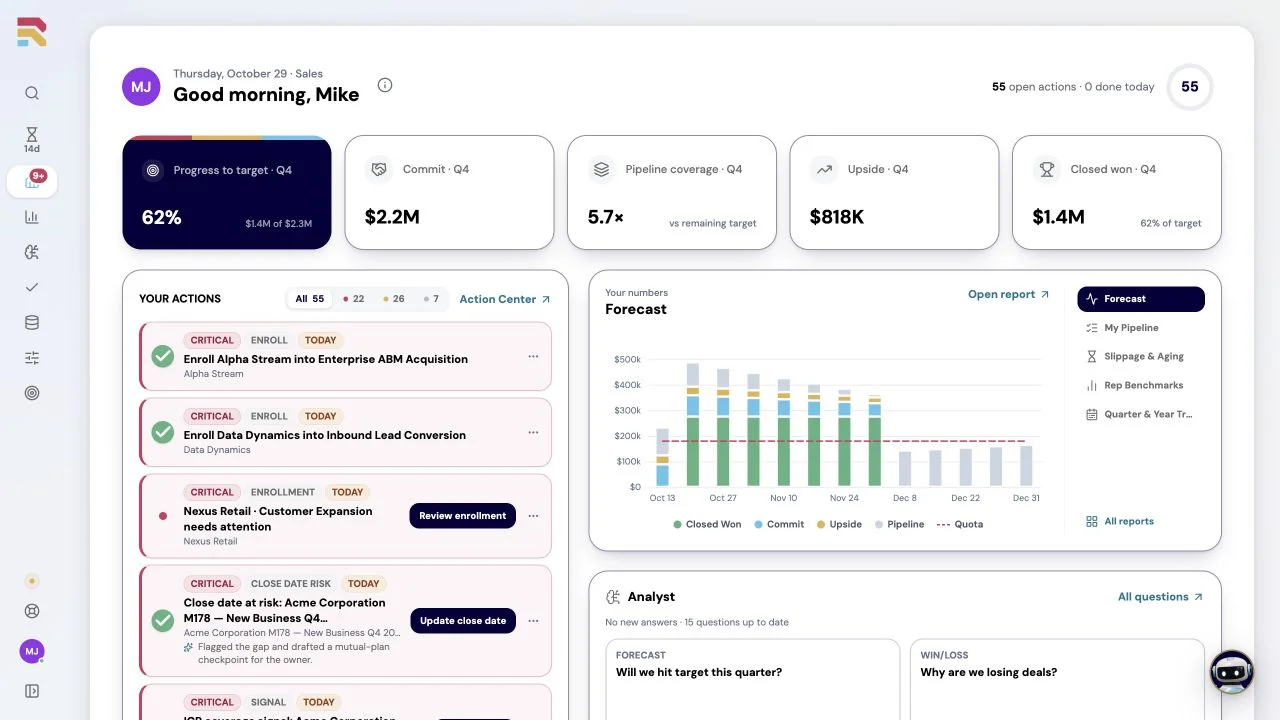
Know which move deserves your attention
Bring the recommended next action, its rationale, and relevant account context into the same view. Spend less time piecing together what to do next.
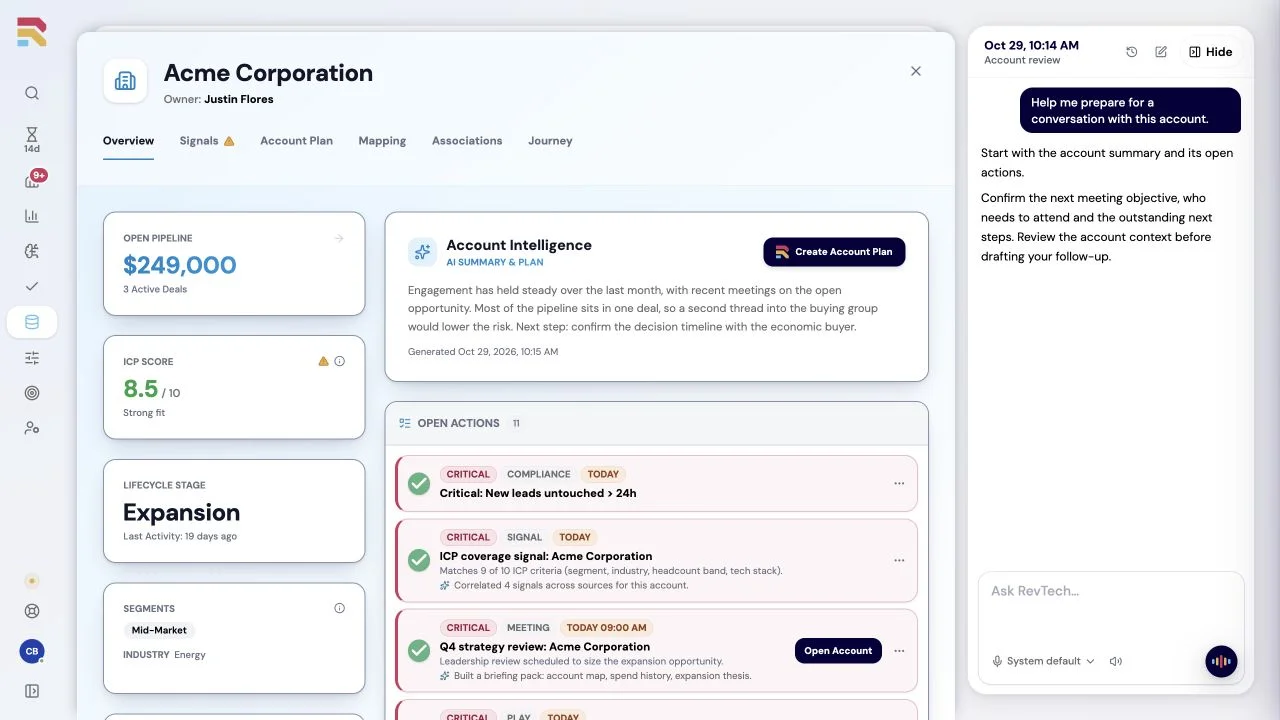
Understand the account before you act
Bring account intelligence, open actions and relationship context together before the conversation.
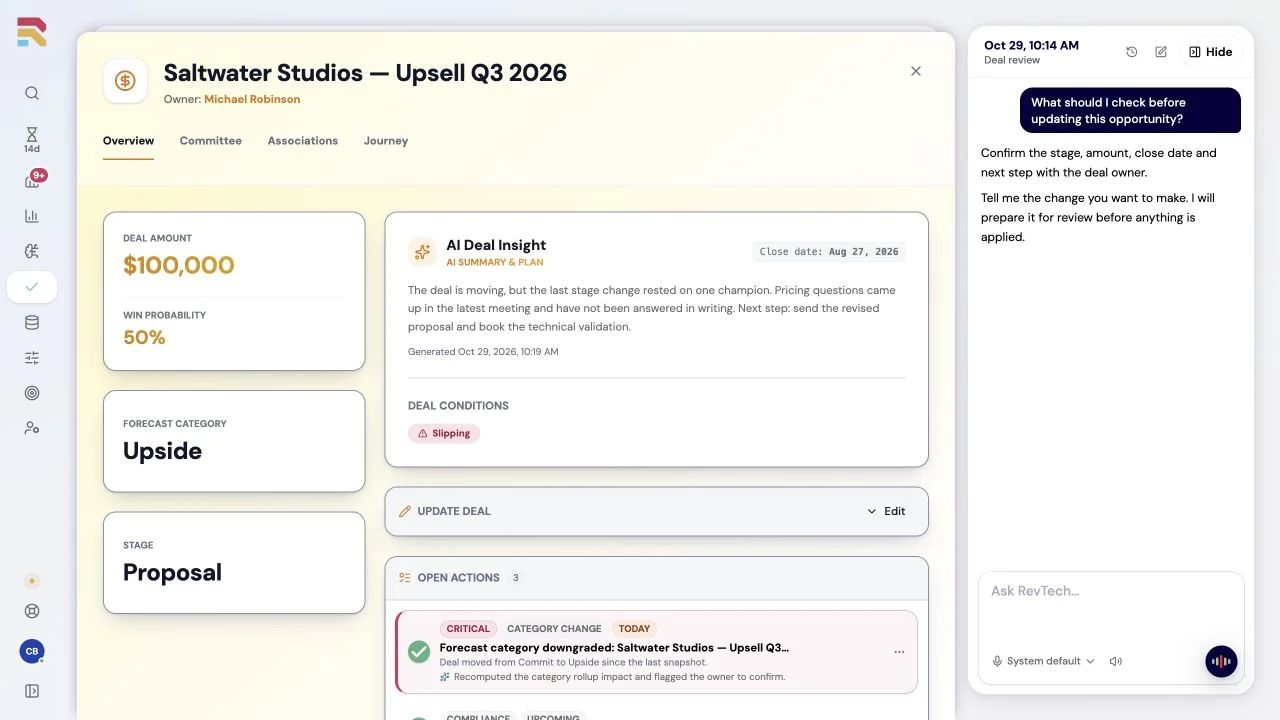
Turn the decision into the next step
Keep opportunity context and proposed updates connected, so the team can review the work and follow through on commitments.
Business impact
More room for the customer conversation.$75M in added annual selling capacity.
Turn recovered selling time into a capacity scenario, then account for qualified demand and conversion.
Value and cost assumptions
The opening investment allocates published platform pricing by this team’s share of a 100-person GTM organization. Adjust it for your credit usage, setup and operating costs. It is a planning allocation, not a quote. View pricing.
Potential additional annual revenue
$15,000,000
- Gross profit less investment
- $11,219,406
- Modeled net ROI
- 36,672%
Illustrative B2B HubSpot scenario. Annual USD; not measured results or a guaranteed return.
Scenario and calculation
The opening case is the same enterprise B2B HubSpot scenario used in our full calculator: 50 sellers, 15 marketers, 10 customer-success managers and 5 RevOps people, with 20 people in sales development, solutions engineering and leadership. Each page models its own function. Change the inputs to reflect your team.
Additional capacity = people × current output per person × (recovered share of the whole week × redeployment share ÷ current productive share). Recovery cannot exceed the non-productive share. The model assumes comparable work quality and complexity, and unchanged output per productive hour.
Revenue = the lower of added selling capacity × realized share, or available qualified pipeline × win rate. Capacity alone does not create demand.
Net ROI = (potential revenue × gross margin − allocated annual investment) ÷ investment. No salary savings, avoided hires or retention lift are added. Revenue depends on qualified demand, sustainable conversion and delivery capacity.
Zero investment leaves ROI undefined. Do not add overlapping function cases or count shared costs twice. Explore the full GTM calculator.
Learn how Sales works with RevTech.
Guides and use cases for the work your team does in RevTech every week, written against the product as it ships.
Frequently asked questions
Explore the other solutions.
Explore how each team can use prepared work to make more time for customers, ideas, and decisions.
See how the work gets done.
Explore how agents prepare work across your revenue teams, and how people review it, guide it and decide what happens next. Fictional data. Real product.
Explore the demo