RevPlays and Messaging
Share what works.
Make it easier to repeat.
Put your audience, timing, messaging, and goals into a shared play. RevTech’s fully managed agents prepare the work around that intent; your team reviews what matters.
See pricingIn short
What is RevPlays and Messaging?
RevPlays and Messaging is where teams define the motions RevTech’s fully managed agents work from: the audience, lifecycle, timeline, actions, and goals. The platform supports account-informed drafts, versioned sequences, revisions, and content approval. The RevPlays agent uses that shared definition to guide its work.
What is RevPlays and Messaging?
RevPlays and Messaging is where teams define the motions RevTech’s fully managed agents work from: the audience, lifecycle, timeline, actions, and goals. The platform supports account-informed drafts, versioned sequences, revisions, and content approval. The RevPlays agent uses that shared definition to guide its work.
The best motion stays with a few people
When the approach lives in someone’s head, the next person has to invent it again. A shared play gives that expertise somewhere to go.
Messages start from an empty page
Relevant preparation needs the account and the intent behind the outreach. Give agents that context before they draft.
Activity loses sight of the goal
A sequence of tasks is only useful if the team knows what it is meant to achieve. Keep the motion tied to its KPIs.
Give the team a shared play.
Choose the audience, goal, and sequence of work. Review the timeline and intended KPIs so everyone understands the motion they are contributing to.
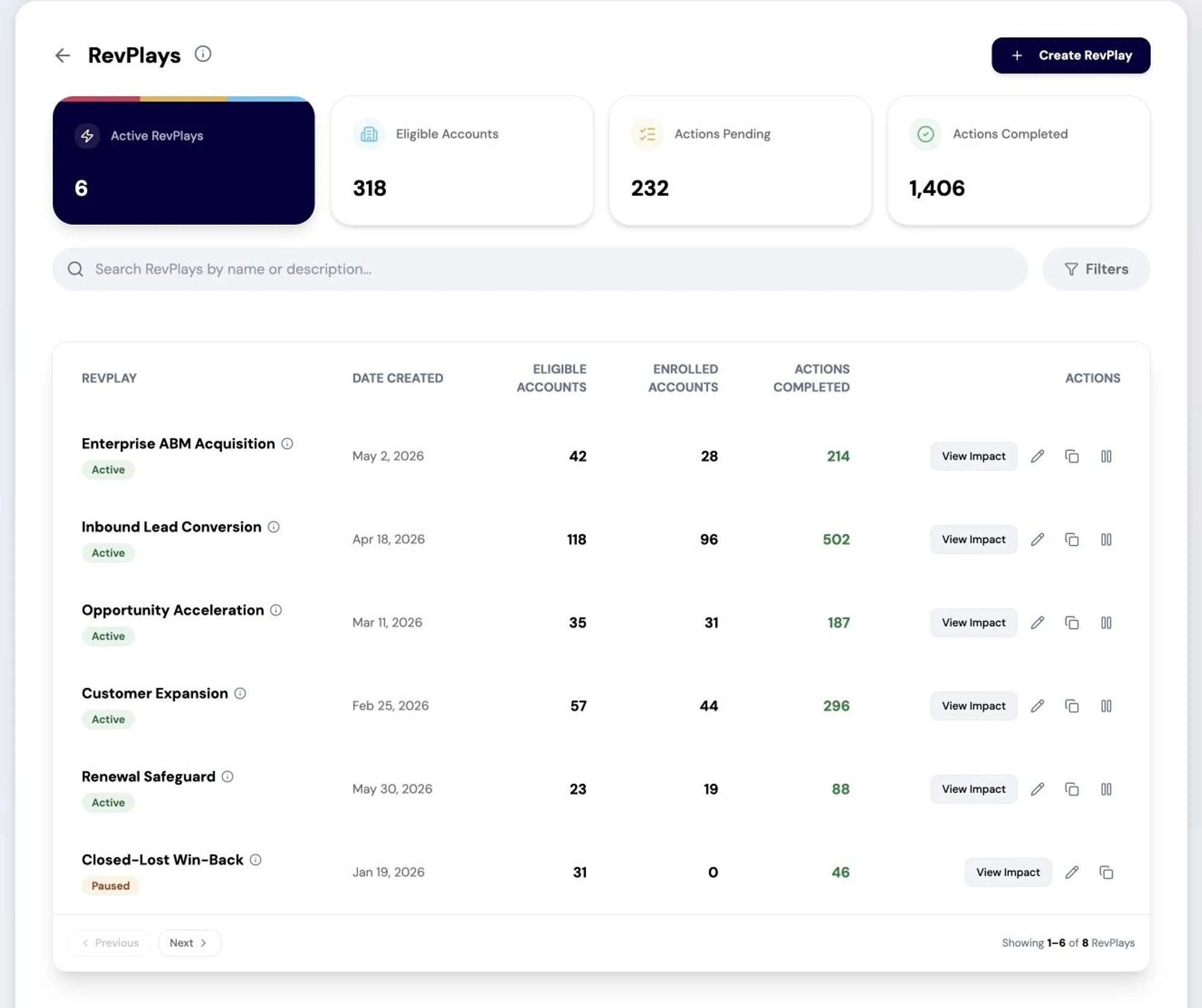
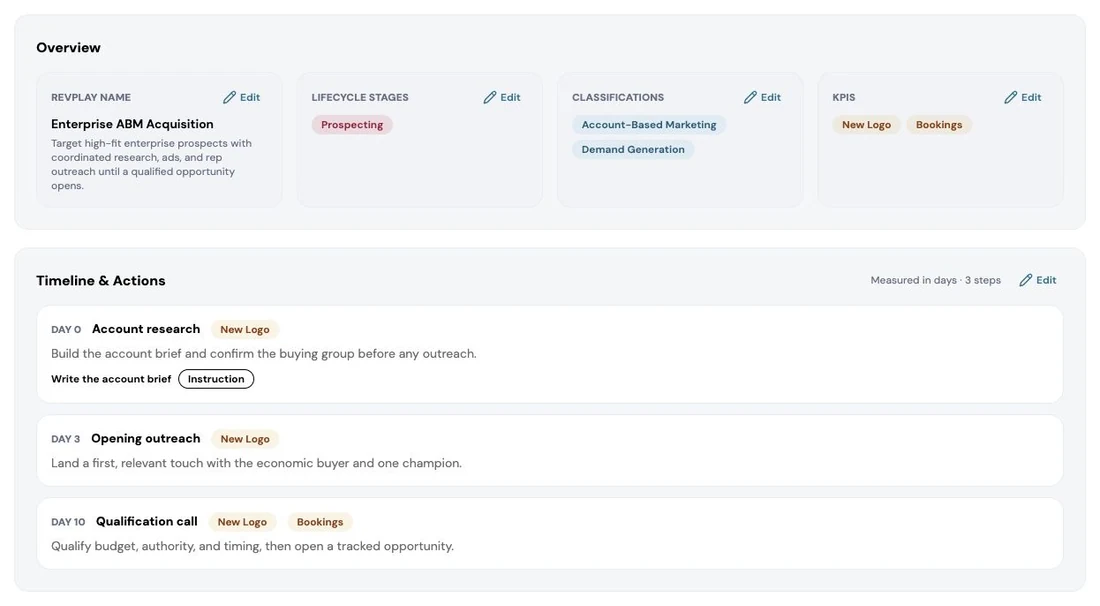
Agree the motion before it runs.
Bring the lifecycle stages, KPIs and timed actions into one review. Confirm what the play is for and what each step should accomplish. Review account-informed message drafts before using them in customer communication.
Questions teams ask
Practical answers for teams evaluating the RevPlays and Messaging.
See how the work gets done.
Explore how agents prepare work across your revenue teams, and how people review it, guide it and decide what happens next. Fictional data. Real product.
Explore the demoKeep the work connected.
Explore the next capabilities that connect to this work.