RevPlays
Keep the whole team
behind the customer.
Turn a good customer handoff into a repeatable play. RevPlays coordinates the account work across sales, marketing and customer success, so teammates arrive with context and know what comes next. Fully managed by RevTech, with your rules and review steps.

In short
What is RevPlays?
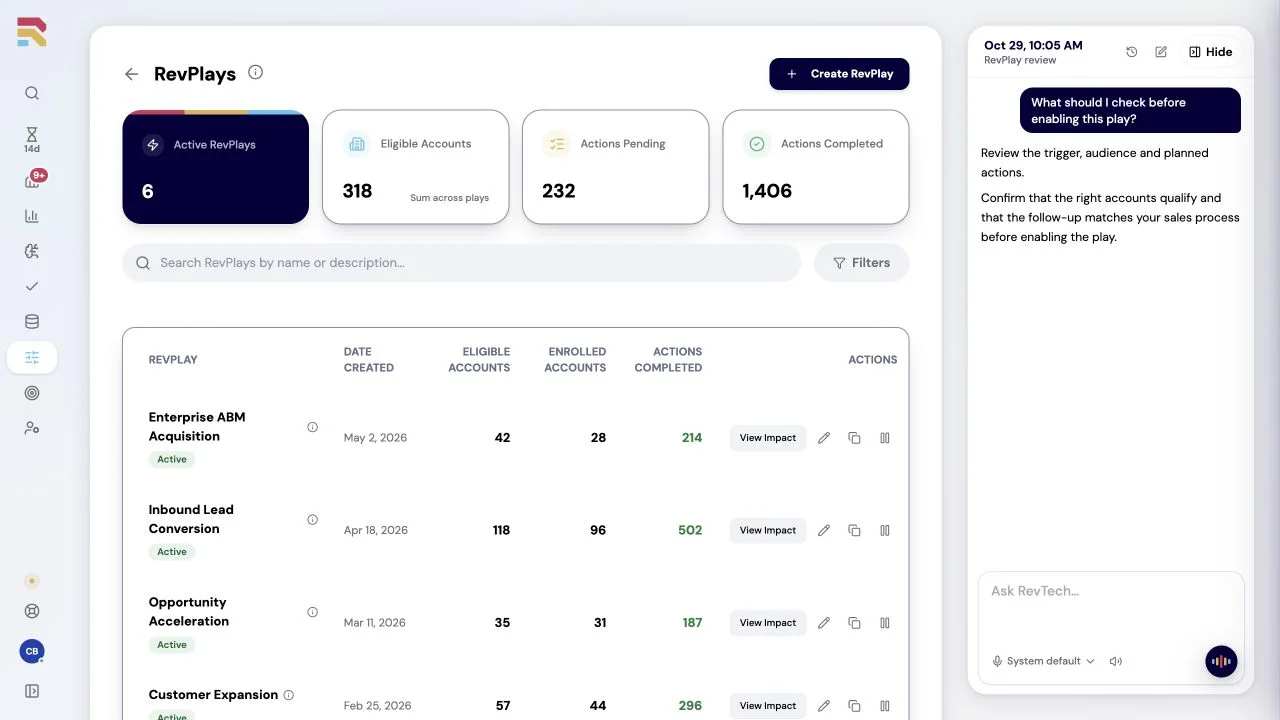
RevPlays is the RevTech agent for running account-based workflows across sales, marketing and customer success. Your team defines the play, eligibility rules, lifecycle stages and KPIs. The agent enrolls eligible accounts, coordinates actions and sequences, and reports on play impact. Designated steps go to the responsible person for review and approval.
A customer commitment should travel with the account.
RevPlays is the RevTech agent for cross-functional, account-centric plays. You define lifecycle stages, classifications, KPIs, and eligibility; agents run the actions and sequences each motion calls for across sales, marketing, and customer success. People approve the steps that matter, and your CRM stays the system of record.
Handoffs compete with the day
Keeping a shared commitment on track takes coordination that can crowd out customer conversations.
The playbook lives in slides
The best motion sits in enablement decks while every team improvises its own version.
No one sees what worked
Without one governed motion, impact stays an anecdote instead of a KPI you can inspect and improve.
Connect the people and steps behind a commitment.
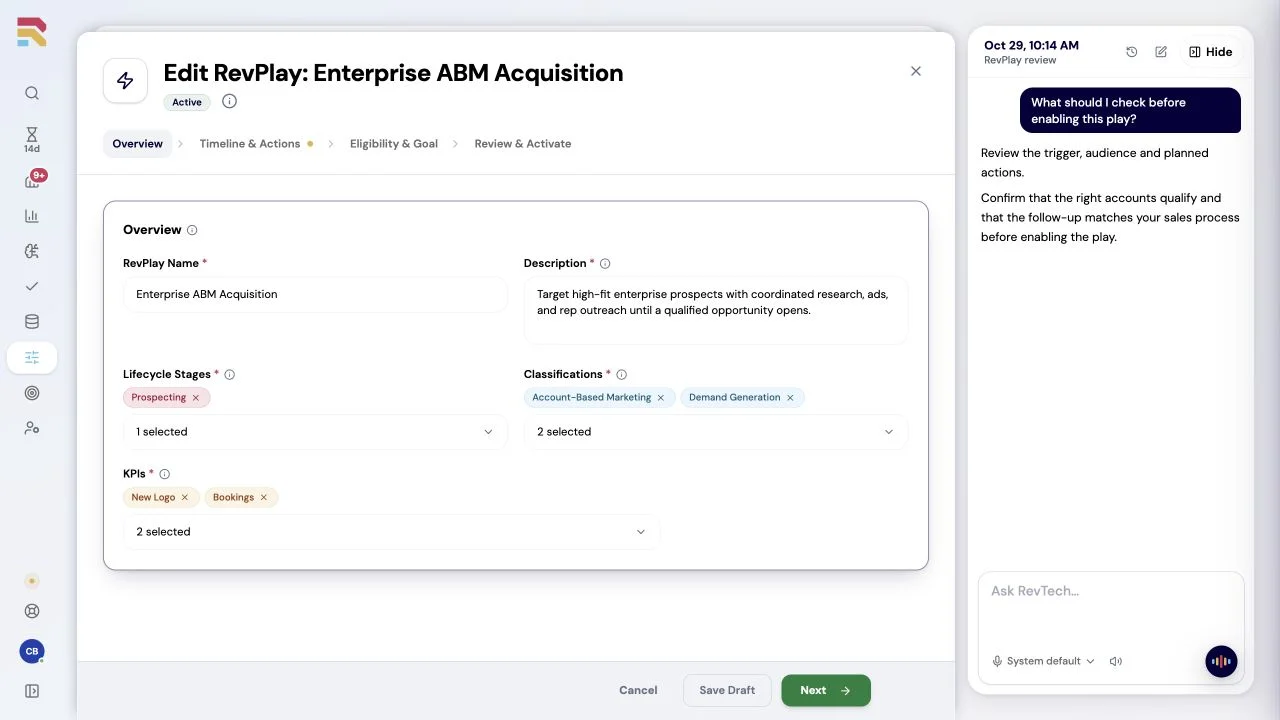
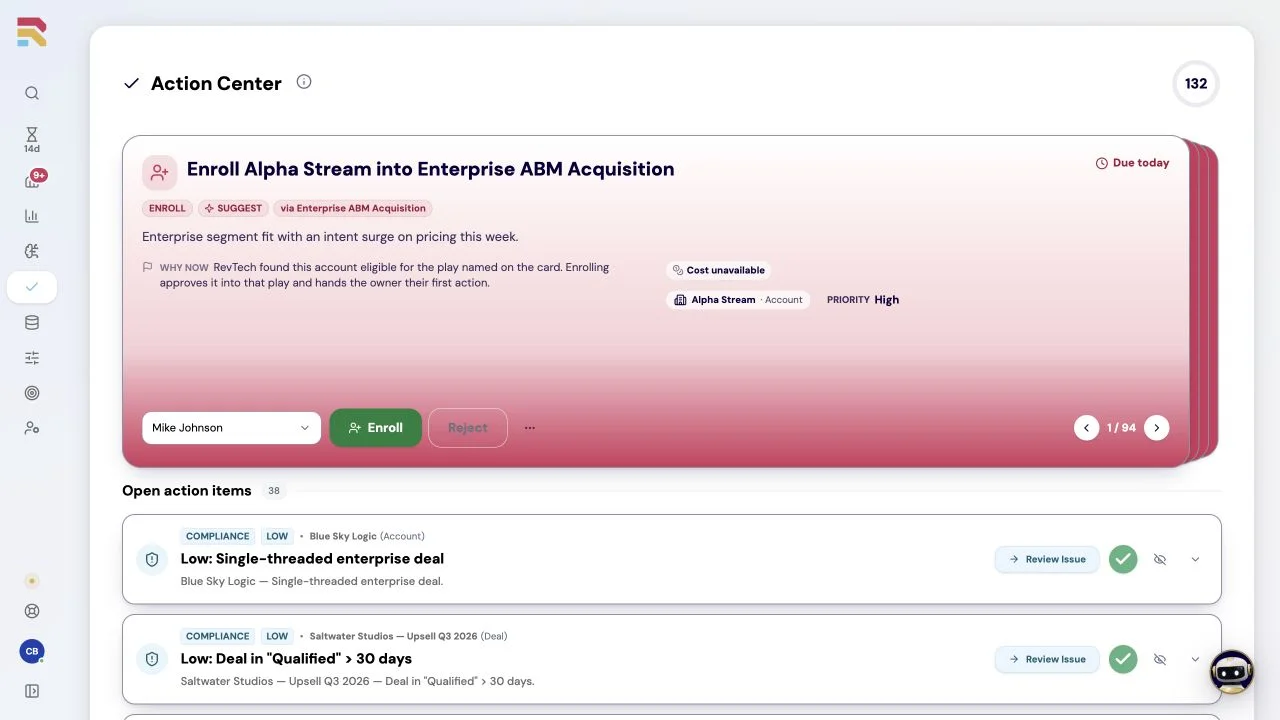
Define which accounts need attention, the stages they move through and the actions each team should prepare. Agents coordinate those steps and route the work for review, so the customer does not have to repeat the story at every handoff.
Your judgment guides the work
Plays follow your permissions and approval rules. Designated steps wait for the responsible person to review, edit, or approve them before work proceeds.
Business impact
Make the next handoff feel connected.Save 667 hours a year.
Give teammates the context and prepared next steps to carry a customer relationship forward.
Value and cost assumptions
All amounts are USD. The $6,000 starting budget is an example, not an agent price. Include allocated platform, credit, setup and operating costs. Check pricing.

Annual capacity value
$45,000
500 reusable hours at $90/hour.
- Value less investment
- $39,000
- Capacity-value ROI
- 650%
Illustrative estimate in USD. Value assumes useful reuse of recovered time; it is not cash savings or guaranteed revenue.
How this is calculated
Coordinate one account through a defined set of play steps. Count the same steps in both cases, including human approvals, exceptions and ongoing play maintenance.
Annual hours = 20 items/week × (60 manual minutes − 20 minutes with agent) ÷ 60 × 50 working weeks. Hours are displayed rounded to the nearest hour; value uses the unrounded calculation.
Capacity value = recovered hours × 75% reuse × $90/hour. Extra human time counts as a cost in full. ROI = (capacity value − investment) ÷ investment; zero investment leaves ROI undefined.
Compare equal work volume, complexity and quality. Include review and maintenance time, avoid overlapping savings across agents, and allocate shared costs once. Explore the full ROI calculator.
Questions teams ask
Practical answers for teams evaluating the RevPlays.
Explore the other agents.
Choose the work you want help with. Agents share business context and follow your permissions and review rules across GTM.
See how the work gets done.
Explore how agents prepare work across your revenue teams, and how people review it, guide it and decide what happens next. Fictional data. Real product.
Explore the demo