RevOps · Compliance & data hygiene
Reduce manual RevOps work
by 40%.
Automate recurring inspections and prepare data corrections for review. Your team owns rules, permissions and exceptions.

In short
What is RevTech for RevOps teams?
RevTech helps RevOps manage process compliance and data hygiene. Your team defines the standards, permissions, and review rules. Agents inspect in-scope records, surface exceptions with evidence, and prepare corrections for review. RevTech operates the AI while your CRM remains the system of record.
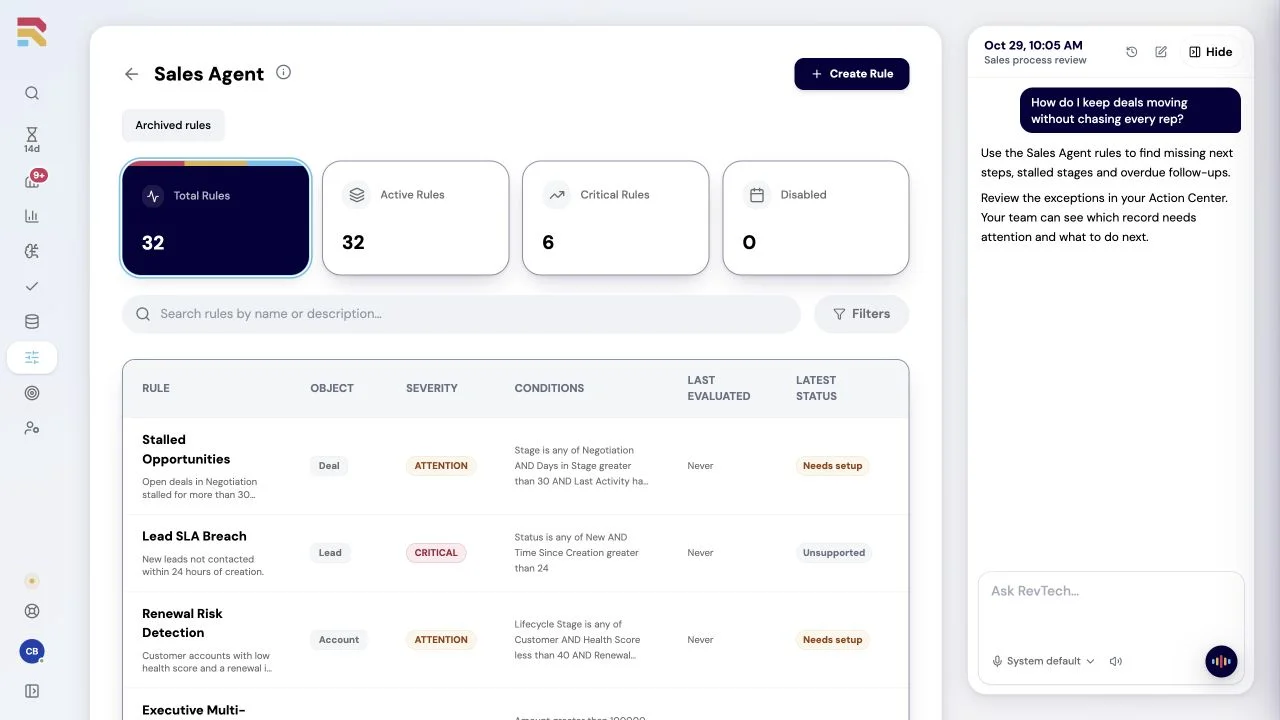
Put the standard into daily practice
Keep the rules for your data and process in a shared library so inspections follow the standards your team agrees.
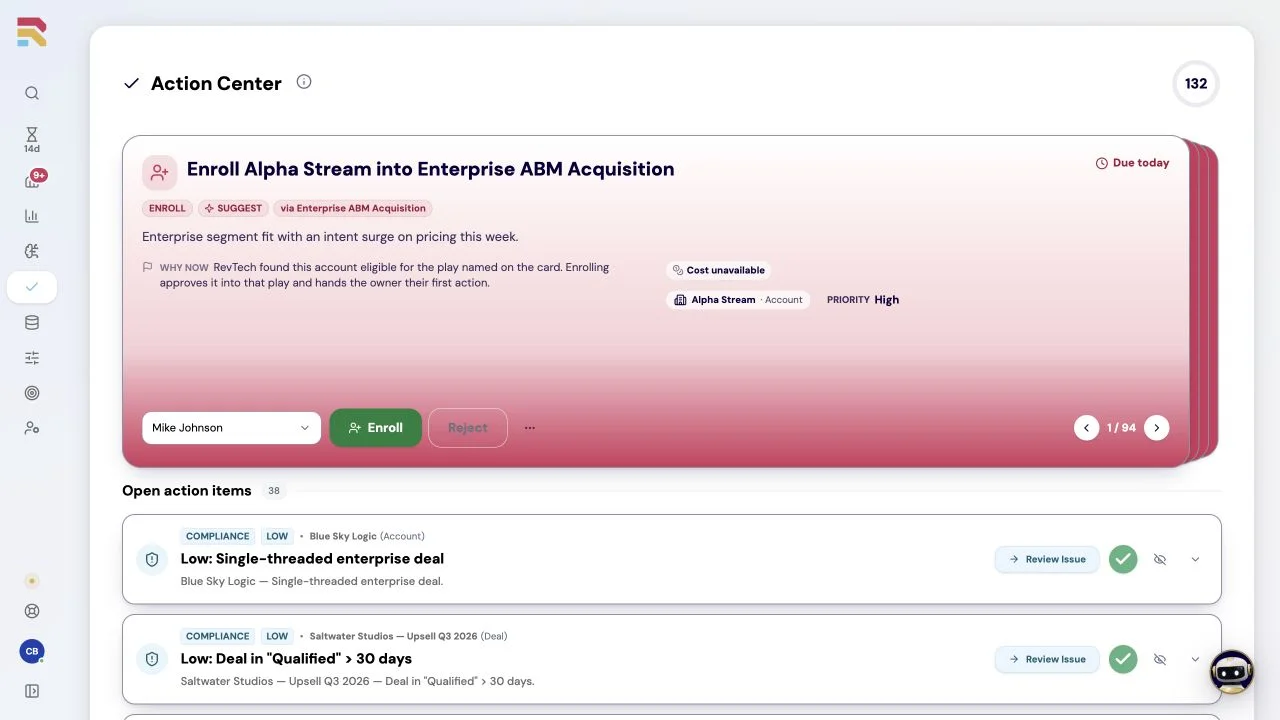
See the issue and the evidence together
Bring data exceptions into a reviewable queue, so the right person can understand the issue and decide how to correct it.
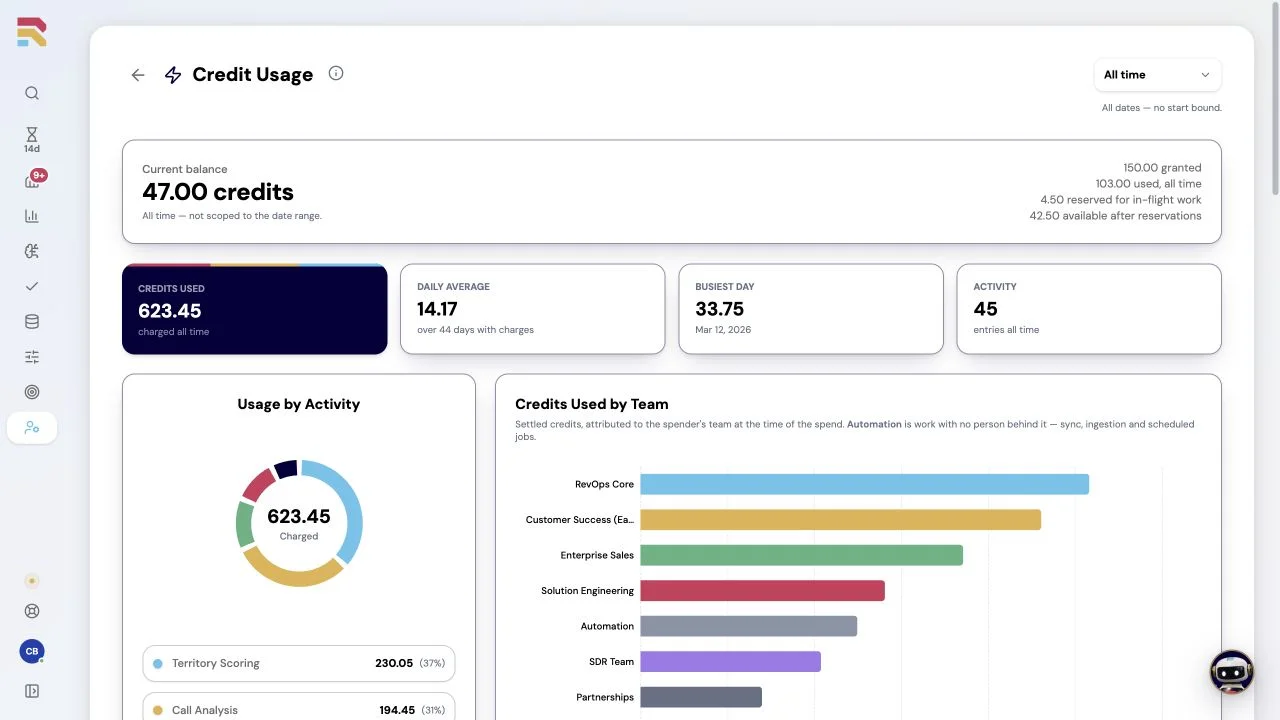
Understand the work and what it costs
Review agent usage and recurring issues to decide where a process change would help the team most.
RevOps · Operational efficiency
Win faster. Spend less. Grow with your team.
Model a shorter sales cycle, tools you can retire and planned hires your existing team could cover. Change the assumptions to see what is achievable in your business.
USD, annual estimates. Include RevTech, implementation, integration and remaining delivery costs in investment. This standalone example uses its own editable revenue, demand and cost assumptions; it is not added to the whole-GTM case. These are planning estimates, not measured results.
Potential annual benefit
$576,000
- Faster wins
- $480,000 gross profit from $600,000 additional revenue
- GTM tools retired
- $36,000 annual cost saving
- Planned hiring avoided
- $60,000 · 0.5 FTE equivalent
- 2,000 hours recovered; 1.0 FTE of operating capacity
$514,812
Annual value after $61,188 investment · 841% net ROI
How this scenario is calculated
Faster wins: current annual revenue × (current cycle ÷ target cycle − 1) × the share of additional throughput you can convert. Revenue is capped at additional qualified demand × win rate, then multiplied by gross margin. Faster cycles alone do not create demand; timing existing wins earlier is not recurring new revenue.
Tools: annual spend × the share actually retired. Exclude RevTech and costs already counted in investment. Headcount: recovered hours ÷ annual full-time hours × the share used to avoid hiring, capped at planned hires, then multiplied by fully loaded annual cost. Capacity that does not avoid a planned hire is not a cash saving.
Net ROI = (velocity gross profit + tool savings + avoided hiring cost − investment) ÷ investment. Keep operational hours separate from seller capacity used for velocity. The whole-GTM model uses the larger of its demand-backed sales capacity and velocity revenue cases, then adds distinct tooling and hiring savings. Do not add this standalone result again.
Learn how RevOps works with RevTech.
Guides and use cases for the work your team does in RevTech every week, written against the product as it ships.
Frequently asked questions
Explore the other solutions.
Explore how each team can use prepared work to make more time for customers, ideas, and decisions.
See how the work gets done.
Explore how agents prepare work across your revenue teams, and how people review it, guide it and decide what happens next. Fictional data. Real product.
Explore the demo