Know who is in the deal, and who is missing
The committee on the deal, the org chart on the account, and the cards that tell you a new person appeared or your champion left.
The job
“I want to see the whole buying group, and find the gap before it costs me the deal.”
- Sales reps
- Sales managers
- Customer success managers
Single-threaded deals are the most predictable loss in enterprise selling, and the most preventable. The pattern is always the same: one enthusiastic contact, a good relationship, and no coverage of the people who will actually decide. When that contact changes job the deal does not slow down, it stops.
The reason teams stay single-threaded is not ignorance of the risk. It is that mapping a committee is tedious, the map goes stale within weeks, and nobody is quite sure whose job it is. Keeping it current is exactly the kind of work worth handing to something that watches continuously.
What it moves
- Multi-threading
- Stakeholder coverage
- Deal risk detection
The division of labour
What RevTech does, and where you decide
In the product
How to do it
- Step 1 of 4
Read the committee on the deal
The deal record carries a Committee tab: who is involved and in what capacity, with the roles suggested rather than left blank. Confirming or correcting a suggestion is a few seconds of work and it is what makes the coverage read meaningful afterwards.
- Step 2 of 4
Read the org chart on the account
The account’s Mapping tab is the people layer: every contact plus the reporting hierarchy between them. It answers a different question from the committee tab — not "who is in this deal" but "who exists here" — and the gap between the two is the thing worth looking at.
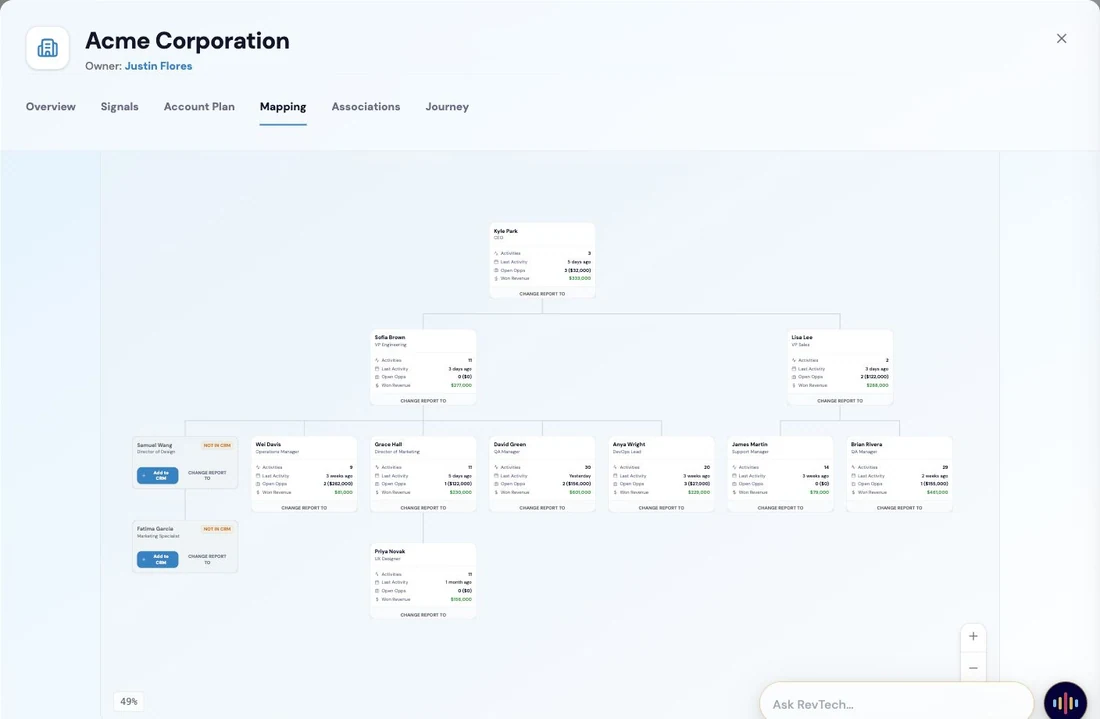
The account map. The stakeholders on an account are laid out with their roles and relationships, making visible where the relationship is deep, where it rests on a single contact, and which parts of the buying group nobody has met: the evidence expansion conversations depend on. Screenshot of the RevTech application; sample data. The account map. The committee sits inside this, and the gap between them is the coverage risk. - Step 3 of 4
Act on the discovery cards
Three kinds of card keep the map honest without anybody maintaining it. Someone in the buying group who is not on the account yet, at or above the confidence bar. A reporting line inferred from existing relationship data. And a confirmation when a person or an edge was saved. The first two are proposals; you decide.
- A newly discovered contact can be promoted onto the account from the map
- A suggested reporting line is a proposal, not a change already made
- The saved confirmation exists so you can glance at what the map now says
- Step 4 of 4
Treat a stakeholder change as a risk event
When a champion’s role changes or they leave, that is not an update to a field. On a customer account it is the leading indicator of a health drop, and the intervention plan that arrives with it includes a new-champion map for exactly that reason.
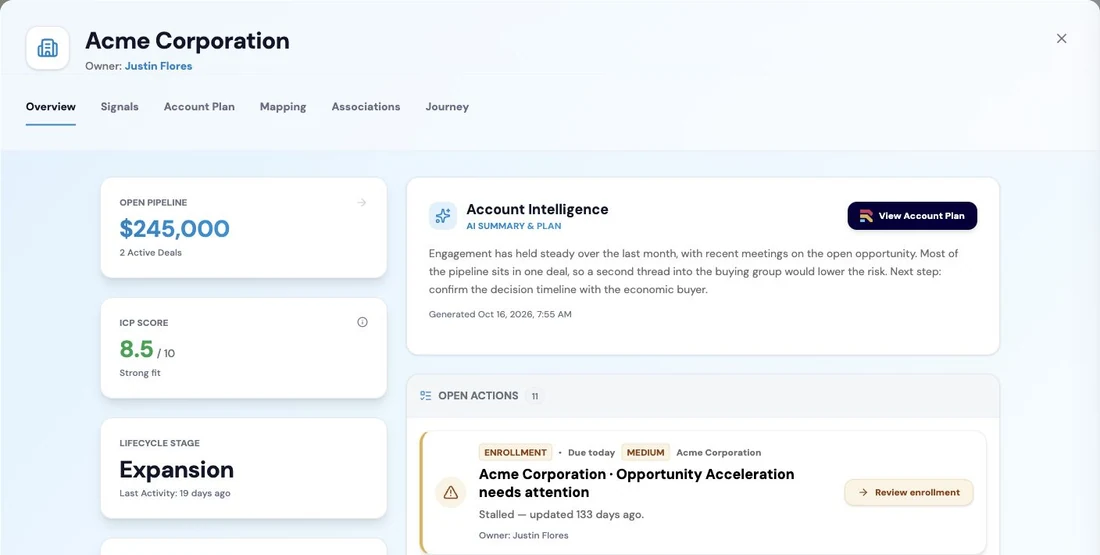
The account view of stakeholders and relationships, so a change in the buying group is visible to whoever owns the account. Screenshot of the RevTech application; sample data. A stakeholder change, with the coverage consequence attached rather than left for you to work out.
What arrives
What this puts in your Action Center
| Item | What is prepared | How it resolves |
|---|---|---|
| NewContactDiscovered | The person, and why they look like part of the buying group | The account, on its Mapping tab |
| SuggestedDirectReport | A reporting line inferred from existing relationship data | The contact, on its Reporting tab |
| AccountMappingUpdated | The saved change, for a glance | The map |
What to take away
- The committee answers "who is in this deal". The map answers "who exists here". The gap is the risk.
- Role suggestions are suggestions. Confirming them is what makes the coverage read mean anything.
- A champion changing role is a risk event, not a field update.
Go deeper
The material behind this
See how the work gets done.
Explore how agents prepare work across your revenue teams, and how people review it, guide it and decide what happens next. Fictional data. Real product.
Explore the demo