Catch a deal before it slips
Five kinds of card tell you a deal is moving the wrong way, most of them before the close date does. What each one means and what to do with it.
The job
“I want to hear that a deal is in trouble while there is still time to do something.”
- Sales reps
- Sales managers
- RevOps
Deals rarely fail on the day they are marked lost. They fail weeks earlier, at the point where the next step stopped being scheduled and nobody noticed, and the close date carried on saying what it had always said. By the time the date arrives the conversation is about whether to push it, which is a conversation about the forecast rather than about the deal.
The difference between a slip you saw coming and one you did not is roughly the difference between a deal you can still work and a deal you can only re-forecast. That is the whole argument for continuous inspection: not that it finds more problems, but that it finds the same problems while they are still problems rather than outcomes.
What it moves
- Slipped pipeline
- Stage hygiene
- Deal risk detection
- Forecast variance
The division of labour
What RevTech does, and where you decide
In the product
How to do it
- Step 1 of 5
Learn the five cards by what they are telling you
They look similar and mean different things. Probability moved. The close date is at risk, before it slips. The date actually slipped, or pulled forward. The forecast category changed between Commit and Upside. The amount or stage changed materially. Each one arrives with the driver — the thing that moved it — rather than just the fact that something did.
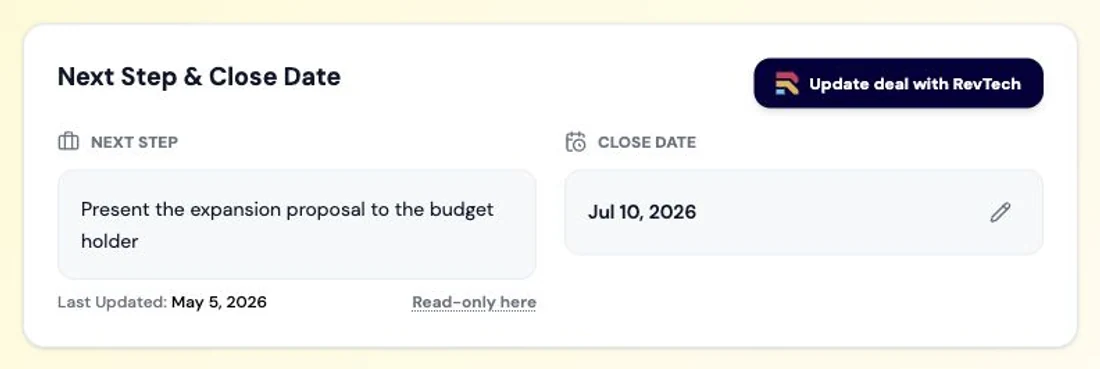
The deal record after a meeting. Stage, value and close date sit alongside the engagement history and buying group that justify them, so the follow-through of updating the deal and logging what changed is already done rather than waiting on the rep. Screenshot of the RevTech application; sample data. The deal record every one of these cards drills into. - Step 2 of 5
Start with the predictive one
The close-date-at-risk card is the only one of the five that fires before anything bad has happened. It is raised when the close date is near, the probability is low and there is no committed next step — which is the exact signature of a deal that is about to be pushed. It arrives with a drafted mutual-plan checkpoint, because the fix for that signature is almost always a conversation about what happens between now and the date.
- Step 3 of 5
Work them from the deal, not the card
Each of the five opens the deal on its Journey tab, which is the record’s own history in order. That is deliberate: a probability change means very little on its own and a great deal next to the three things that happened before it. Read the movement in context, then decide.
- Step 4 of 5
Make the recurring ones into rules
Where the same failure keeps appearing — deals sitting in a stage past a threshold, a required field empty at a stage that depends on it — that belongs in your process rule library rather than in anybody’s memory. A rule evaluates on a schedule, names the roles that receive what it finds, and carries the author’s own wording for the condition it matched.
- Rules run over Deals, Accounts and Contacts
- Severity decides the lane the finding lands in: Critical, Attention or Normal
- A rule marked as impacting the deal carries that label onto every card it raises
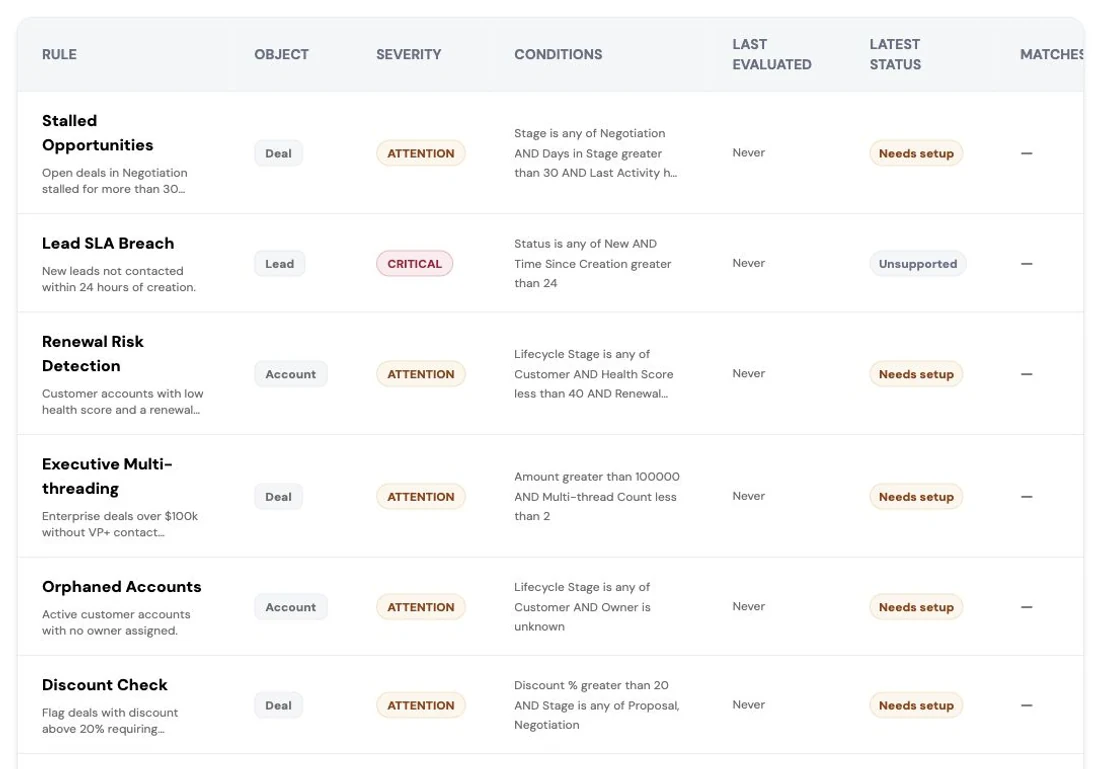
The rule library behind the Sales Agent. Every service-level rule the sales process is held to is authored here: what it checks, which object it applies to, how severe a breach is and whether it is currently active. RevOps owns this library; the agent only enforces what it contains. Screenshot of the RevTech application; sample data. The rule library. Your process, written as conditions something can evaluate every day. - Step 5 of 5
Read the exceptions as a list, weekly
Individually these are interruptions. Together, once a week, they are an inspection: the same three reps, the same stage, the same missing field. That is the read that changes something, and it is the one a manager should be doing rather than re-asking for status.
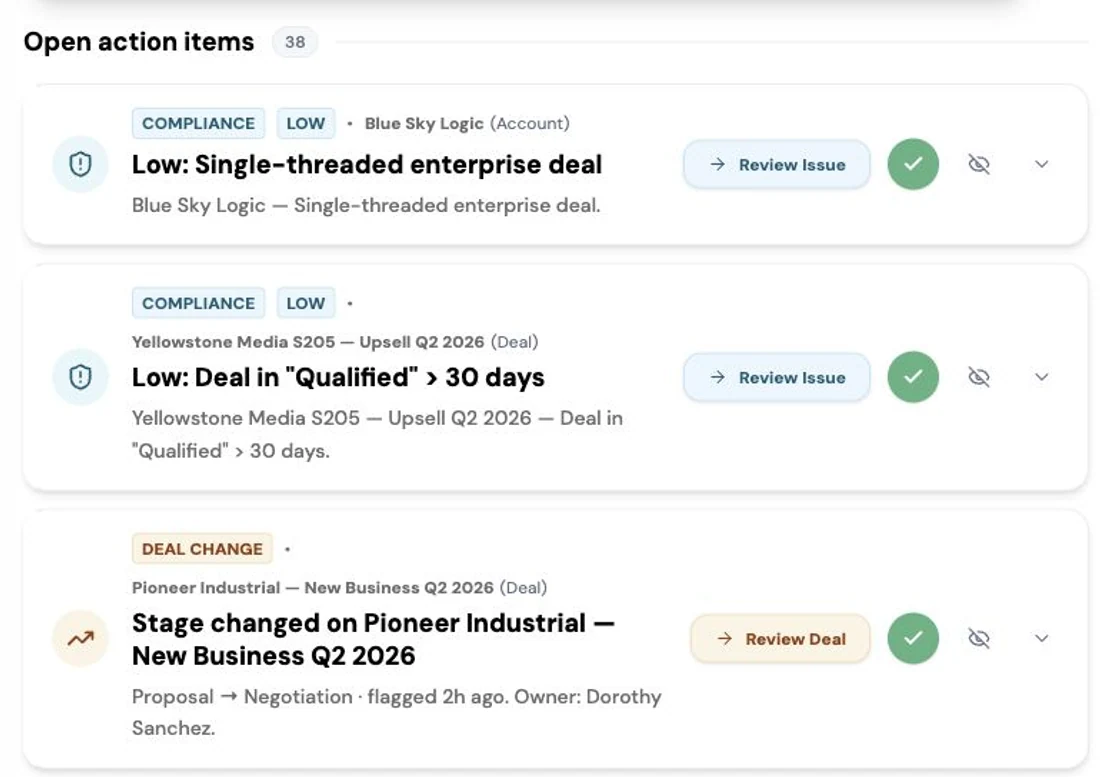
The open exception list: records that breached a standard, each tied to its account or deal and ready for review. Screenshot of the RevTech application; sample data. Exceptions as a list. One is an interruption; the set is a finding.
What arrives
What this puts in your Action Center
| Item | What is prepared | How it resolves |
|---|---|---|
| CloseDateAtRisk | The gap, plus a drafted mutual-plan checkpoint — raised before the slip, not after | The deal, on its Journey tab |
| ProbabilityChange | The driver behind the move and its forecast impact | The deal, on its Journey tab |
| DealPushed · DealPulled | Stakeholders to re-engage, or a readiness check where it accelerated | The deal, on its Journey tab |
| ForecastCategoryChange | The recomputed rollup impact of the move between Commit and Upside | The deal, on its Journey tab |
| MaterialChange | A change summary and what it does to the category | The deal, on its Journey tab |
| Compliance | The issue and a suggested fix, from a rule your organisation authored | The flagged record |
What to take away
- Only one of these fires before the bad thing happens. Treat the at-risk card as the important one.
- Every card opens the deal on its Journey tab, because movement means nothing without its history.
- The rule engine flags; a person fixes. Nothing edits your CRM on a rule’s say-so.
- Read exceptions as a weekly list. One is noise, the set is an inspection.
Go deeper
The material behind this
See how the work gets done.
Explore how agents prepare work across your revenue teams, and how people review it, guide it and decide what happens next. Fictional data. Real product.
Explore the demo