Working deals with agents
One shared definition of stage, forecast category and committee — so a pipeline review stops being a negotiation and starts being a decision.
Product walkthrough
See it in RevTech
Move from pipeline visibility into the deal record, then see how agents prepare the work that keeps an opportunity moving.
What is actually being enforced
Deals is every opportunity in your CRM, filterable in seconds. The part that changes how meetings go is not the filtering, though. It is that RevTech enforces one shared definition of stage, forecast category and buying committee across everyone looking at the record.
That is the difference between a pipeline review that is a negotiation and one that is a decision. When two people can hold different working definitions of "commit", the meeting is spent reconciling them. When they cannot, the meeting is spent on the deal.
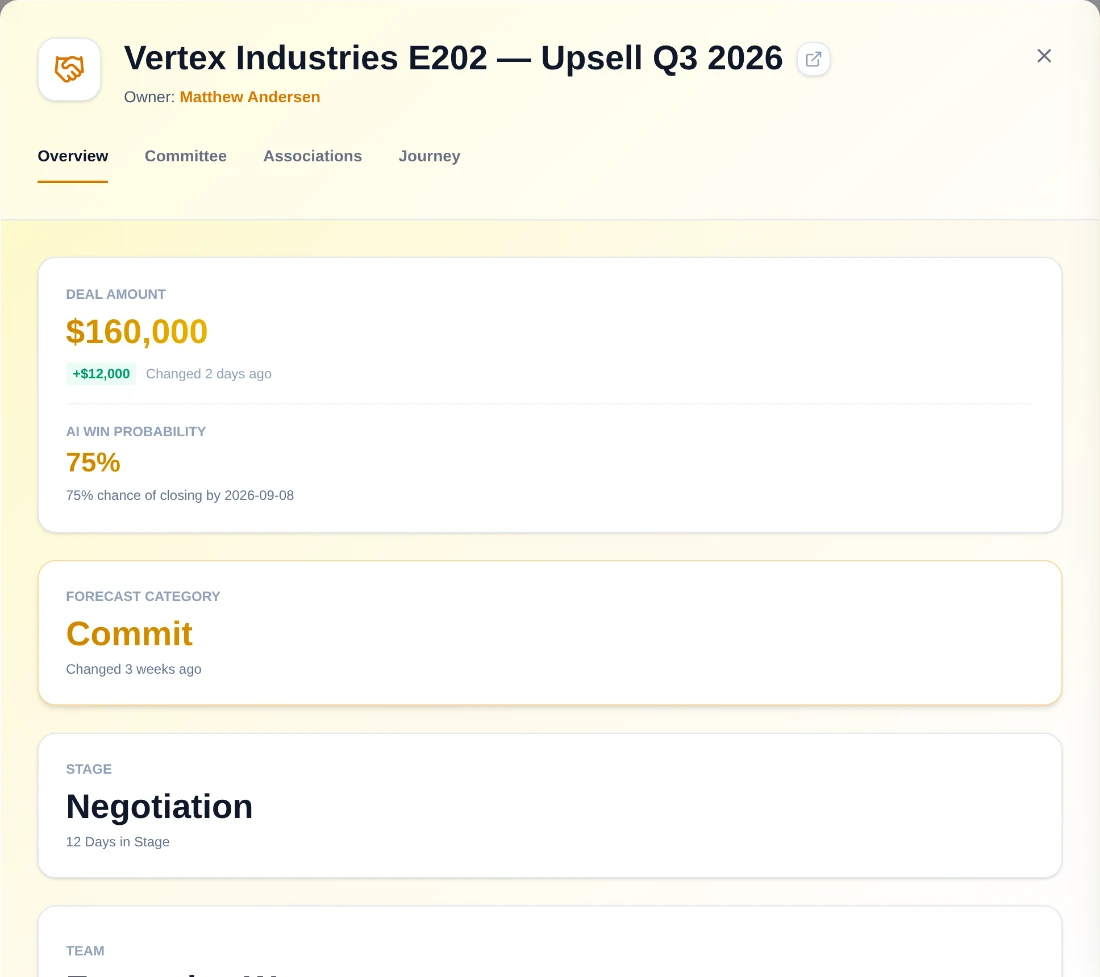
The daily read
A deal opens on four tabs — Overview, Committee, Associations, Journey — and Overview is where the daily read lives. Its left column carries deal amount and AI win probability, forecast category, stage and team. Its right column is one combined AI Deal Insight card: the generated insight, the next step and its edit control, then Deal Conditions — Stalled, At Risk, Not Qualified, Single Threaded, Slipping. Those conditions are the daily pipeline-review surface, because each names a specific failure mode rather than a general concern.
Single Threaded in particular is worth treating as a hard signal rather than a nudge. It is the one that most reliably predicts a deal that dies without warning, and it is also the one with the most obvious fix. Each condition carries a spoken tone prefix — Risk, Watch or Note — so it reads the same to a screen reader as it does in colour.
The committee, in eight roles
Sales wins with a committee, not a contact. RevTech uses eight canonical roles (Decision Maker, Budget Holder, Champion, Procurement, Technical Buyer, Initiator, Influencer, Blocker) and suggests likely roles from CRM activity.
The canonical set exists so that a missing role is visible as an empty card rather than as an absence nobody notices. That inverts the usual problem: it is easy to feel good about a deal with six mapped contacts and no Budget Holder, and much harder to feel good about it when the Budget Holder card is sitting there blank.
Context, and the audit trail
A deal is not just a record. Associations gathers the account, the campaigns and the contacts behind it in one place, with drill-through into any of them. Play associations are not here — those live on the RevPlays surfaces, where the enrollment is actually worked.
The Journey is every stage change, email, meeting and AI-generated risk flag on one timeline. It has two jobs: it is the audit trail behind a forecast number, and it is the context a handoff to Customer Success needs. Both matter more at the moment somebody asks a question you cannot answer from memory.
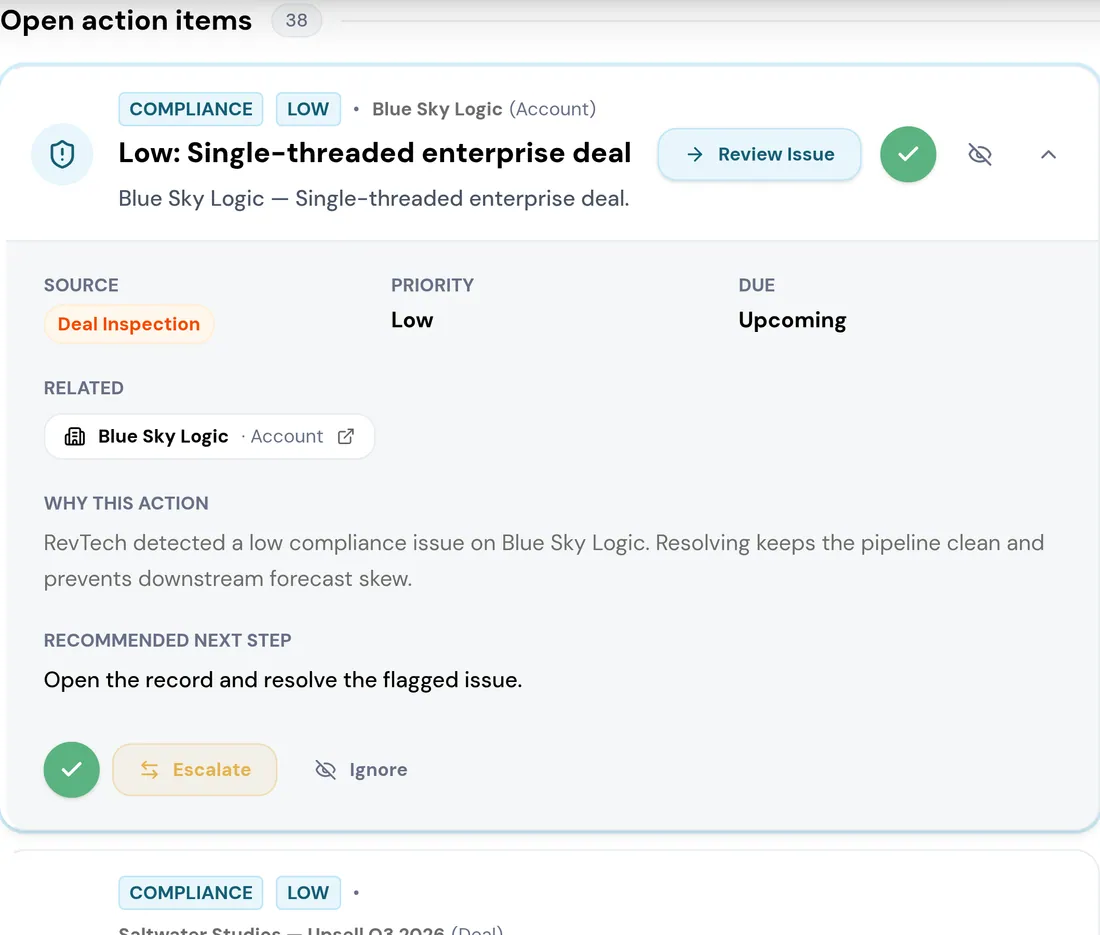
Working the list, not just the record
Most of the week is spent above the modal rather than inside it. The table filters by stage, type, owner and forecast category — each a multi-select — plus a close-date range, searches by name, and lets you tick rows for a bulk action. Arrow keys move between deals without leaving the table.
The same filters that drive the weekly review drive the forecast call and the QBR, and they live in the URL. Combine the deal data with the Analyst to ask the questions that span it: whether the quarter lands, and why deals are being lost.
What to take away
- The value is the shared definition. A review where stage means the same thing to everyone is a different meeting.
- Eight canonical committee roles, and the empty cards are the ones worth looking at.
- Deal Conditions — Stalled, At Risk, Not Qualified, Single Threaded, Slipping — are the daily read.
- Four tabs, and no more: Overview, Committee, Associations, Journey. Everything the review needs is in the first two.
Try the demo.
See agents carry the repeatable work of GTM across sales, marketing, customer success, and RevOps. Every action prepared, reviewed, and recorded. Fictional data, real product.
Explore the demo