Keep an account plan that is actually current
Generate a plan, edit it in place, and keep every version. The plan stops being a slide somebody made in January.
The job
“I want to have a real plan for each strategic account that does not go stale in a month.”
- Sales reps
- Account managers
- Sales managers
- Customer success managers
Account plans fail in a specific and repetitive way. Somebody spends a day building one, it is genuinely good, it is reviewed once, and then it ages. Six weeks later it describes a buying committee that has changed and an opportunity landscape that has moved, and the honest thing to do with it is start again — which nobody has a day for, so instead it is quietly ignored.
The cost of the first draft is what makes the cycle happen. When the draft is generated from the account’s own data, the expensive part becomes the judgement you add, and the refresh becomes something you can justify doing after every material change rather than once a year.
What it moves
- Account execution
- Account review preparation time
- Multi-threading
The division of labour
What RevTech does, and where you decide
In the product
How to do it
- Step 1 of 5
Generate the first one from the account
Open the account and go to its Account Plan tab. Generating is asynchronous — the plan is assembled from the record rather than filled into a template, so it takes a moment and you can carry on working. The sections it produces are governed by an artifact in your library, which is how two reps’ plans end up comparable.
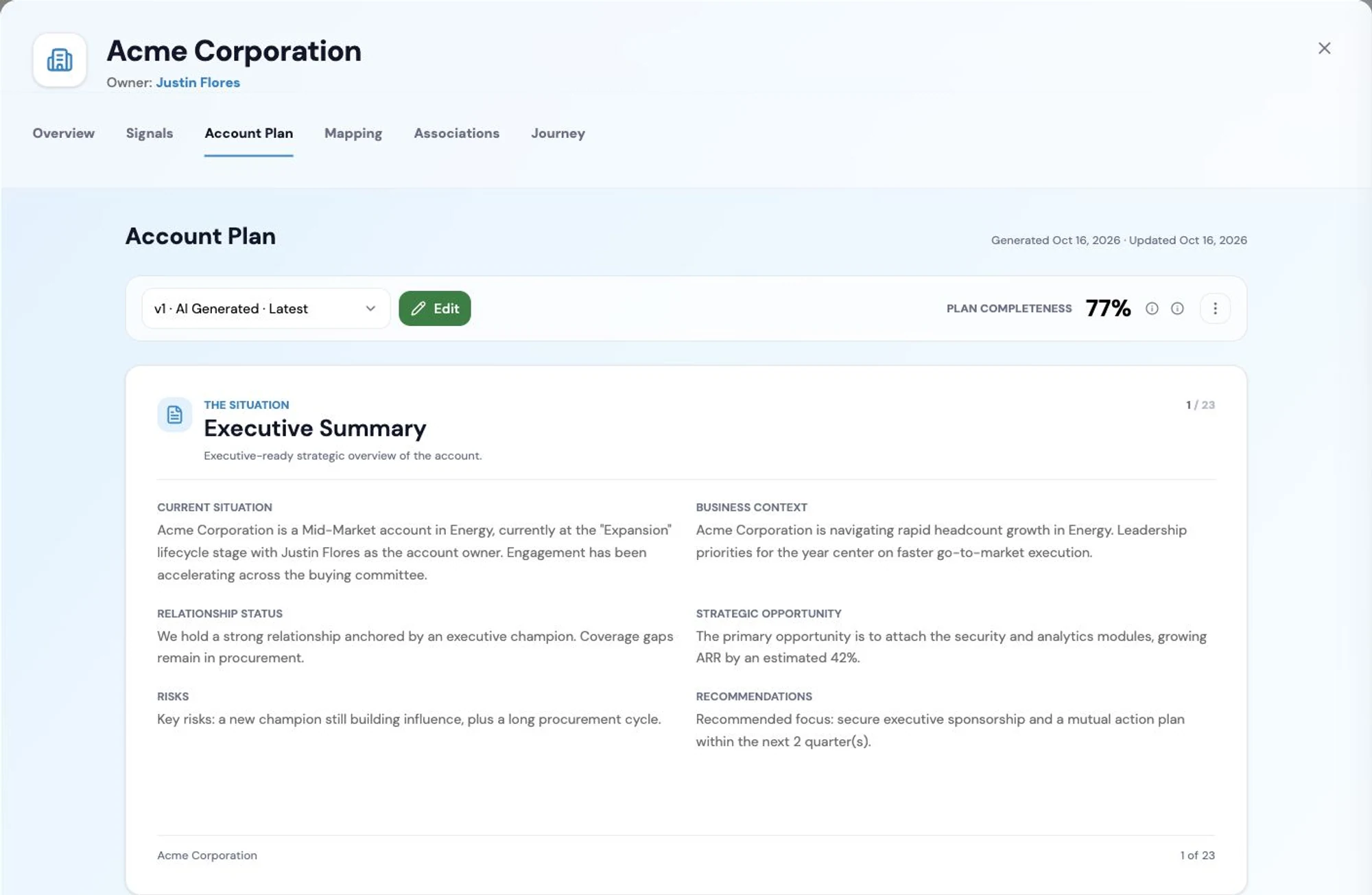
An account plan assembled by the Account Planning Agent from CRM, engagement and product data, covering the executive summary, stakeholders, whitespace and the recommended next steps for the account team. Screenshot of the RevTech application; sample data. A generated account plan. The structure comes from your artifact library, the content from the account. - Step 2 of 5
Edit it in place, and save a version
The plan is editable inline. This is the part that matters: the generated draft is the research, and what you add is the strategy — the thing you are actually going to try, and why. Saving creates a version rather than overwriting, so the plan has a history.
- Step 3 of 5
Use the history as the account’s record
Version history is browsable and searchable, and any version can be restored. That turns the plan into something more useful than a current-state document: you can see what you believed about this account in March, which is the only way to tell whether your account planning is any good.
- Browse and search the versions rather than keeping copies elsewhere
- Restore an earlier version when a change turned out to be wrong
- Regenerate when the account has moved far enough that editing is not the answer
- Step 4 of 5
Refresh on events, not on a calendar
Regenerating is the right move after something material: a champion leaves, a large opportunity opens or closes, the account moves segment. Tie it to those rather than to a quarterly ritual, and the plan stays a working document.
- Step 5 of 5
Read the review card when one arrives
A generated or refreshed plan raises a review item carrying the full plan. It is the prompt to read something you would otherwise only open when preparing for a meeting, which is exactly when it is too late to act on anything in it.
What arrives
What this puts in your Action Center
| Item | What is prepared | How it resolves |
|---|---|---|
| AccountPlanReview | The full plan, after it was generated or refreshed | The account plan |
| AccountAssetReview | Collateral a campaign drafted against this account’s own context | The artifact itself |
What to take away
- The generated draft is the research. The strategy is what you add to it.
- Every save is a version, and any version can be restored — so the plan carries its own history.
- Regenerate on material events, not on a quarterly ritual.
- There is no approval gate on a plan. Creating it is the decision.
Go deeper
The material behind this
See how the work gets done.
Explore how agents prepare work across your revenue teams, and how people review it, guide it and decide what happens next. Fictional data. Real product.
Explore the demo