Make sure no lead waits
A lead flow is a contract between marketing and sales. Build one, route on rules, and let the unowned lead escalate itself.
The job
“I want to have every inbound lead enriched, routed and followed up inside the SLA.”
- Marketing operations
- RevOps
- Business development
Speed to lead is the most consistently evidenced relationship in demand generation and the most consistently missed. The reason is almost never that somebody decided not to call. It is that the lead arrived, sat in a queue, was assigned to a person who was on holiday, and surfaced four days later as a name with no context attached.
Every one of those failures is a routing failure rather than an effort failure, which is good news: routing is a thing you can write down. What a flow adds is that the writing down is enforced, and the lead that falls out of it escalates rather than waiting.
What it moves
- Speed to lead
- Lead leakage
- MQL to SAL conversion
The division of labour
What RevTech does, and where you decide
In the product
How to do it
- Step 1 of 5
Choose the flow type once
A flow is either basic or AI-driven, and that choice is made when you create it. Basic routes; AI enriches, researches, scores and drafts before it routes. The decision is about whether the volume and value justify the work, and it is not one to revisit weekly.
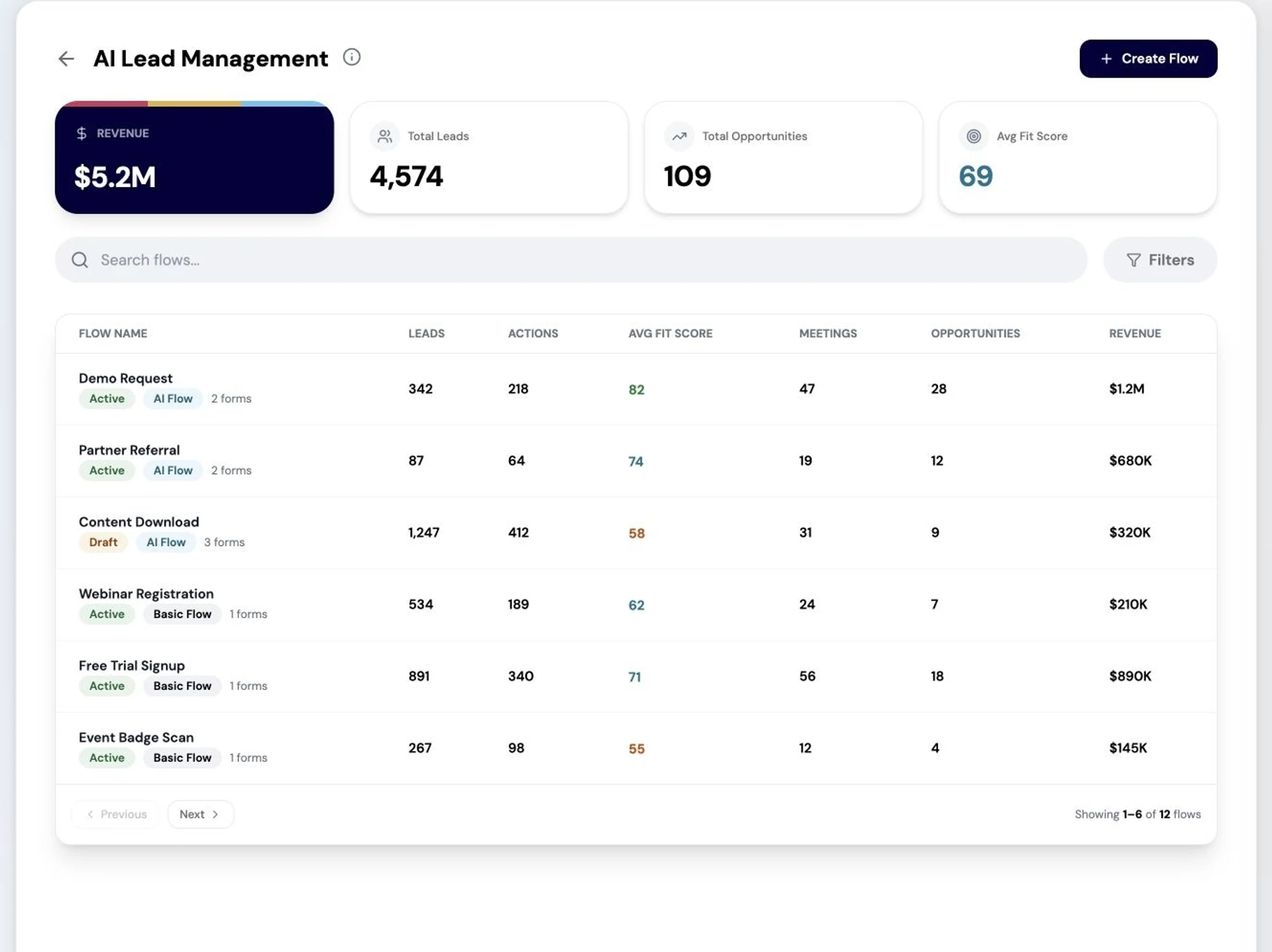
The lead management flow builder: routing, qualification and follow-up defined as maintainable rules. Screenshot of the RevTech application; sample data. The flow list. Each one is a contract about a specific kind of inbound. - Step 2 of 5
Bind the forms that feed it
Map the forms whose submissions belong to this flow. This is the join between what marketing runs and what sales receives, and it is also where attribution comes from later, so a form bound to the wrong flow is two problems rather than one.
- Step 3 of 5
Author the routing rules, then preview them
Rules are conditions over the lead and the account it resolves to, with an ordering that decides which one wins. Preview them against sample contacts before activating: a rule set that looks obviously correct and routes everything to one person is the single most common mistake here, and it takes thirty seconds to find.
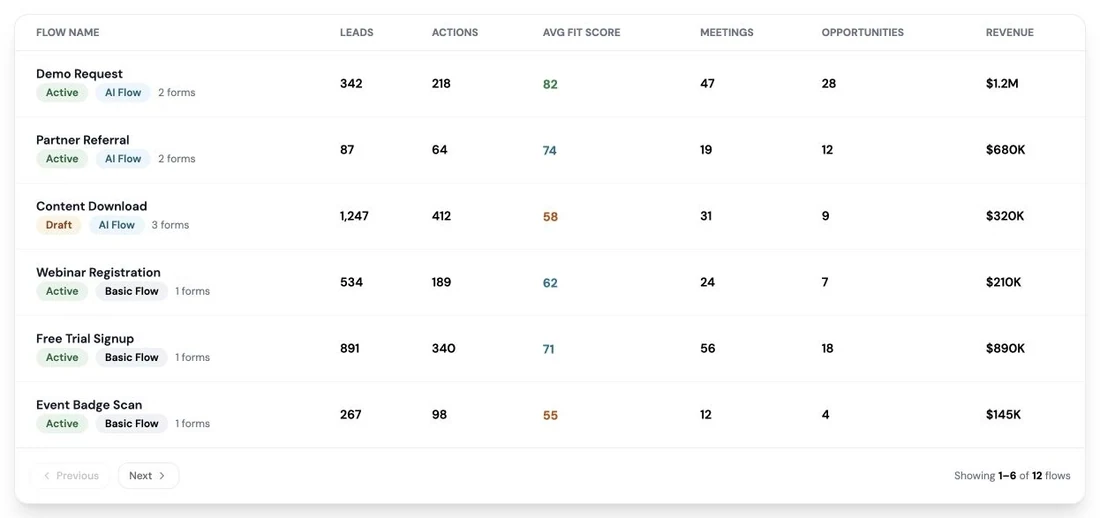
How work is routed: each action carries an owner and a review path, so nothing executes unowned. Screenshot of the RevTech application; sample data. Routing, previewed. The cheap place to find out that every rule matches the same owner. - Step 4 of 5
Work the two cards the flow produces
An assigned lead arrives already enriched, scored and with a first touch drafted, and opens the lead’s contact record. An unowned lead that has passed the first-touch SLA opens lead management at that flow’s rule, because the fix is the routing rather than the lead.
- Setting the owner happens in your CRM; the sync reads it back
- The unowned card is a routing bug report, not a task
- Repeated unowned leads from one form mean one rule needs changing, not forty leads assigning
- Step 5 of 5
Find the stage where leads die
Lead Flow Performance carries volume, ownership, quality, progression and outcomes. Read it as a funnel and look for the stage where the drop is disproportionate — that is the flow’s actual problem, and it is rarely the stage people assume.
What arrives
What this puts in your Action Center
| Item | What is prepared | How it resolves |
|---|---|---|
| LeadAssigned | Enriched, scored, with the first touch drafted; the SLA clock is running | Opens the lead’s contact record |
| LeadUnowned | The lead enriched and scored so it is ready to assign | Opens AI Lead Management at that flow’s rule |
| LeadFlowRevenue | The flow’s own attribution rollup | Lead Flow Performance |
What to take away
- Basic or AI is decided once per flow, on volume and value.
- Preview routing before activating. The all-to-one-owner mistake is thirty seconds to find and a quarter to live with.
- An unowned lead is a routing bug report. Fix the rule, not the lead.
- Ownership is set in your CRM and read back. RevTech does not assign owners.
See how the work gets done.
Explore how agents prepare work across your revenue teams, and how people review it, guide it and decide what happens next. Fictional data. Real product.
Explore the demo