Slide 1 of 4
Attainment is the last number to move
By the time attainment shows a problem, the quarter is mostly spent. Win rate and deal size move earlier, and Rep Benchmarks puts them side by side.
Prepare a 1:1 from Rep Benchmarks, the rep's own page and Sales Team, and leave it with one coaching focus the rep agrees to and a way to see whether it worked.
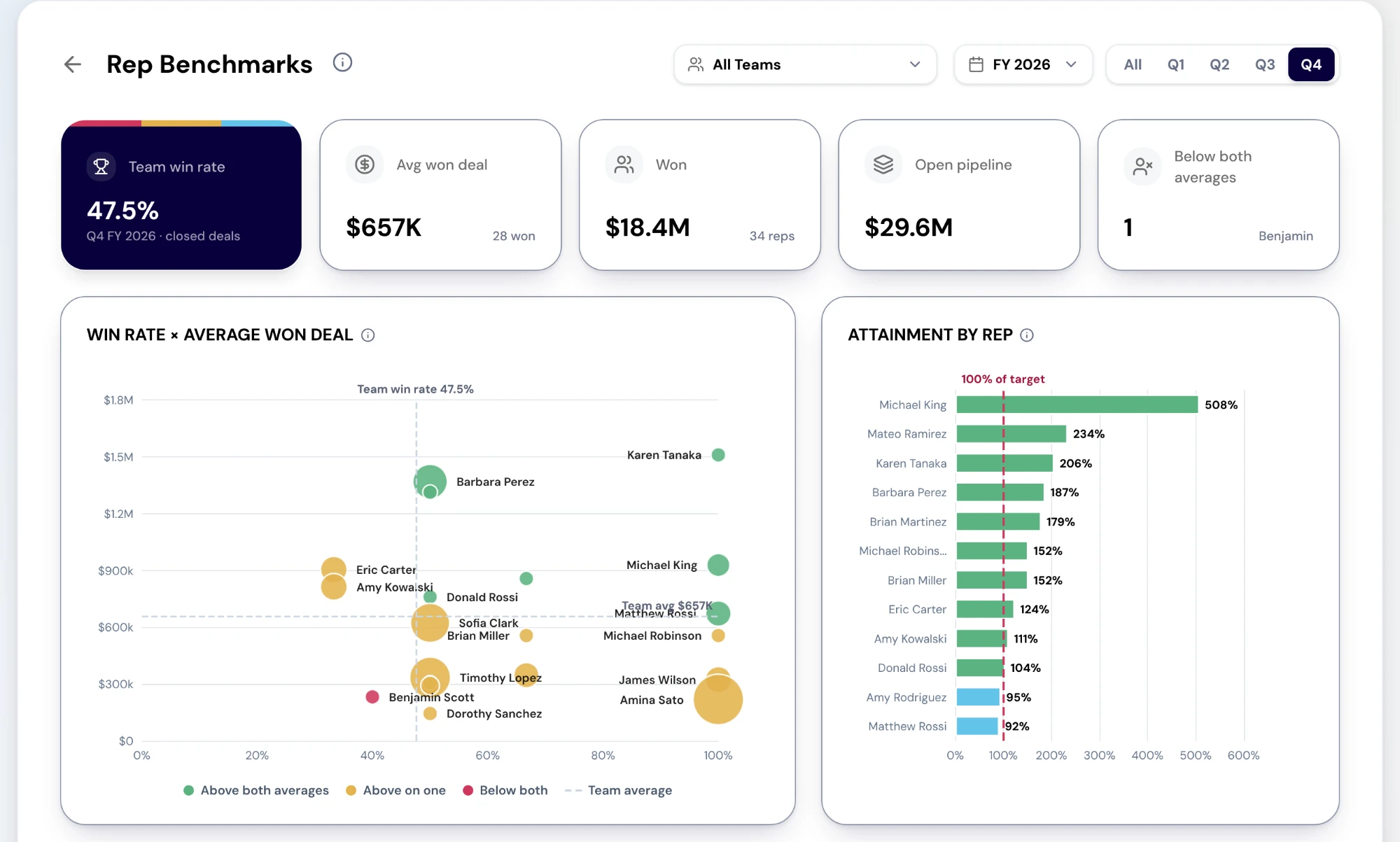
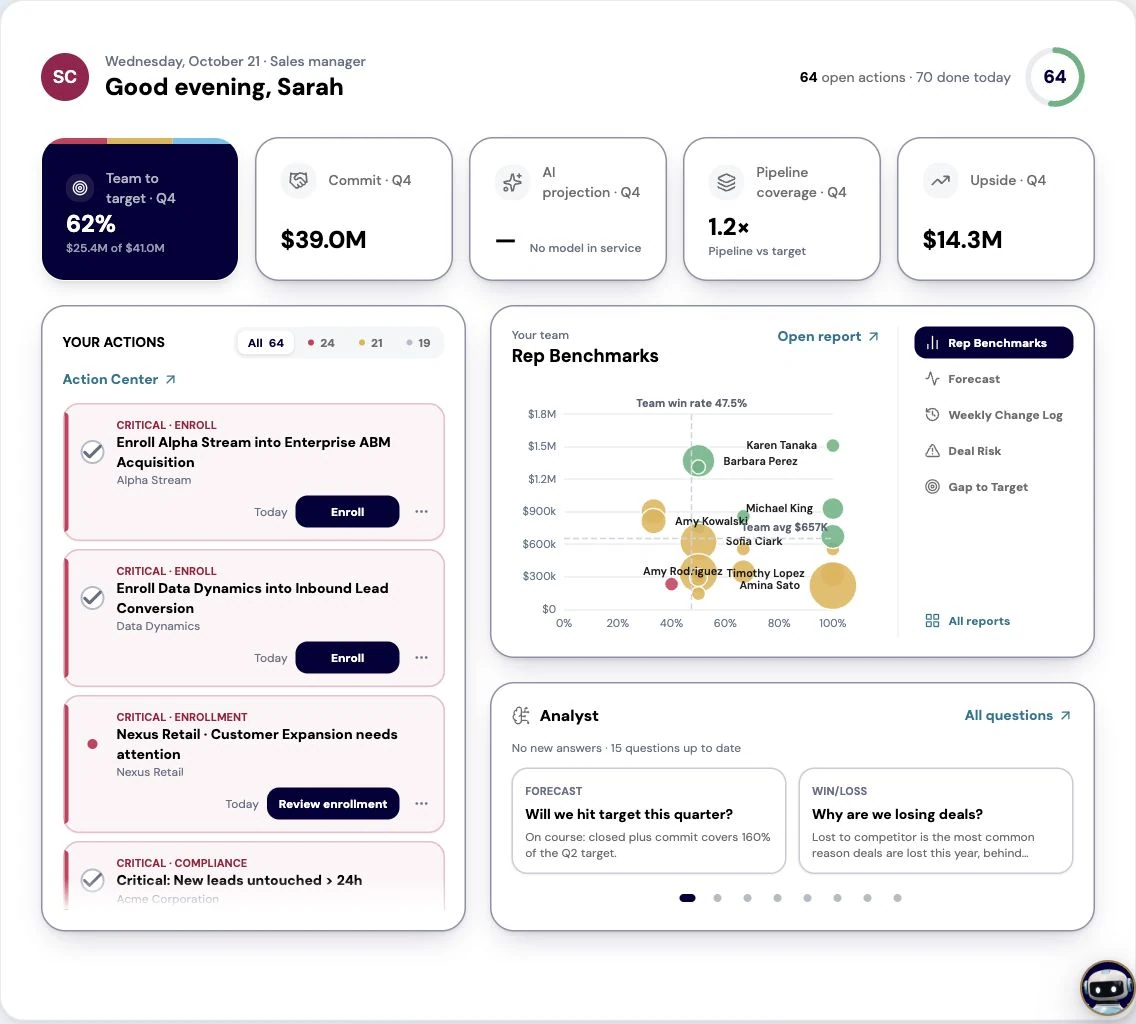
Rep Benchmarks puts your reps side by side on the facts of their closed deals for the period: the team win rate, average won deal, won amount and open pipeline as cards, and a count of reps below both averages. The quadrant, Win rate × average won deal, places each rep against the team on both at once. Attainment by rep shows won against each rep's own bookings target, and the table underneath gives every rep's attainment, won, win rate and average won deal, marked against the team.
The quadrant is the 1:1 prep surface, because the corner a rep sits in suggests the conversation. High win rate and small deals is a qualification-upward conversation. Large deals and a low win rate is a qualification conversation of the opposite kind. Below both averages needs the most care, and the least assumption. Two things are not on the page: sales cycle length and activity counts have no source yet, so do not coach on either from this report.
Select a rep in Rep Benchmarks or in Sales Team to open their Rep Performance page, whose Take Tour walks one rep's quarter across its three tabs: Pipeline, with the rep's numbers and deals by stage; Activities; and Coverage, with the accounts they own. In a production tenant the activity counts are not measured yet, and the page says so rather than showing zero, so build the conversation on the pipeline tab.
Sales Team is the team view for the same week: one row per rep with won, Commit, best case and pipeline against their target, and annual progress. Read it to place the rep's quarter in the team's before the 1:1 starts, so you are not surprised by a number in the room.
One coaching focus, agreed rather than announced, and tied to a number you can both see. If the focus is qualifying earlier, the measure is win rate in Rep Benchmarks four weeks from now; if it is deal size, it is the average won deal. A focus with no measure is advice, and advice does not carry from one 1:1 to the next.
Where the coaching point is a deal rather than a habit, make it work in the system: the deal's next step in the CRM, or the deal enrolled in a play that runs the motion you are asking for. Manager follow-up cards in the Action Center pick up gaps in a rep's follow-through between 1:1s, so the next one can start from what happened rather than what was remembered.
Do this in the product
You should be able to answer each of these from memory before opening it. Recalling the answer is what makes it stick; recognizing it when you read it does not.
Attainment is the last number to move. Win rate and deal size move earlier, and the corner a rep sits in suggests which conversation to have while there is still time in the quarter.
Sales cycle length and activity counts. Neither has a source yet, so the report leaves them out and the rep's Activities tab says they are not measured.
By the time attainment shows a problem, the quarter is mostly spent. Win rate and deal size move earlier, and Rep Benchmarks puts them side by side.
A rep under the team on win rate and on deal size may be new, in a harder territory, or carrying the deals nobody wanted. Find out which before you coach.
One coaching focus, agreed with the rep, and the number in Rep Benchmarks you will both look at in four weeks to see whether it moved.
Explore how agents prepare work across your revenue teams, and how people review it, guide it and decide what happens next. Fictional data. Real product.
Explore the demo