Slide 1 of 4
This quarter builds next quarter
The forecast call is about closing what exists. This meeting is about whether enough is being created to have a forecast call next quarter.
Read New Pipeline Created, Pipeline Source and Marketing KPIs together once a month, and decide which campaigns and plays the next month's pipeline will come from.
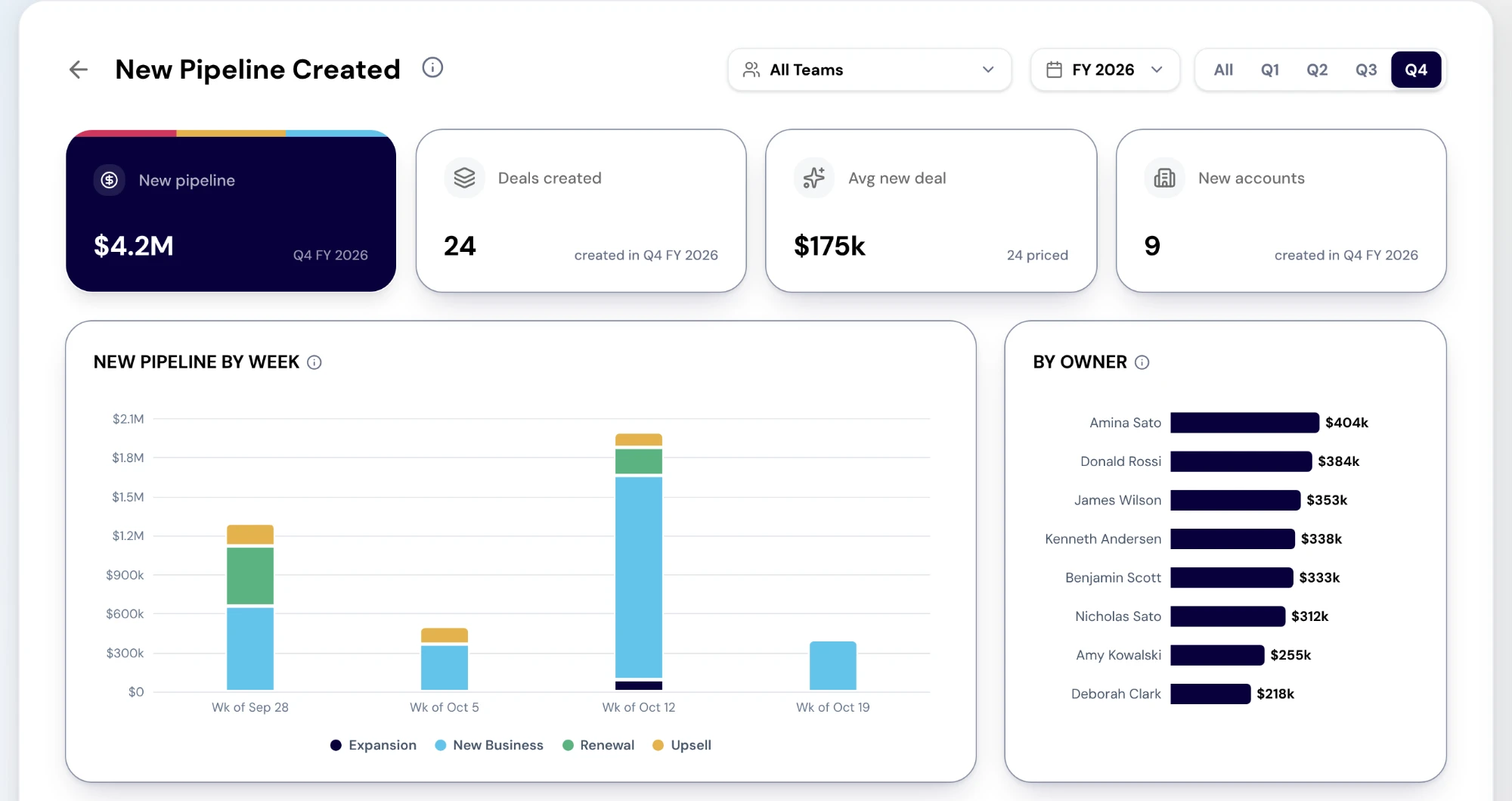
New Pipeline Created shows the deals created in the period you pick: new pipeline, deals created, the average new deal and new accounts as cards, then New pipeline by week, By owner (largest first), and the new deals themselves. Selecting an owner opens their rep page.
Three limits shape how you read it. The report reaches back 90 days, so an older period shows nothing. "Created" means when RevTech first synced the deal rather than the date in your CRM, so in the weeks after a CRM is connected the whole book reads as new. And it has no source split; where the pipeline came from is the next report's job.
The report also does not draw the pipeline you need. Bring that number with you: next quarter's target, less what is already open for it, at the coverage your team works to. Gap to Target and Forecast give you the inputs.
Pipeline Source shows open pipeline by lead source, with total pipeline, win rate, average time to close and velocity for the period as cards. Read it for the mix rather than the total: a quarter whose pipeline leans on one source is a quarter one bad month from a gap.
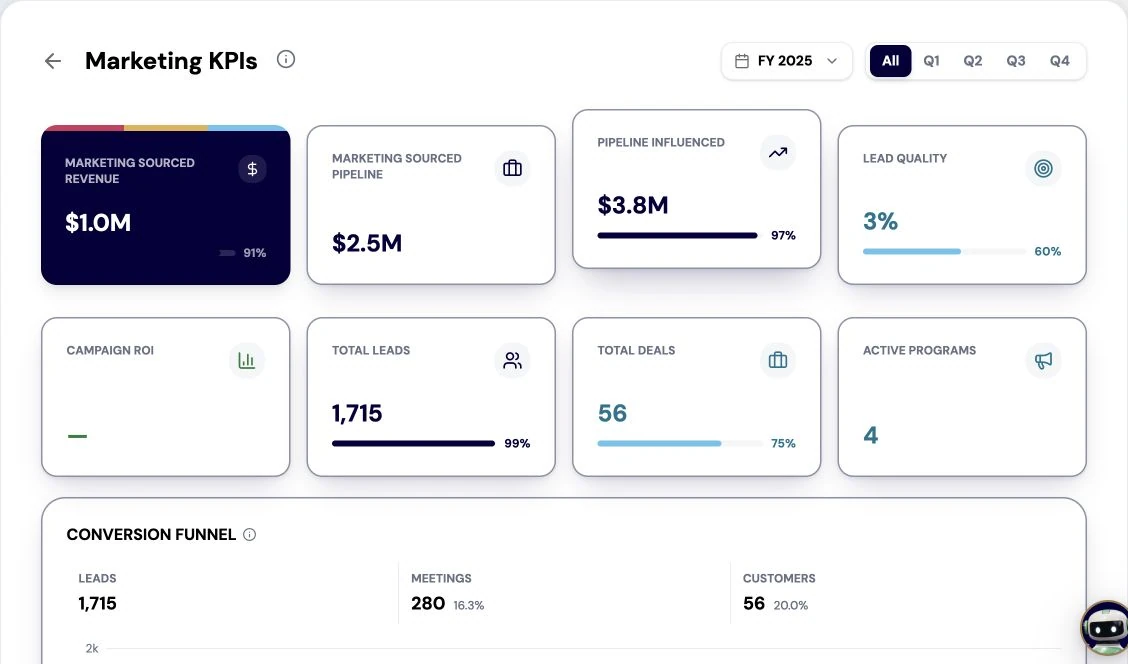
Marketing KPIs is the program view: marketing-sourced revenue and pipeline, pipeline influenced, leads, deals and active programs as cards, then the conversion funnel and the program scorecard. Some of its cards show a dash in a production tenant where the platform has no source for the figure yet; read the dash as not measured, not as zero.
The meeting decides where next month's pipeline will come from. For every program and play feeding pipeline, the answer is keep, extend, start or stop, with an owner. A source that is producing gets more reach; one that is not gets a reason and an end date; a gap between what is being created and what you need gets a new campaign or play with a start date.
If creation is falling short by more than any campaign could close, say so here, a month early, and take it to the QBR as a target conversation. That is a better outcome than finding it on the forecast call next quarter.
Do this in the product
You should be able to answer each of these from memory before opening it. Recalling the answer is what makes it stick; recognizing it when you read it does not.
It does not show the pipeline you need, it has no source split, and it reaches back only 90 days, dated by first sync. Bring your own need, worked out from next quarter's target and your coverage, and read source from Pipeline Source.
As not measured. The platform has no source for that figure in a production tenant yet, so the card shows a dash rather than a zero that would mislead.
The forecast call is about closing what exists. This meeting is about whether enough is being created to have a forecast call next quarter.
No report shows the pipeline you need. Work it out from next quarter's target and the coverage your team runs at, and bring the number to the meeting.
Which campaigns and plays next month's pipeline will come from, with owners: keep, extend, start or stop.
Explore how agents prepare work across your revenue teams, and how people review it, guide it and decide what happens next. Fictional data. Real product.
Explore the demo