Slide 1 of 4
Renewals by date, accounts by health
Renewal Calendar shows what is renewing and when. Customer Health shows which accounts are weak. The review is where the two lists meet.
Run the customer review from Renewal Calendar, Customer Health and Retention, and leave it with an owner and a start date on every renewal that needs work.
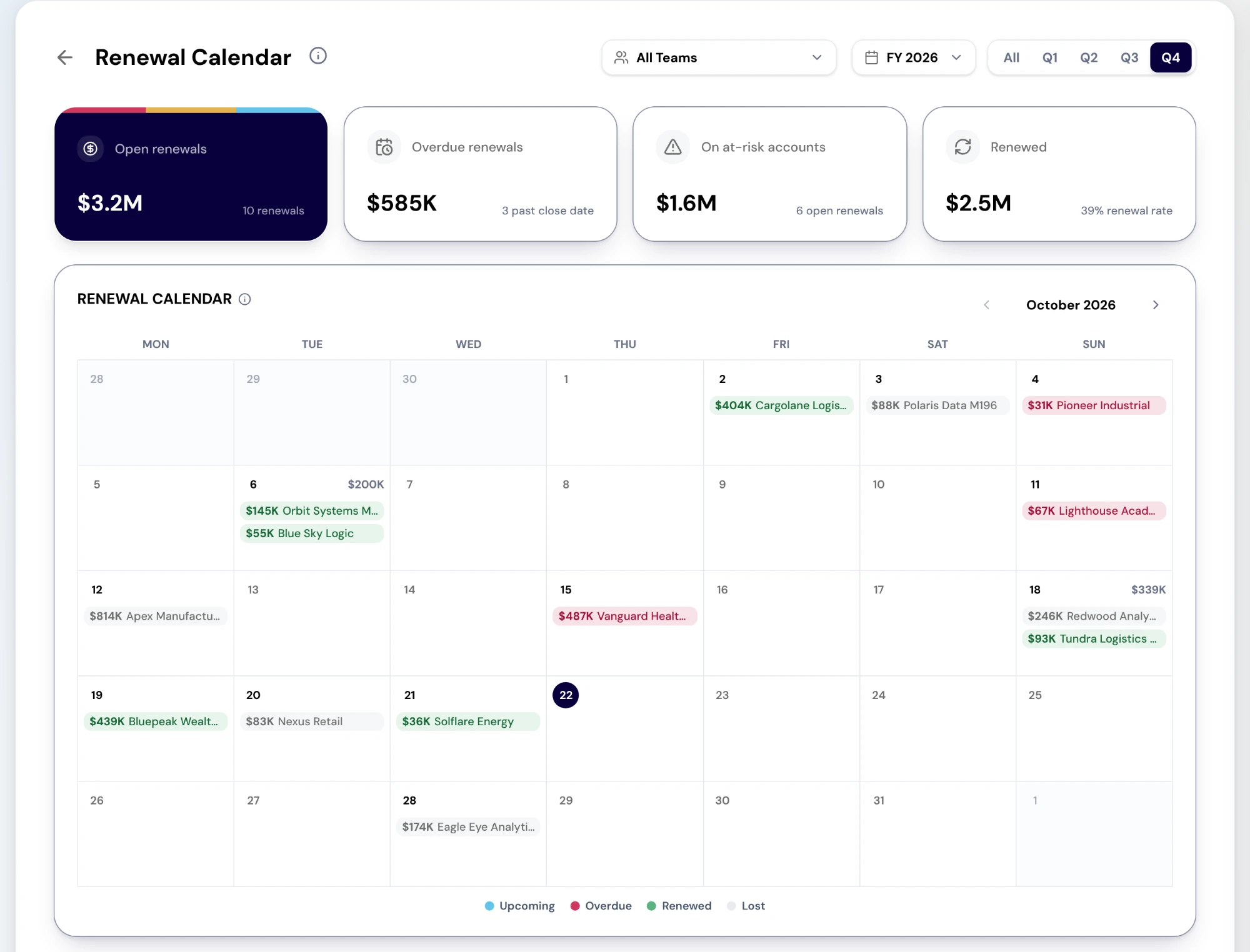
Renewal Calendar puts every renewal deal closing in the period on a month calendar, on its close date and tinted Upcoming, Overdue, Renewed or Lost. Its cards are open renewals, overdue renewals, renewals on at-risk accounts and renewed value, and the renewal book underneath lists every renewal with its owner, amount, forecast category, stage and close date. Select a renewal to open the deal, or a day to list everything renewing on it.
Start the review on the overdue card and the at-risk card, because those are the renewals that need a decision today. One limit to say out loud: the calendar reads renewal deals, so a contract that is ending with no renewal deal in the CRM is not on it. Ask in every review which contracts end soon with no renewal deal yet.
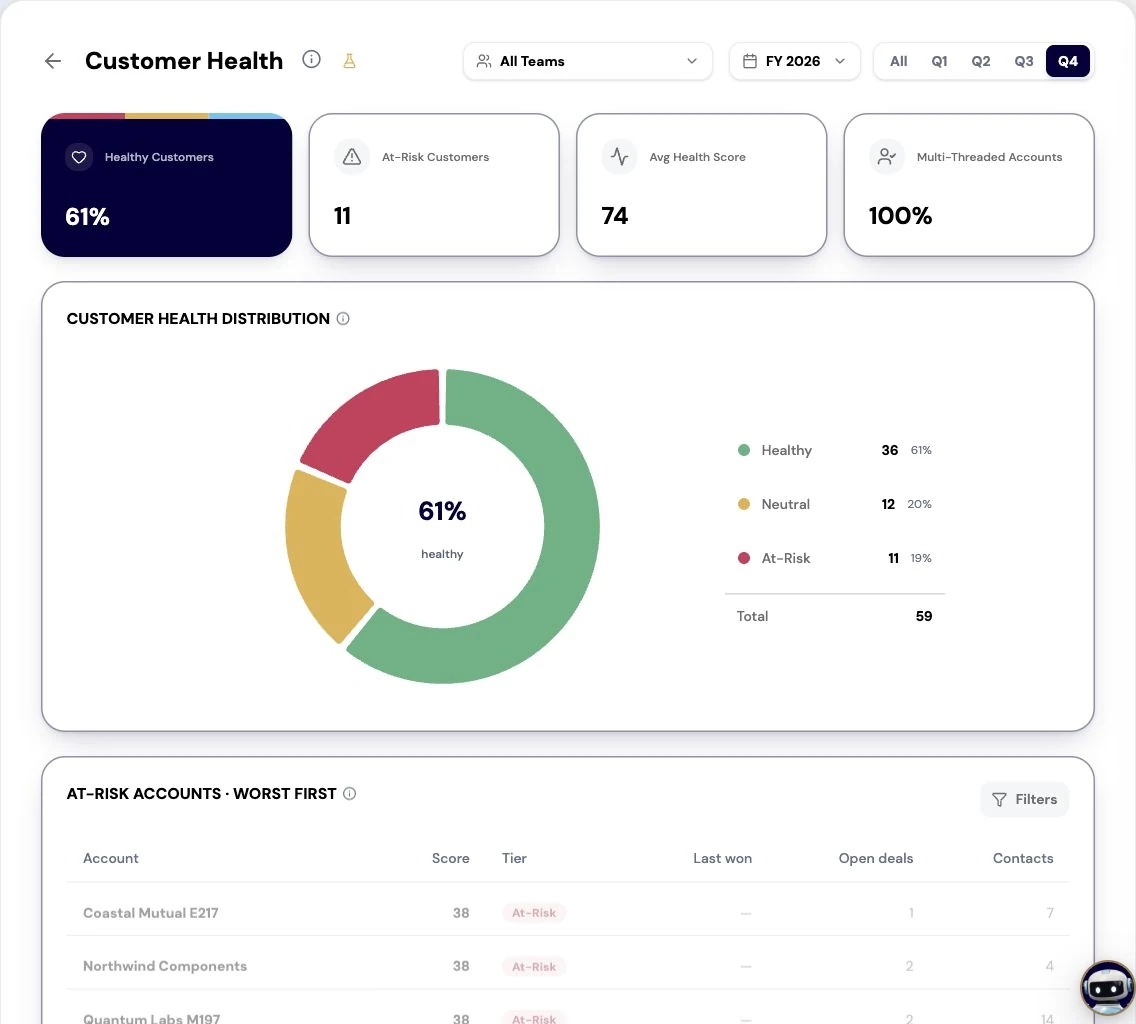
Customer Health bins every customer into Healthy, Neutral or At-Risk and lists the accounts in a tier worst first. Know what the score is before the review leans on it: in a production tenant it runs from 0 to 100 and is built from three CRM signals, which are how recently the account last won a deal, how many open deals it has and how many contacts it has. It is not a usage or support score. Use it to choose which accounts to open, and the account itself to find out what is wrong.
Retention is the monthly read: Gross Revenue Retention, churn rate and revenue at risk as cards, the retention components by month, an ARR bridge from the start of the period to the end, and the movements behind it. ARR there is implied from won deals, each counted for twelve months from close, and net revenue retention shows a dash in a production tenant because there is no ARR source yet. Read it for which lever moved (new, expansion, contraction or churn), not for one percentage.
Every renewal on an at-risk account leaves the review with an owner and a start date, set by its risk and its size rather than its close date. A large renewal on a weak account needs a quarter of runway; a small renewal on a healthy one needs to be processed. Every contract ending soon with no renewal deal leaves with someone to create it, because until it exists it is invisible to the calendar.
When Retention shows the same lever moving for a second month, the decision is a motion rather than an account: a save play for a churn pattern, or an expansion play where expansion is carrying the number. That is the difference between a customer review and a list of accounts.
Do this in the product
You should be able to answer each of these from memory before opening it. Recalling the answer is what makes it stick; recognizing it when you read it does not.
Contracts that are ending with no renewal deal in the CRM, because the calendar reads renewal deals. Ask for them in every review and give each one someone to create the deal.
Three CRM signals: how recently the account last won a deal, how many open deals it has and how many contacts it has. It is not a product-usage or support score, so it ranks where to look rather than diagnosing what is wrong.
Renewal Calendar shows what is renewing and when. Customer Health shows which accounts are weak. The review is where the two lists meet.
Health is built from CRM engagement: recent wins, open deals and contacts. It ranks where to look; it does not see usage or support.
Every renewal on an at-risk account leaves with an owner and a start date, and every renewal missing from the CRM leaves with someone to create it.
Explore how agents prepare work across your revenue teams, and how people review it, guide it and decide what happens next. Fictional data. Real product.
Explore the demo