Stop chasing reps for the same three fields
Write your process as rules something evaluates every day, and let the exceptions come to the person who can fix them.
The job
“I want to get the process followed without personally chasing anybody.”
- RevOps
- Sales managers
Process documents do not enforce anything. They are read once during onboarding and thereafter serve as the thing a manager points at during a difficult conversation. Between those two moments the process is whatever people remember of it, which varies by team, by tenure and by how busy the quarter is.
The alternative is not more chasing. It is writing the parts of the process that can be evaluated as conditions, so the exception finds the person who can fix it on the day it happens, rather than being discovered in a quarterly clean-up when the record is too old for anybody to remember what was true.
What it moves
- CRM data completeness
- Stale opportunity rate
- Workflow exception volume
The division of labour
What RevTech does, and where you decide
In the product
How to do it
- Step 1 of 4
Write rules, not policies
A rule is a condition something can evaluate against a record: this field, this comparison, this value, on Deals or Accounts or Contacts. "Keep the pipeline clean" is not a rule. "A deal in Negotiation with no next step scheduled for more than ten days" is.
- Step 2 of 4
Choose the severity, which chooses the lane
Severity is a budget rather than a label. Critical, Attention and Low map onto the three lanes of everybody’s queue, so marking everything critical does not raise urgency, it removes the meaning of the word.
- Step 3 of 4
Name who receives it
Every rule requires an explicit choice of which roles receive what it finds, drawn from your own role catalogue. An empty selection is never read as "everyone" — a rule with nobody on it says it needs setup rather than quietly broadcasting.
- Step 4 of 4
Measure the backlog, not the breaches
The count of findings goes up when you add a rule and down when you switch one off, which makes it useless as a measure of health. What tells you the system is working is whether the backlog of unresolved findings is shrinking.
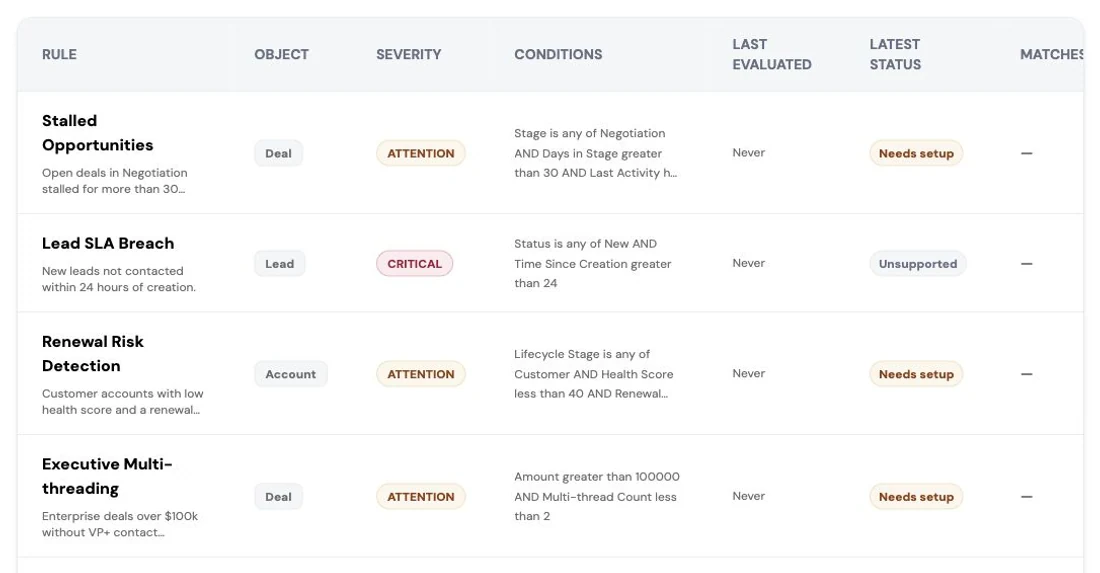
One rule opened in detail: the conditions that constitute a breach, its severity, the predicted deal impact and the roles notified. Screenshot of the RevTech application; sample data. A rule, and the evidence for what it matched. The author’s own wording travels with the finding.
What arrives
What this puts in your Action Center
| Item | What is prepared | How it resolves |
|---|---|---|
| Compliance | The issue and a suggested fix, from a rule your organisation authored | The flagged record |
| Data · NewObject | Enrichment candidates for a missing required field, or a summary of a new record to confirm | The record |
What to take away
- If it cannot be evaluated against a record, it is a policy, not a rule.
- Severity is a budget. Everything critical means nothing is.
- Recipients are an explicit choice; an empty one is never read as everyone.
- Backlog trend is the health measure. Breach count moves when you change the rules.
Go deeper
The material behind this
See how the work gets done.
Explore how agents prepare work across your revenue teams, and how people review it, guide it and decide what happens next. Fictional data. Real product.
Explore the demo