Send the follow-up without writing it
Follow-ups arrive drafted against your own messaging framework. What to read before you send, and what to change upstream instead.
The job
“I want to get follow-ups out the same day without writing each one from scratch.”
- Sales reps
- Business development
- Customer success managers
Follow-up is the work most obviously worth doing and most reliably postponed, because each one is small, none of them is urgent on the day, and writing a good one from a cold start takes longer than it feels like it should. The result is a familiar shape: the deals that get followed up are the ones in front of somebody, and the rest quietly decay.
A drafted follow-up changes what the task is. You are no longer producing a message; you are deciding whether this one is right, which is a job you can do in a minute and do well. The quality question moves upstream, to the framework the drafts are written against — which is the right place for it, because fixing it there fixes every future draft at once.
What it moves
- Follow-up speed
- Opportunity progression
- Time spent on administration
The division of labour
What RevTech does, and where you decide
In the product
How to do it
- Step 1 of 4
Open the drafted message
An Email or FollowUpEmail item resolves through the message flow rather than by marking something done. Opening it shows you the subject line and the body it drafted, alongside the reason the item exists at all — the thread that stalled, the proposal nobody answered.
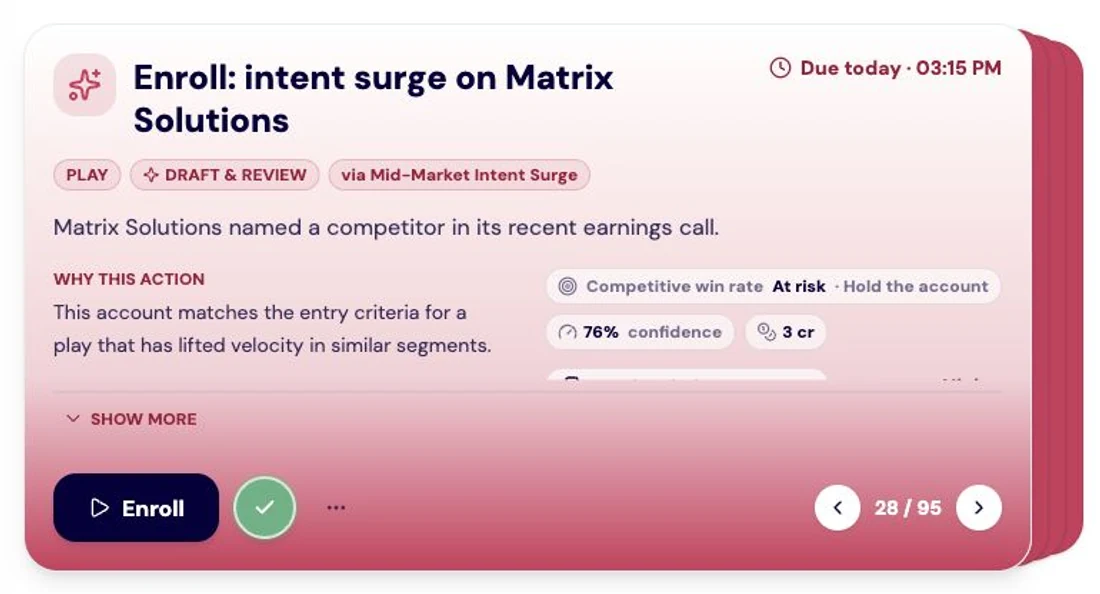
An Action Center recommendation to enroll Matrix Solutions in a RevPlay. The card explains the signal and account fit, with priority context and an enrollment control. Screenshot of the RevTech application; sample data. A prepared message, with the context that produced it beside it. - Step 2 of 4
Read it against the trigger, not against your taste
The useful question is not whether you would have phrased it that way. It is whether this message is the right response to the thing that happened. A follow-up that reads well and answers the wrong trigger is worse than a blunt one that answers the right one, because it spends the contact.
- Right trigger, wrong words — edit and send
- Wrong trigger — ignore it with a reason, which is the only way the reason travels
- Right in a way that will recur — nothing to do; that is the system working
- Step 3 of 4
Send it, or put the contact in a sequence
Review Messages is the last screen before the send. Where the follow-up is really the first step of a longer motion, enrolling the contact into a messaging sequence is the better move than sending one message and trying to remember the second: the sequence is a framework the agents write each step against, pinned to the version that was live when you enrolled.
- Step 4 of 4
Fix the pattern, not the instance
When several drafts in a row are wrong in the same way — too long, wrong proof point, a claim your team does not make — that is not a drafting problem. It is the messaging framework or the artifact library. Editing this message fixes this message; changing what the drafts are written from fixes the next fifty.
What arrives
What this puts in your Action Center
| Item | What is prepared | How it resolves |
|---|---|---|
| A re-engagement email, from the stalled thread and the buyer signals behind it | The message flow | |
| FollowUpEmail | A follow-up carrying a drafted recap | The message flow |
| Call | A usage summary and talking points, where a call is the higher-signal move | Record the outcome after the call |
| Escalation | The contact history and a suggested message, where an SLA is about to be breached | The message flow |
Where this is today
Recording a call outcome on the card is not available in a production tenant yet; the card opens the record and the outcome is captured in your CRM. Everything else here — the drafts, the review screen, the send, sequence enrolment — works as described.
What to take away
- You are deciding, not writing. Read the draft against the trigger that produced it.
- A rejection with a reason is the only kind that improves the next draft.
- Three wrong drafts in the same way is a framework problem, not three editing problems.
- Where the follow-up is really step one of a motion, enrol the contact rather than sending one message.
Go deeper
The material behind this
See how the work gets done.
Explore how agents prepare work across your revenue teams, and how people review it, guide it and decide what happens next. Fictional data. Real product.
Explore the demo