Slide 1 of 4
A cadence meeting owes a decision
The concept page makes the argument: agents prepare the inputs, so the meeting is for deciding. This track is one meeting per lesson, and each ends on the decision it owes.
Open the week from three reports (Weekly Change Log, Deal Risk and Slippage & Aging) and leave Monday with an owner and a next step on every deal that needs a conversation.
The operating cadence concept page makes the argument this track is built on: a review that recites numbers everyone could have read is a status meeting, and the point of agents preparing the inputs is that the meeting can be spent deciding. Read it first if you have not. This track turns it into six meetings, each with the reports it is run from and the decision it has to end on.
Monday comes first because every other meeting in the week depends on it. The forecast call needs to know what moved; the 1:1 needs to know which deals are in trouble. Monday answers both, and it does it from three reports under Reporting, read in a set order.
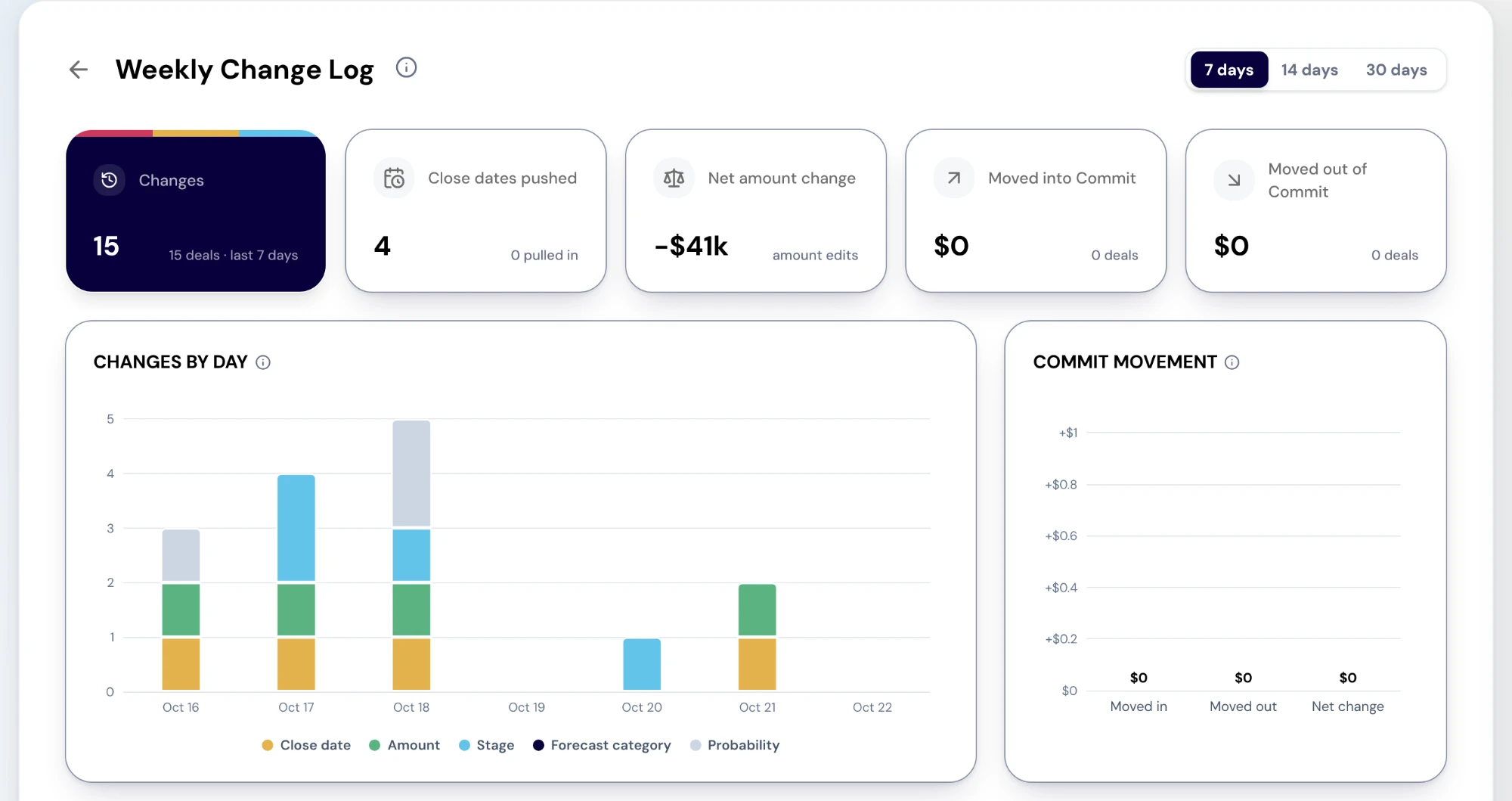
Weekly Change Log lists every material deal change in the window you pick (7, 14 or 30 days): close dates, amounts, stages, forecast categories and probability. Its cards count the changes, the close dates pushed and pulled in, the net amount change, and what moved into and out of Commit. Below them, Changes by day stacks each day's changes by the field that changed, and Every change lists them deal by deal.
Read the Commit cards first. A deal moving out of Commit is the change most likely to matter on Thursday's call, and the change log is the only place it shows up as a movement rather than as a smaller number. Two limits to know: the report is tenant-wide, with no Team filter, so a manager reads the whole company's changes and narrows by owner in the table; and Commit movement prices each deal at its amount today, so a deal that has since closed is counted but not priced.
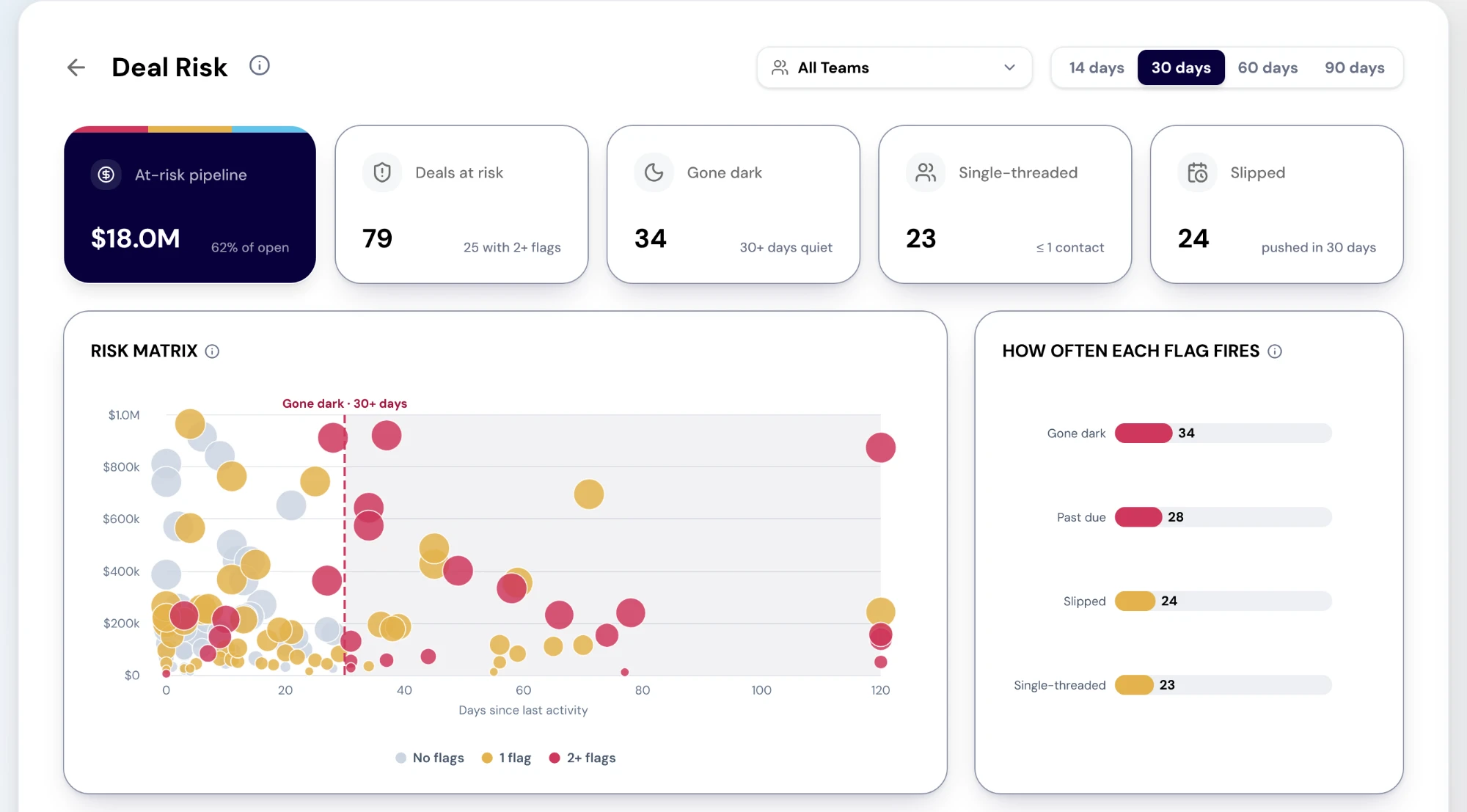
Deal Risk flags open deals four ways: gone dark (no logged activity in the period you choose, 14 to 90 days), single-threaded (one contact or none), slipped (close date pushed in the period) and past due. Its risk matrix plots each open deal by amount against days since its last activity, so the large, quiet deals stand out, and Deals at risk lists them with the flags each carries. A deal with two or more flags is the first conversation of the morning.
Know what it does not flag. A champion leaving, an open breach of your sales process rules and an AI win chance are not on the page yet, so a deal with none of the four flags is not cleared, only unflagged.
Slippage & Aging is the pattern behind one deal's risk. It counts the deals pushed in the last 90 days, the days slipped, the deals pushed two or more times and the deals past their close date, and shows how long open deals have sat in each stage. A deal pushed three times is a different conversation from one pushed once. Its push history only reaches back to when your CRM was connected.
Walk the flagged deals and resolve each one before the meeting ends: a named owner and a dated next step, or the reason it is fine. Most of the work is already in the queue, because the Action Center raises cards on the same deals (a close date at risk, a deal pushed, a forecast category changed), so the decision is often to work the card that is already there rather than to create a task.
When the same flag turns up on many deals for the same reason, the decision is bigger than any one deal. Enroll those deals in a play that runs the recovery motion, or ask RevOps for a rule that catches the pattern earlier. Either is a change that outlasts the meeting, which is what Monday is for.
Now read the concept
This lesson is the orientation. The material itself lives on its own page, kept in one place so it stays current everywhere it is referenced.
Do this in the product
You should be able to answer each of these from memory before opening it. Recalling the answer is what makes it stick; recognizing it when you read it does not.
Weekly Change Log first, for what moved; then Deal Risk and Slippage & Aging, for which deals need a conversation. The change log tells you where to look, and the risk reports narrow that to the deals to talk about.
It flags gone dark, single-threaded, slipped and past due. It does not flag a champion leaving, a breach of your sales process rules or an AI win chance, so an unflagged deal is not a cleared one.
The concept page makes the argument: agents prepare the inputs, so the meeting is for deciding. This track is one meeting per lesson, and each ends on the decision it owes.
The change log tells you where to look. The two risk reports tell you which deals to talk about. Reading them the other way round turns Monday into a list of every deal.
Every flagged deal you discuss leaves with an owner and a dated next step, or a reason it is fine. Nothing leaves as "keep an eye on it".
Explore how agents prepare work across your revenue teams, and how people review it, guide it and decide what happens next. Fictional data. Real product.
Explore the demo