Get the tenant working in week one
The setup checklist in the order it actually has to happen: see your data, set up the system, bring in your team.
The job
“I want to get our workspace set up properly, in the right order, in the first week.”
- Administrators
- RevOps
Setup order is not a matter of taste here. Several things depend on each other — teams have to exist before they can have targets, targets have to exist before attainment means anything, artifacts have to exist before drafted work sounds like your company — and doing them out of order produces surfaces that render perfectly and read as zero.
The other reason to be deliberate about week one is that first impressions of an agentic system are formed on thin configuration. A team invited before there is anything for the agents to work with will conclude the product does not do very much, and that conclusion is expensive to reverse.
What it moves
- Time to value
- CRM data completeness
- Agent adoption
The division of labour
What RevTech does, and where you decide
In the product
How to do it
- Step 1 of 5
Work the checklist, not a plan of your own
The in-app setup checklist is grouped into three phases, and the grouping is the dependency order: see your data, set up the system, bring in your team. It is visible to administrators, carries an outstanding count in the navigation, and disappears when it is done.
- Step 2 of 5
Phase one: see your data
Connect the CRM and let the initial sync run. Ask the assistant one question, which is the fastest proof that it understands your pipeline rather than a generic one. Add your first artifact. The analyst answers arrive on their own schedule — that row is informational and never blocks completion, which is correct, because waiting for a scheduled analysis is not a setup task.
- The sync is automatic once the connection exists
- One question to the assistant is the cheapest possible proof of life
- The first artifact is what makes drafted work sound like your company rather than like software
- Step 3 of 5
Phase two: set up the system
Company targets, then teams. This is also where the agent setup rows live — one per agent, interleaved into the same checklist so that configuring an agent is part of getting set up rather than a separate project. Each row says what it unlocks, which is the honest version of why it is on the list.
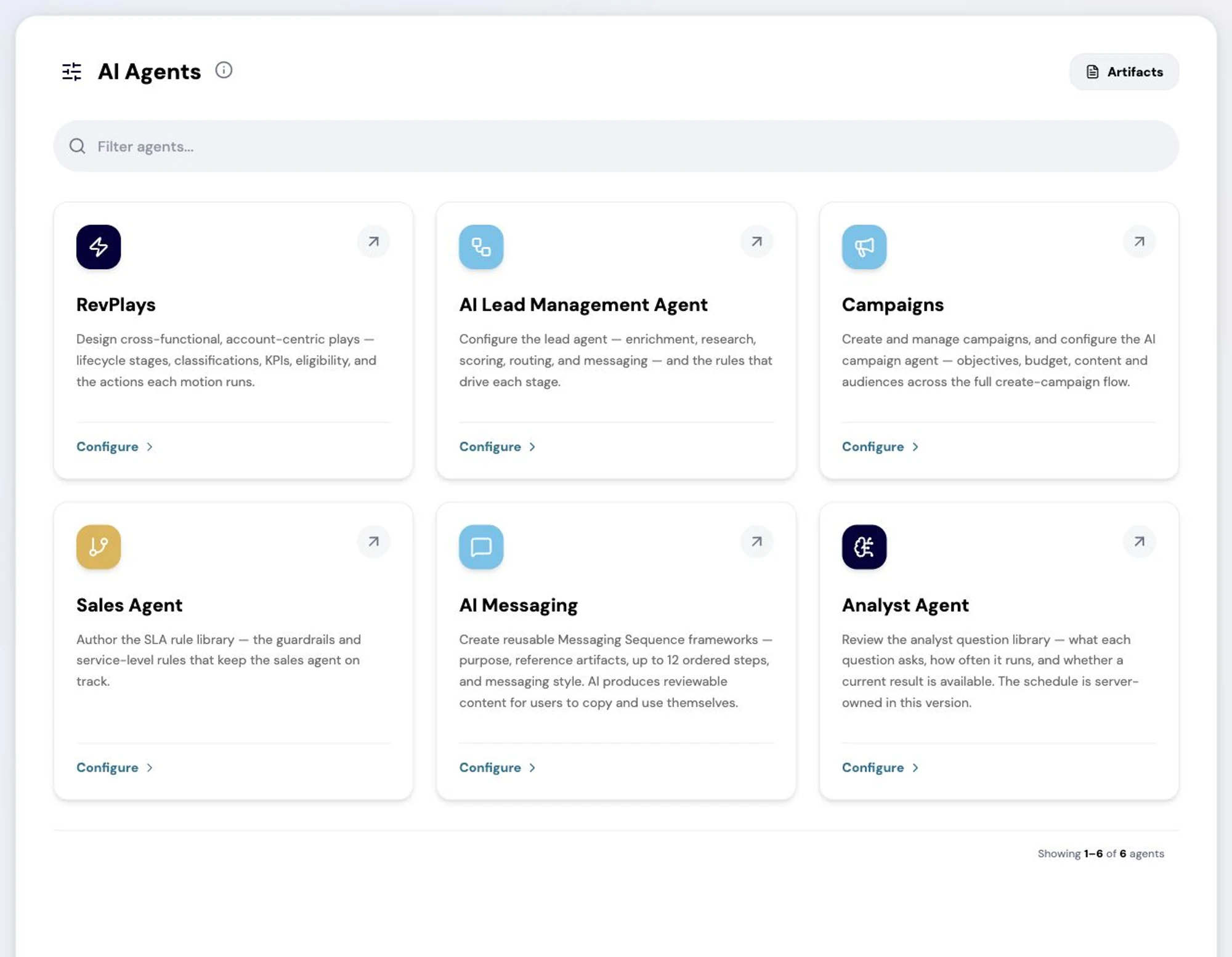
The AI Agents hub: every agent RevTech runs, what it is capable of, and where its configuration and guardrails are set. Screenshot of the RevTech application; sample data. The agent hub. Each card here has a matching row on the setup checklist. - Step 4 of 5
Phase three: bring in your team
Invite users, then set team and individual targets. Inviting last is deliberate: people land on a role-specific first run, and that first run is only worth having once there is something configured for it to show them.
- Step 5 of 5
Review roles before the invitations go out
The checklist links to roles and permissions without counting it as a task, which understates it. Reviewing what each role can see before people arrive is much easier than adjusting it afterwards, when somebody has already seen something they should not have.
What to take away
- The three phases are a dependency order, not a suggestion.
- A missing target or team renders as zero downstream rather than as an error.
- Invite people last. A role-specific first run needs something configured to show.
- Review roles before the invitations, not after.
Go deeper
The material behind this
See how the work gets done.
Explore how agents prepare work across your revenue teams, and how people review it, guide it and decide what happens next. Fictional data. Real product.
Explore the demo