Configuring your agents
The hub is one card per agent, and opening a card is not configuring it. What "configured" actually means, and the order that makes it go quickly.
Product walkthrough
See it in RevTech
See the controls that define what each agent can do, the standards it must follow, and the usage RevOps can observe.
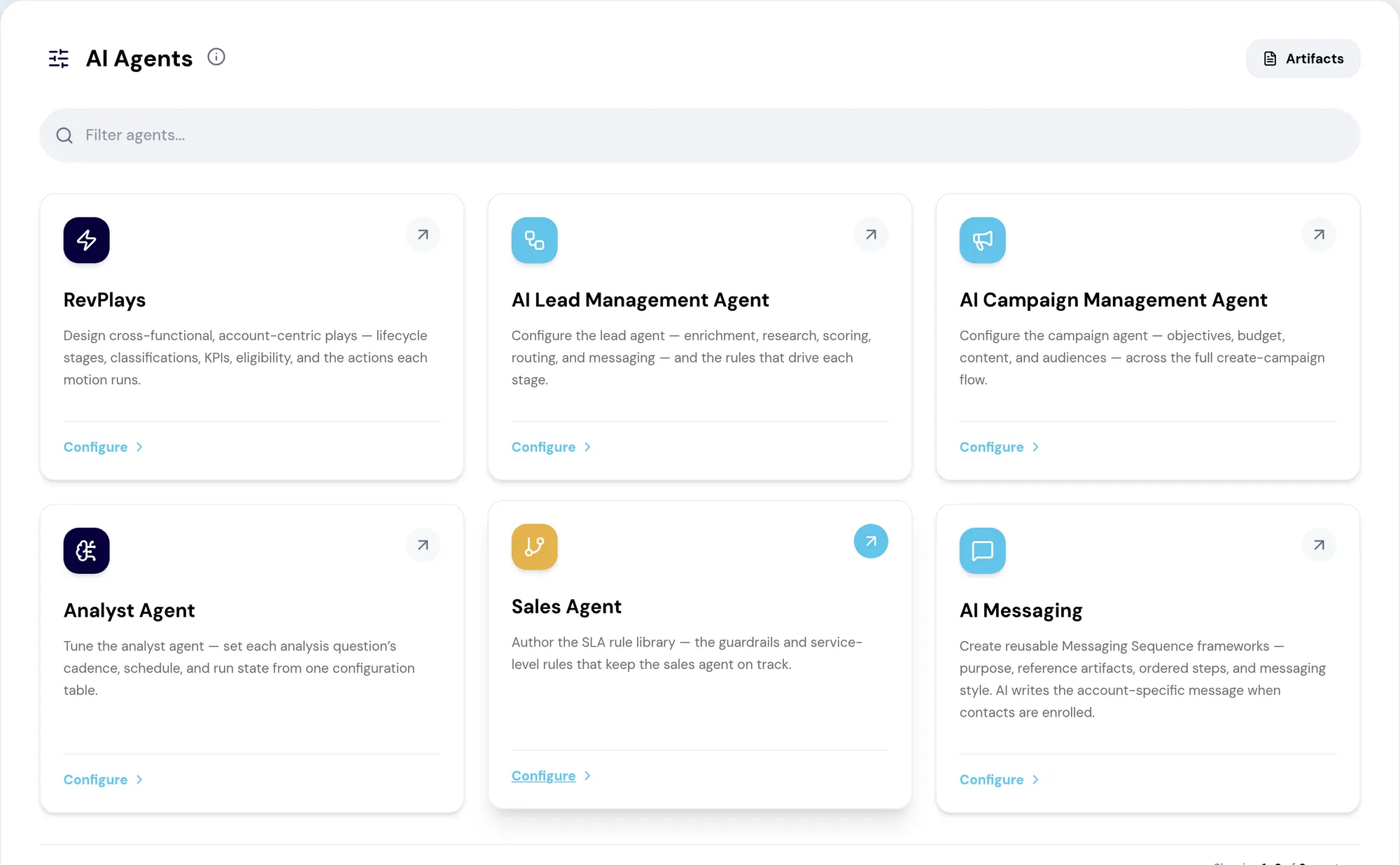
One card per agent
The AI Agents hub is the entry point for every agent available to you, one card each, and each card opens that agent's own configuration page. The list only ever shows the agents your role and workspace have access to, so a card you expected and cannot see is an access question rather than a missing capability.
Onboarding counts agent setup as done once you have configured at least one of every agent type available here. Which raises the question of what configured means, and the answer is more demanding than it looks.
Configured means work saved
Configuration is real work saved on the agent's own page: a play, a lead flow, a campaign, an analysis, an SLA rule, or a messaging sequence. Simply opening a page does not count, and the product is deliberate about not letting it count.
That is worth stating plainly because the alternative design — marking an agent configured on first visit — produces a workspace that reports itself as set up and does nothing. An agent with no rules, no plays and no flows has nothing to act on. It is not idle because it is broken; it is idle because nobody has told it what the business does.
A workable order
You can configure agents in any order and onboarding will track what is still outstanding, updating as soon as you save. That said, some orders are less painful than others.
Get the artifact library to a usable state first, since everything reads from it. Then configure whichever agent supports the motion your team is already running: a lead flow if inbound is the priority, an SLA rule set if CRM hygiene is. Starting with the agent that supports a motion nobody runs yet produces a configuration nobody validates.
What to take away
- Configured means real work saved — a play, a flow, a campaign, an analysis, an SLA rule, a sequence. Opening a page does not count.
- The hub only shows agents your role and workspace have access to. A missing card is a permission, not a gap.
- Agents work from the artifacts you maintain. An unconfigured artifact library caps what every agent can produce.
- Order does not matter. Configure in whatever sequence suits you; onboarding tracks what is outstanding.
Put it to work
Jobs this page is behind
- Governance and administrationGet the tenant working in week one“I want to get our workspace set up properly, in the right order, in the first week.”
- Governance and administrationMake drafted work sound like your company“I want to get drafted work that reflects how we actually sell, not generic prose.”
Try the demo.
See agents carry the repeatable work of GTM across sales, marketing, customer success, and RevOps. Every action prepared, reviewed, and recorded. Fictional data, real product.
Explore the demo