Connect the CRM and keep it current
The integration everything else rests on: connecting it, reading the scopes, checking the last sync, and reconnecting when a token expires.
The job
“I want to connect our CRM and be able to tell whether the data is current.”
- Administrators
- RevOps
- IT
Every report, every answer and every prepared action runs on synced CRM data, which makes the connection the single point everything else depends on. It also makes a silent failure unusually expensive: a stale sync does not produce an error, it produces yesterday’s pipeline presented as today’s.
The connection is also the first governance conversation you will have, because it is where somebody asks what exactly this system can read and write. Having the scopes in front of you when that question arrives is better than looking for them afterwards.
What it moves
- CRM data completeness
- Data freshness
- Permission adherence
The division of labour
What RevTech does, and where you decide
In the product
How to do it
- Step 1 of 5
Connect from Settings
Integrations lives in Settings and lists what is available with its category and status. HubSpot connects through an authorisation flow you complete as an administrator of that system; Salesforce is set up with RevTech rather than self-serve. Email providers are listed here too.
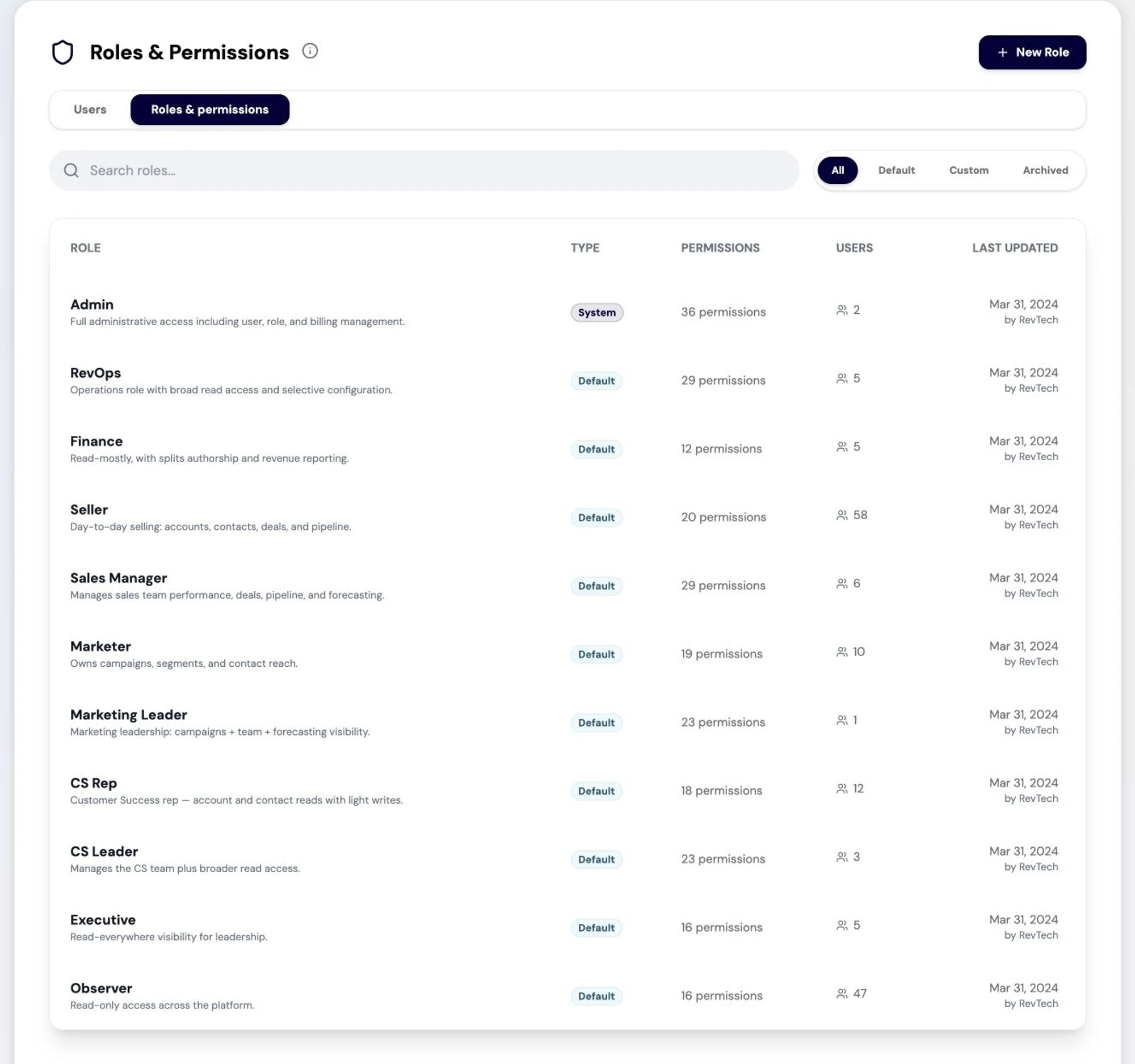
The Roles and Permissions surface: granular, role-scoped control over what each user and agent may read or write: the governance layer that keeps agentic work inside policy. Screenshot of the RevTech application; sample data. The administration surfaces. Integrations and roles are the two that decide what the system can reach. - Step 2 of 5
Read the scopes before you approve them
Each connected provider lists the scopes it was granted. This is the answer to the question your security team will ask, and it is worth reading once rather than reaching for it under pressure later.
- Step 3 of 5
Check the last sync when something looks wrong
Every integration shows when it last synced. Before investigating a number that looks wrong, check that — the most common cause of a surprising report is not a calculation, it is a connection that stopped.
- Step 4 of 5
Reconnect deliberately when a token expires
Tokens expire, and the fix is a reconnect rather than a new connection. Disconnecting asks for confirmation because it is consequential: the data stops flowing and the surfaces that depend on it degrade rather than break, which is harder to notice.
- Step 5 of 5
Bind the contract fields while you are here
Contract field mapping lives in the same Settings area and binds your CRM’s contract value and date fields to the slots recurring revenue, retention and net retention are computed from. It is ten minutes and everything recurring is downstream of it.
What arrives
What this puts in your Action Center
| Item | What is prepared | How it resolves |
|---|---|---|
| Data · NewObject | Enrichment candidates for a missing required field, or a summary of a new record to confirm | The record |
What to take away
- A stale sync produces yesterday’s pipeline, not an error. Check last sync first.
- Read the granted scopes once, calmly, rather than under pressure later.
- An expired token needs a reconnect, not a new connection.
- Bind the contract fields at the same time. Everything recurring depends on them.
Go deeper
The material behind this
See how the work gets done.
Explore how agents prepare work across your revenue teams, and how people review it, guide it and decide what happens next. Fictional data. Real product.
Explore the demo