Running the weekly forecast call in RevTech
Forecast answers one question — will we hit the number? How to walk its three reports in the order the call should go, and end every session with the gap owned.
Product walkthrough
See it in RevTech
Follow the operating rhythm from the forecast into the pipeline report, with the evidence behind the number kept in context.
One question, three reports
Forecast exists to answer a single question every week: will we hit the number? Three separate reports answer it between them, each its own card on Reporting and its own route. Forecast is the company read: where you land if nothing changes. Pipeline Coverage is the deals behind the commit, named and owned. Renewals is the half of the number that Customer Success carries.
Open them in that order. The instinct on a bad week is to start in Pipeline Coverage and argue about individual deals, which is how a forecast call becomes a deal review. Read the gap first; the deals are how you close it, not how you find it.
Scope before you read
Set fiscal year, quarter and team before anything else. Every card, chart and table in a report reacts to that selection, and the most common way a forecast call goes wrong in the first two minutes is that two people are looking at different scopes and do not know it.
For the weekly call, anchor on the current quarter. Switch the team filter before you read commit, not after; the option list is your own org teams. Renewals is the exception — it reads tenant-wide and offers no team control, rather than offering one that would quietly narrow nothing.
The Forecast read: projection, then the four glances
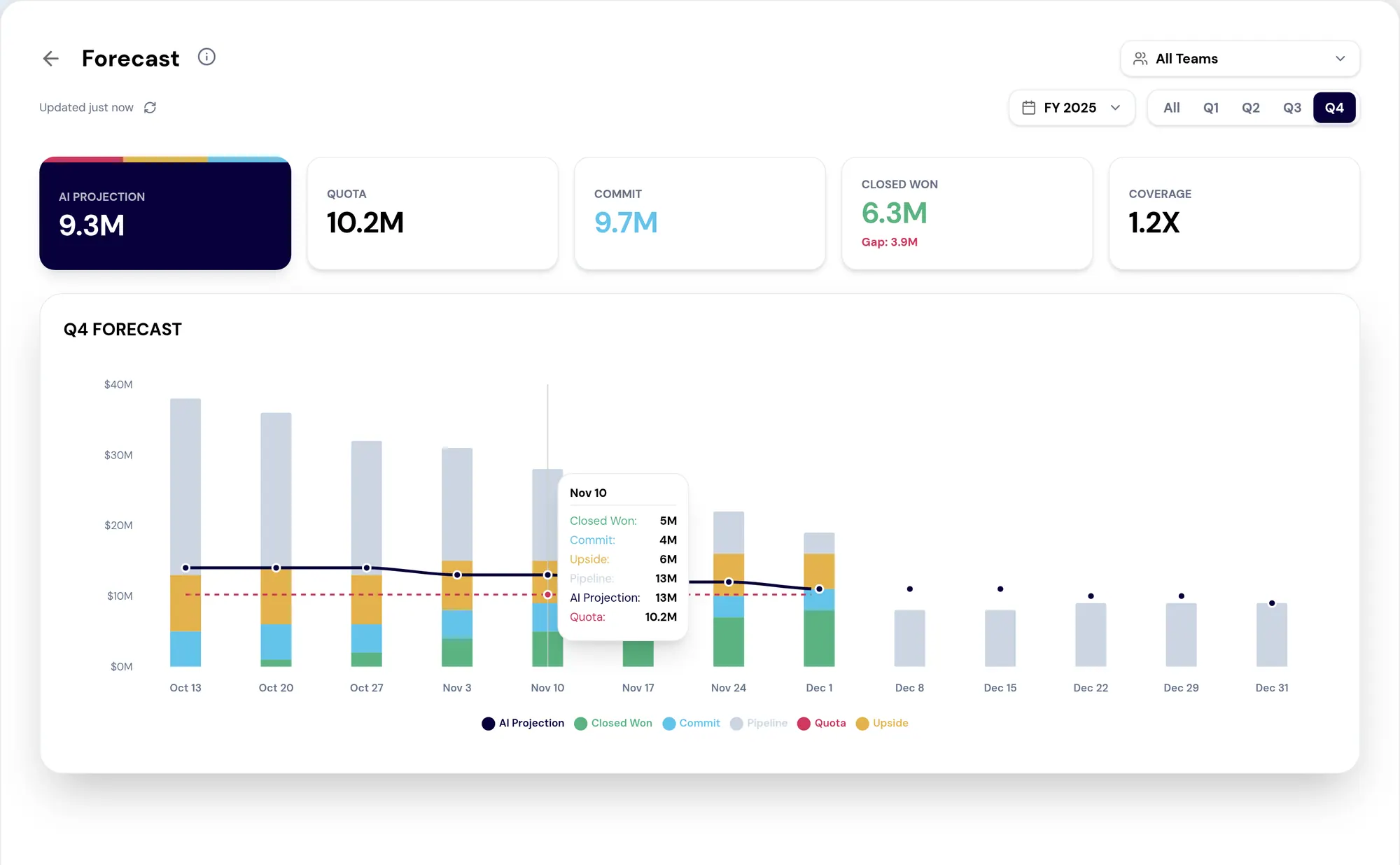
AI Projection is the model's view of where you land if current patterns hold. Treat it as a starting point. It is not the commit, and the distinction matters: the projection is a prediction, the commit is a decision a manager makes and is accountable for. Compare projection to quota to know whether you are working a surplus or a gap.
Then four glances give the operating read: Quota, Commit, Closed Won with the live gap callout, and Coverage, which is how many times the remaining gap is covered by pipeline. Coverage is the one that should change behavior. The product uses 3× for Enterprise as its worked example; use whatever multiple your own history supports, and when coverage drops below it, stop raising commit and start generating pipeline.
- Quota — the number, unchanged by anything on this page
- Commit — the manager-owned forward number, the only figure here anyone is accountable for
- Closed Won — what is banked, with the gap stated rather than left to arithmetic
- Coverage — the early warning, and the one worth a rule of your own
From the number to the deals
Once you have read the gap, open Pipeline Coverage. Every card here is clickable, and that is the point: Commit and Upside are levers you can move, Pipeline is raw cushion, Won is already in. To close a gap, open Upside and inspect the candidates that could be pulled into Commit, then pick one or two on the call, with the rep, and assign an owner and a date before moving on.
The rep drilldown is the other half. It shows each rep against target with a Hit, On Pace, Stretch or At Risk badge. That badge is the structured input for a 1:1. It turns "how are you tracking?" into a conversation that starts from the same facts on both sides of the desk.
Renewals belong in the same call
Renewals is not a Customer Success meeting that happens somewhere else. Renewal Commit is the floor of the company number, Renewal Upside is expansion, Churn Risk is a gap that behaves exactly like a missing deal, and Renewed is banked.
Open Renewals immediately after Forecast so churn risk gets named in the same conversation as new business. When an at-risk renewal surfaces, escalate it to the Action Center before the call ends. An at-risk renewal that leaves the room without an owner is a renewal nobody is working.
What a forecast call must end with
Forecast is a rhythm, not a report you read once. The habit that makes it worth the hour is ending every session with three things named: what gap remains, which specific deals close it, and who owns the next move on each.
If your call regularly ends without those three, the problem is usually that the call is being spent re-deriving the number rather than acting on it. The page is designed so the number is already there when you sit down.
What to take away
- Set the period and the team before you read a single number. Every card in a report reacts to that scope.
- AI Projection is a starting point, not a number to commit to. The commit is the manager's, and it is a decision.
- Read Forecast for the gap, Pipeline Coverage for the deals that close it, Renewals for the half CS owns, in that order.
- A forecast call that ends without a named deal, an owner and a date has not finished.
Put it to work
Jobs this page is behind
- Forecast and planEnd the forecast call with the gap owned“I want to run a forecast call that ends with somebody owning the gap.”
- Forecast and planHear about a forecast change before the call“I want to find out the forecast moved when it moves, not at the weekly meeting.”
- CustomersWalk into a renewal with the brief done“I want to start every renewal from a prepared position rather than from a spreadsheet.”
Try the demo.
See agents carry the repeatable work of GTM across sales, marketing, customer success, and RevOps. Every action prepared, reviewed, and recorded. Fictional data, real product.
Explore the demo