Skip to content
Build and run your first RevPlay
DoLesson 5 of 12Lay out the timeline

Adding actions and their instructions

Attach actions to your timeline steps, write execution instructions an agent can prepare against, and route each action to the owner, function or role that should hold it.

23 minIntermediate
Part 1 of 4

The fields of an action, and where it lands

Inside a timeline step, each action asks for three decisions: what the work is (its instructions), who it routes to (an owner, a function, or a role), and how autonomous it is, meaning whether the agent completes it or prepares it and waits for approval. The due date follows from the step's position on the timeline.

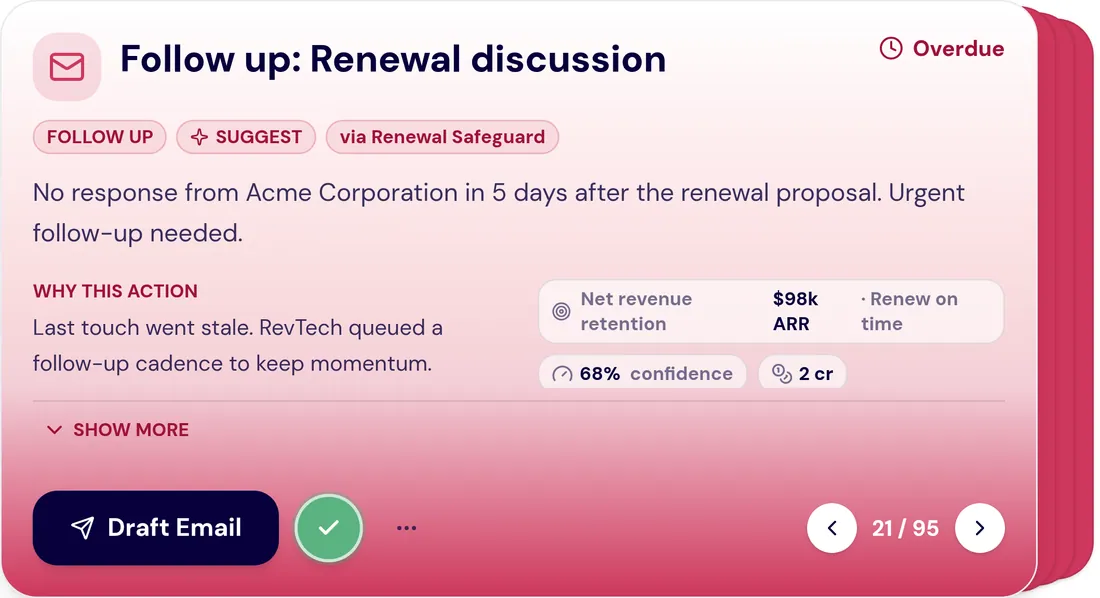
When the play is live and an account reaches that step, the action becomes a real item in someone's Action Center, carrying the account it belongs to, the instructions you wrote here, the due date and the standard controls. Completing it there feeds straight back into the play's progress.

Hold that moment in mind while you write, because it tells you who you are writing for. Your instructions are read by a person with a queue of other work, on a morning when they are already behind. They have to say what this is about, what has been prepared, and what decision is being asked, without sending anyone to four other tabs to find out. That is the test to write against.
Part 2 of 4

Instructions that produce prepared work

The execution instructions are doing two jobs at once. They tell the agent what to assemble, and they tell the person what to decide. Written well, the two fit together: the agent arrives with the pilot results, the stakeholder map and a draft that references both, and the person decides whether the framing is right for this account.

The failure mode is writing an instruction that describes only the physical act. "Send a follow-up email" gives an agent nothing to prepare against, there is no stated purpose, no material to draw on, and no way to tell a good draft from a bad one. "Draft outreach to the economic buyer that leads with the pilot outcome and asks for a scoping conversation" gives it all three.

  • Name what the step is trying to achieve, not the medium it uses
  • Say which material the draft should lean on — the pilot result, the account plan, the last QBR
  • Say what the human is being asked to judge, so the approval is a real decision rather than a rubber stamp
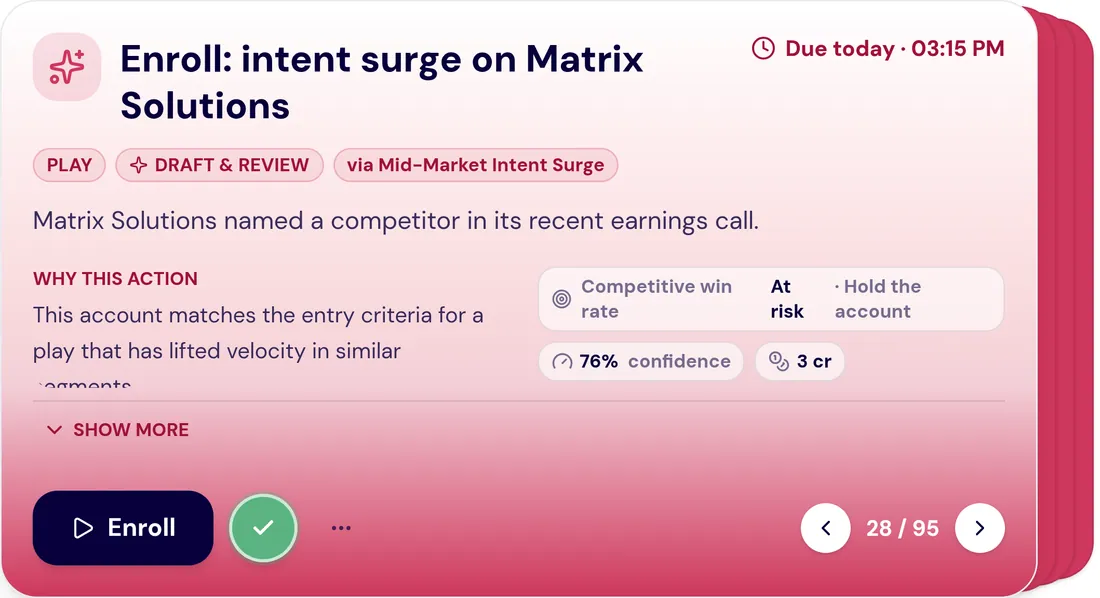
The GTM context supporting a RevTech recommendation.
The supporting context assembled for a recommendation, drawn across CRM, engagement and product signals. Screenshot of the RevTech application; sample data.
The context assembled behind a prepared action. Your execution instructions decide what lands here, which is why naming the material to draw on matters more than naming the medium.
Part 3 of 4

Route by role, and decide what needs a human

Route actions to a function or role wherever you can, rather than to a named individual. People move between teams, go on leave, leave the company; roles do not. A play routed to individuals is correct on the day it is built and quietly wrong three months later, with actions landing in the queue of someone who stopped owning the account in April.

Each action also carries an autonomy level, and one rule holds regardless of what you set: external touches never fire on their own. So the question is never whether a person is involved in outbound. It is how much is ready before they are. Setting that deliberately is the whole of the next lesson.

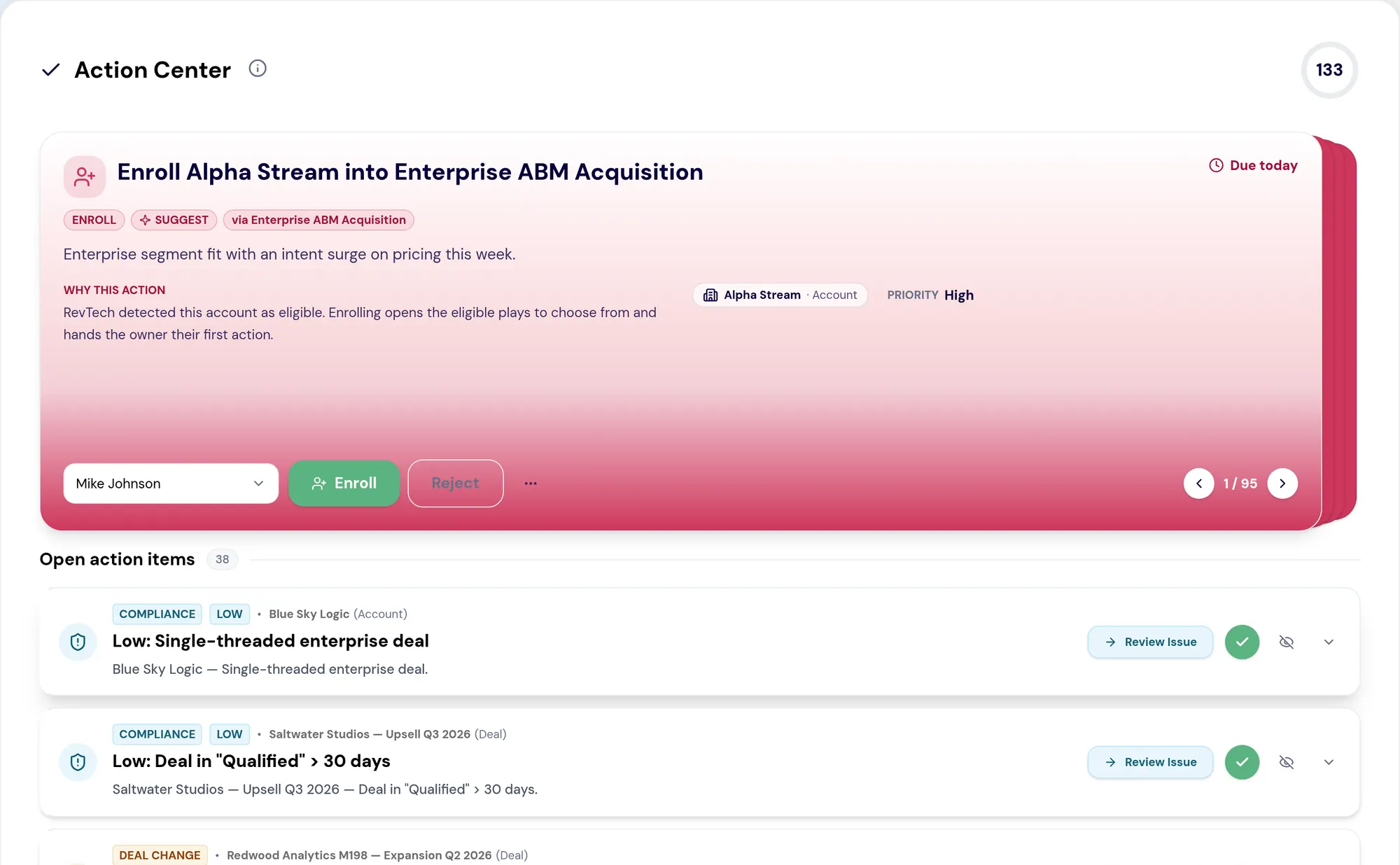
RevTech Action Center: a prioritized queue of GTM actions, each with its reasoning, owner and approve or reject controls.
The RevTech Action Center. A prioritized action leads the queue with the reason it was surfaced, the account it belongs to, its priority and an assigned owner, alongside approve and reject controls. Below it, open action items list data-quality and deal-change exceptions ready for review. Screenshot of the RevTech application; sample data.
An action in the queue carrying its owner and its approve or reject controls. This is what your routing choice in the builder produces downstream, and why routing to a role rather than a person matters.
Part 4 of 4

A worked rewrite

Before: "Send a follow-up email to the account." Everything is missing — the purpose, the material, the decision being asked of the human who approves it.

After: "Draft outreach to the economic buyer re-opening the conversation. Lead with the pilot's measured outcome (in the account plan's pilot summary). Reference the success criteria they set at kickoff. Ask for a 30-minute scoping conversation, not a demo. Approver: check the framing fits what you know of this account's current priorities, and edit the emphasis rather than the structure."

Read the after version as the agent: it names the audience, the opening argument, the source material, and the specific ask, so there is enough to prepare a real draft. Read it as the approver: the last sentence tells you what your judgment is actually needed for. That double audience is the standard for every instruction you write.

Do this in the product

Attach and write your actions

  1. Reopen your draft play and move to step 2, Timeline & Actions.
  2. For each timeline step, write the objective first — what the step achieves — before writing anything about how.
  3. Add the actions to be completed at that step, and write execution instructions that name the material the agent should draw on.
  4. Set the KPI associations for each step, choosing from the KPIs you selected in Overview.
  5. Route every action to a function or role rather than a named person, unless the motion genuinely requires a specific individual.
  6. Re-read one step as if it had just arrived in your own queue on a busy morning. If you would need another tab to act on it, add what is missing.

Key questions

You should be able to answer each of these from memory before opening it. Recalling the answer is what makes it stick; recognizing it when you read it does not.

Why route actions to a role rather than a named person?

People move teams, take leave and leave the company; roles persist. A play routed to individuals is correct the day it is built and quietly wrong months later, with actions landing on someone who no longer owns the account.

What makes "send a follow-up email" a poor execution instruction?

It describes only the physical act. There is no stated purpose, no material to draw on, and no way to tell a good draft from a bad one. Name what the step achieves and which material the draft should lean on.

What to take away

  • Write every instruction for someone who is already behind and has no second tab open.
  • Name the material the draft should lean on, not the medium it uses.
  • Every instruction has two readers: the agent that has to prepare from it, and the person who has to decide. Write for both.
  • Route to roles. A play routed to named people decays with the first reorganisation.

Teach this lesson

The argument in 4 slides, for presenting it to your team
Slide 1 of 4

An action is work that reaches a person

Once a play is live, its actions appear in the Action Center as assigned work, routed to the owner, function or role the action names, carrying its instructions, due date and the account it belongs to.

Slide 2 of 4

Route to a role, not a name

  • People change teams; roles persist
  • A play routed to individuals breaks the first time someone leaves
  • Routing by function or role keeps the play correct through reorganisation
Slide 3 of 4

Write instructions for preparation

The instructions tell the agent what to assemble and the person what to decide. "Draft the outreach referencing the pilot outcome" prepares work; "send an email" does not.

Slide 4 of 4

External touches never auto-fire

Each action spells out what the agent prepares, what a human reviews and approves, and what happens after. Nothing leaves the building without a decision.

A message prepared by RevTech, ready for review before sending.
A communication drafted by the agent and held for review, so a human approves the wording before anything is sent. Screenshot of the RevTech application; sample data.
Demo

Try the demo.

See agents carry the repeatable work of GTM across sales, marketing, customer success, and RevOps. Every action prepared, reviewed, and recorded. Fictional data, real product.

Explore the demo