Slide 1 of 4
Health is the action surface
Retention and Expansion explain the picture. Health bins every customer so the at-risk list can be attacked directly, rather than over a Slack thread.
Produce the specific, owned list of at-risk accounts you will work this week, and establish the cadence that keeps it current.
The three reports divide by purpose. Retention is about keeping the revenue you have, Expansion about growing from the base; both are for understanding. Customer Health is the working list: it bins every customer into Healthy, Neutral or At-Risk so the at-risk set can be worked directly.
That division is worth respecting in how you spend time on each. Retention and Expansion reward being read carefully once a month, when the levers and segment mix are the question. Health rewards being worked weekly, because its output is a list of accounts somebody has to do something about, and a list of accounts nobody walked is indistinguishable from not having the list.
Start by narrowing to the book you actually own. Fiscal year and quarter set the period; the team filter narrows to Enterprise, Mid-Market, SMB or Strategic. Each of those segments tells a different retention story, and a company-wide view is an average across all of them, which is precisely the reading the previous lesson argued against.
It is also a practical matter of scale. The at-risk list for a whole company is too long to walk in a weekly meeting, so it does not get walked. The at-risk list for one segment is a manageable number of accounts, which is the difference between a cadence that holds and one that quietly lapses after three weeks.
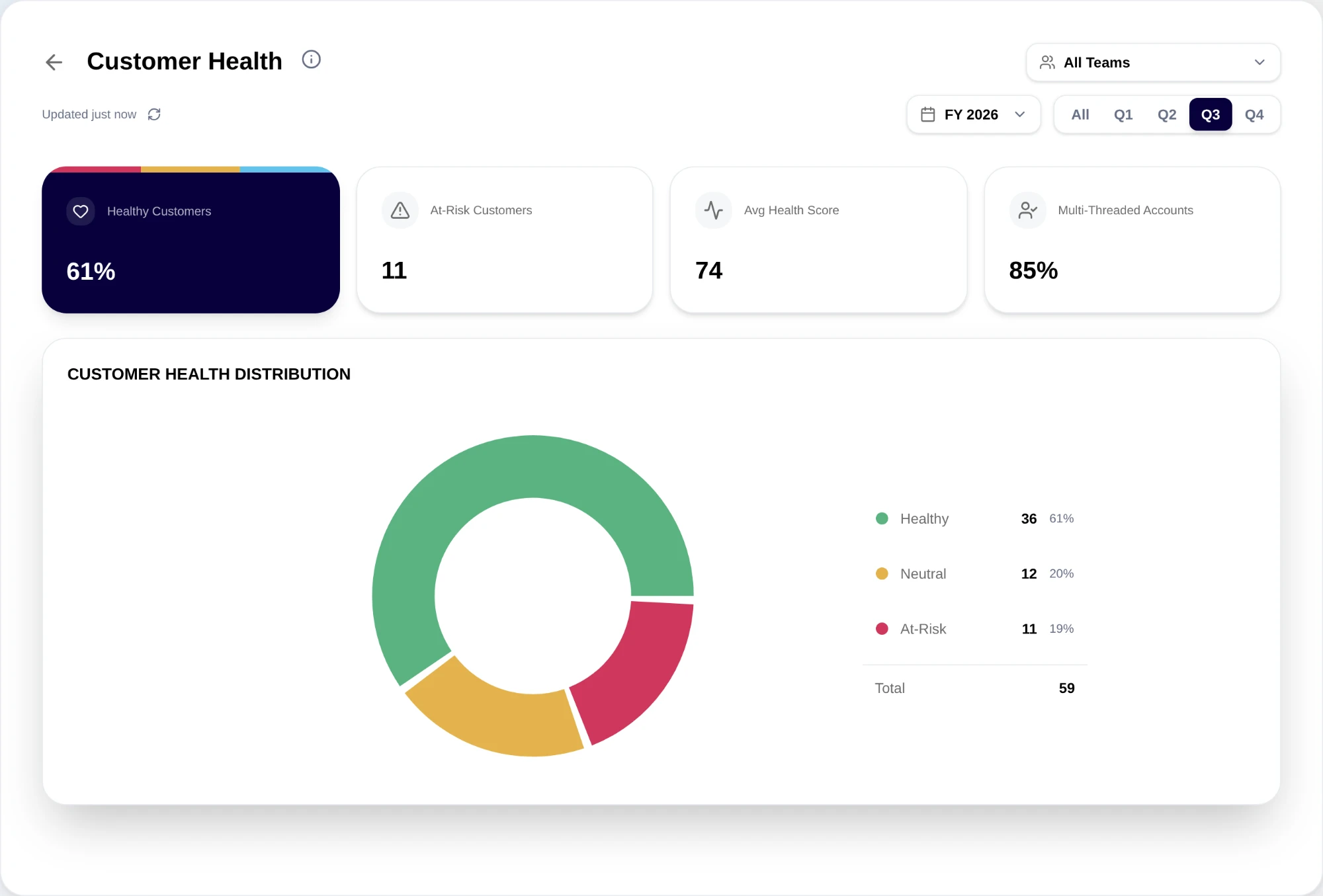
The distribution supports a direct working motion: click a slice or its legend row to open the first account in that segment, then move through the rest with the left and right arrows. That turns the at-risk set into a queue rather than a chart, and walking it once a week is the cadence the surface is designed around.
One rule makes it work: every account leaves the review resolved. Anything else and the same accounts reappear next week a week older, and the meeting slowly becomes a status ritual instead of a save motion.
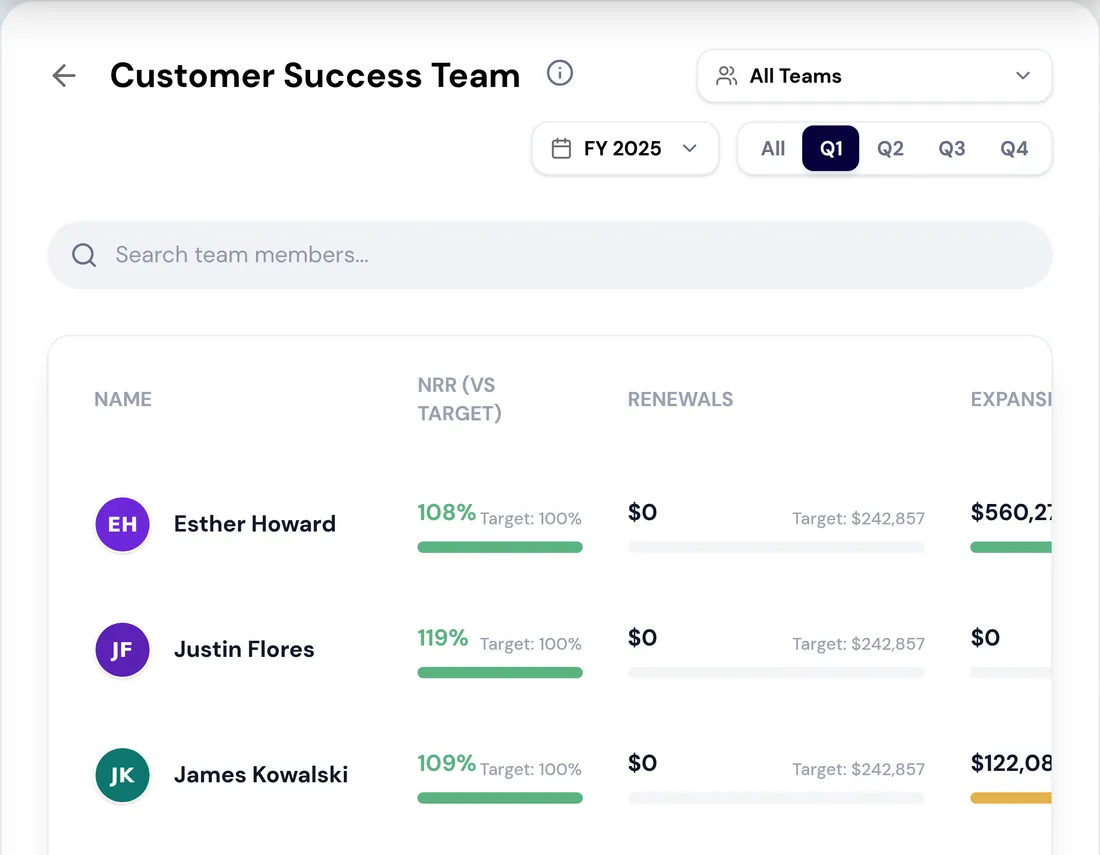
What a real weekly pass looks like, narrated. Filter: current quarter, Mid-Market team. The At-Risk slice shows nine accounts. Click the slice; the first account opens.
Account one: score dropped on support history; the escalation closed last week and the record has not caught up. Close out, with the note "escalation resolved 14th, expect recovery next cycle." Account two: single-threaded and the champion has gone quiet, so escalate to the AE by name, date Friday, note "breadth before value: get a second contact." Accounts three through seven: worked the same way with the arrow keys, two escalations, three close-outs. Account eight: genuinely ambiguous, with flat usage and no obvious cause. That one gets escalated too, because "I could not tell from the record" is precisely what escalation is for; keep-an-eye-on-it is the only forbidden outcome. Account nine: closed out, seasonal customer in their off-season, same note as last year.
Nine accounts, roughly twenty minutes, every one resolved to a name-and-date or a reason. Next week's list will be different accounts, which is the proof the walk is working.
Do this in the product
You should be able to answer each of these from memory before opening it. Recalling the answer is what makes it stick; recognizing it when you read it does not.
Segments tell different retention stories, so a company-wide view is an average across all of them. It is also too long to walk in a weekly meeting, which is how the cadence quietly lapses.
Escalated to a named owner with a date, or closed out with the reason it is not actually at risk. "Keep an eye on it" is neither, and produces the same list next week one week older.
Retention and Expansion explain the picture. Health bins every customer so the at-risk list can be attacked directly, rather than over a Slack thread.
Enterprise, Mid-Market, SMB and Strategic each tell a different retention story. Operate on yours, not on the company average.
A review that ends in shared concern and no assignment produces the same list next week, one week later.
See agents carry the repeatable work of GTM across sales, marketing, customer success, and RevOps. Every action prepared, reviewed, and recorded. Fictional data, real product.
Explore the demo