Skip to content
Running a campaign with drafted content
DoLesson 8 of 12Govern what gets written

Setting messaging style for the campaign

Author a messaging sequence framework without writing message copy into fields that are meant to hold framework.

23 minIntermediate
Part 1 of 4

The split people get wrong

A Messaging Sequence is a reusable framework. It records why the sequence exists, which artifacts AI may reference, how many steps it runs, what each step should accomplish, and the overall style. What it does not contain, in any field, is the message. AI writes that later, per account and per contact, when the sequence runs. The detail view reflects the same discipline: it shows the framework, never one account's generated message.

Almost every problem teams hit on this surface traces back to ignoring that split, and it usually happens for a mundane reason. The style guidance box is the largest free-text field available, so somebody writes a nicely-crafted email into it. The campaign then sends near-identical messages to every contact, which is precisely the outcome per-contact generation exists to avoid, and it is hard to diagnose from the output because each individual message reads well.

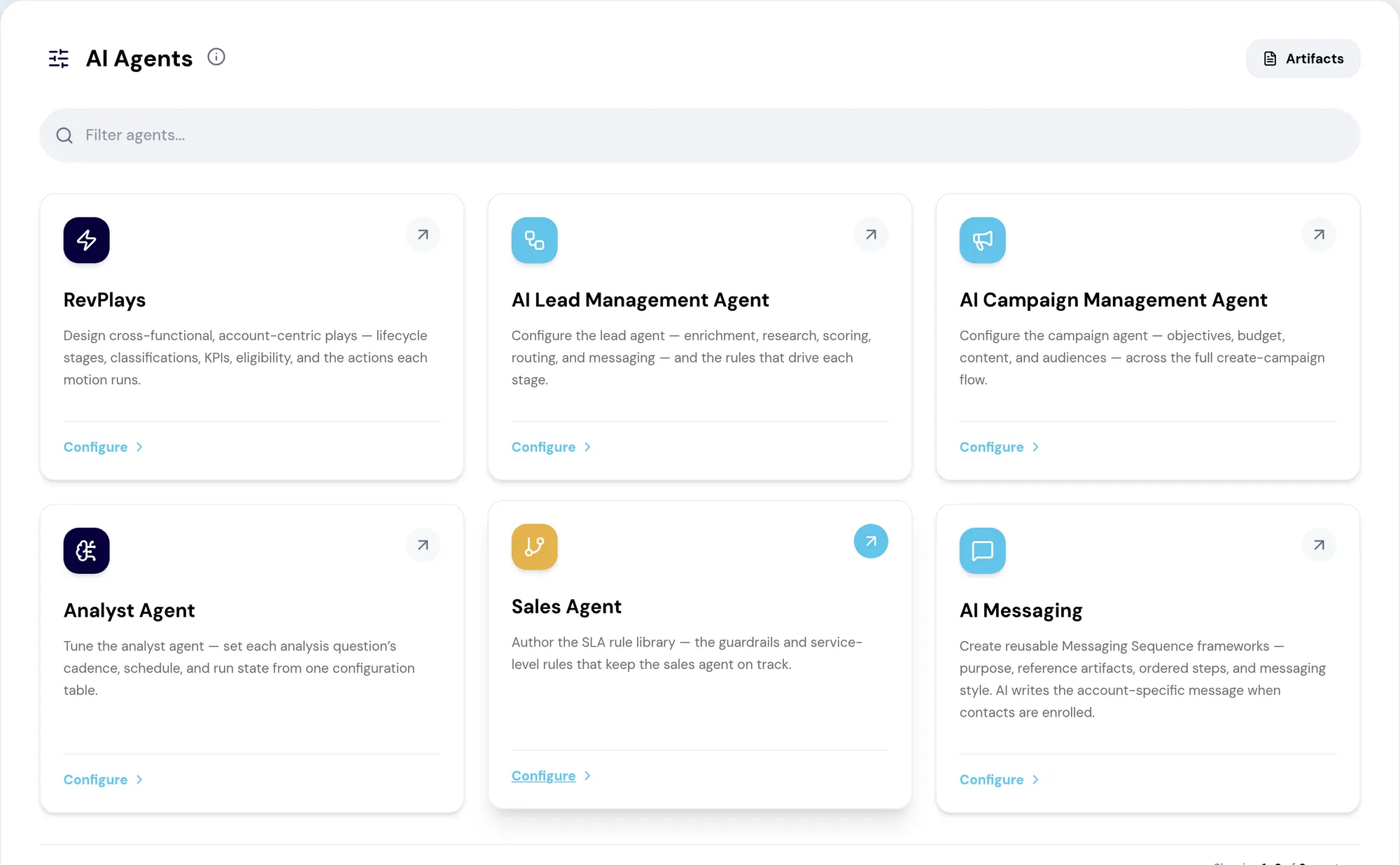
The RevTech AI Agents hub, where each agent is configured and governed.
The AI Agents hub: every agent RevTech runs, what it is capable of, and where its configuration and guardrails are set. Screenshot of the RevTech application; sample data.
The AI agents hub, where messaging sequences are authored. What you configure here is framework: purpose, referenced artifacts, steps and style. The message itself is written per contact when the sequence runs.
Part 2 of 4

Purpose does the work

The purpose field is the instruction AI generates against, so the outcome-versus-activity distinction returns here exactly as it applied to the campaign brief. "Follow up" names a motion and specifies nothing about what the message must achieve. "Re-engage a dormant executive sponsor" names a result, and carries the audience, the situation and the job the message has to do.

The same applies step by step. Set the number of steps, then give each one a single purpose and a message type. Steps run in the order shown. A step trying to both educate and ask for a meeting produces a message that hedges on both, for the same reason an audience spanning two objections produces hedging copy. If you later reduce the step count, the app asks before discarding a step you have already written.

  • Write purpose as the outcome you want, not the action you take
  • One purpose and one message type per step
  • Style attributes set tone; the guidance box takes more tone, never copy
Part 3 of 4

Style is a constraint you can change once

Style attributes are what keep a hundred generated messages recognizably from the same company. Set them against your actual voice rather than a generic idea of professional, and check they agree with the messaging guidance already in your artifact library instead of quietly competing with it.

When drafts come back reading subtly wrong, style is the first place to look, and it is the cheapest thing to fix. Changing a style attribute changes every subsequent generation. Editing an individual message changes one. That relationship is the whole principle behind the next module, arriving here in a smaller form.

Part 4 of 4

A worked framework, written out

The sequence for the example campaign's converters, as it should actually be authored. Purpose: "Move a mid-market RevOps lead who downloaded the evaluation guide from research mode to a scoping conversation." Reference artifacts: the ICP, the Product Overview, the mid-market case study. Steps: three.

Step 1, email — purpose: "Confirm the guide landed and surface the one question the download implies they are asking." Step 2, email — purpose: "Address the migration-risk objection directly, using the case study as evidence." Step 3, email — purpose: "Offer a 30-minute scoping conversation with a named colleague, making the ask specific and small." Style attributes: direct, peer-to-peer, no exclamation marks; guidance box: "Write like an operator who has run this migration, not like a vendor describing it."

Every field is framework. The words each recipient reads will be generated per contact when the sequence runs, referencing their company, their download, their role. Notice the guidance box entry is tone instruction, thirteen words, and could not be mistaken for an email.
Do this in the product

Author the framework

  1. Open AI Messaging and choose Create Sequence. The panel walks four sections: overview, reference artifacts, steps, and review.
  2. Write the purpose as an outcome, naming the state you want the recipient to be in.
  3. Select the reference artifacts this sequence may draw on, and confirm each is current.
  4. Set the number of steps, then give each step exactly one purpose and one message type.
  5. Set the style attributes, and check they agree with the messaging guidance in your artifact library.
  6. Re-read the guidance box and confirm you have not pasted any finished copy into it.

Key questions

You should be able to answer each of these from memory before opening it. Recalling the answer is what makes it stick; recognizing it when you read it does not.

What does a messaging sequence contain, and what does it deliberately not contain?

It contains why the sequence exists, which artifacts AI may reference, the number of steps, what each step should accomplish, and the style. It does not contain the message, which AI writes per account and per contact at run time.

Someone pastes a polished email into the style guidance box. What goes wrong?

Every contact gets near-identical copy, defeating per-contact generation. It is hard to spot from the output because each individual message reads well.

What to take away

  • Nothing you author here is message copy. The sequence is framework; AI writes per account and per contact at run time.
  • Write purpose as an outcome, and give each step exactly one.
  • Changing a style attribute changes every future message. Editing a message changes one.

Teach this lesson

The argument in 4 slides, for presenting it to your team
Slide 1 of 4

A sequence is a framework, not copy

It records why the sequence exists, which artifacts AI may reference, how many steps it runs, what each step should accomplish, and the overall style. AI writes the message later, per account and per contact.

Slide 2 of 4

Purpose is an outcome

  • Weak: "follow up"
  • Strong: "re-engage a dormant executive sponsor"
  • Purpose is what AI generates against, so an activity gives it nothing to aim at
Slide 3 of 4

One purpose per step

Each step gets a purpose and a message type, and steps run in order. A step doing two jobs produces a message that does neither.

Slide 4 of 4

The guidance box is for tone

Paste a finished email into it and you get that email, near-identically, for every contact. Which is the opposite of what per-contact generation is for.

Demo

Try the demo.

See agents carry the repeatable work of GTM across sales, marketing, customer success, and RevOps. Every action prepared, reviewed, and recorded. Fictional data, real product.

Explore the demo