Slide 1 of 4
Three ways out, by destination
- Push to HubSpot for pages and briefs
- Export Google or LinkedIn Ads as CSV
- Download for anything else
Move approved assets out of RevTech by the right path for each channel, and keep a record of what actually shipped.
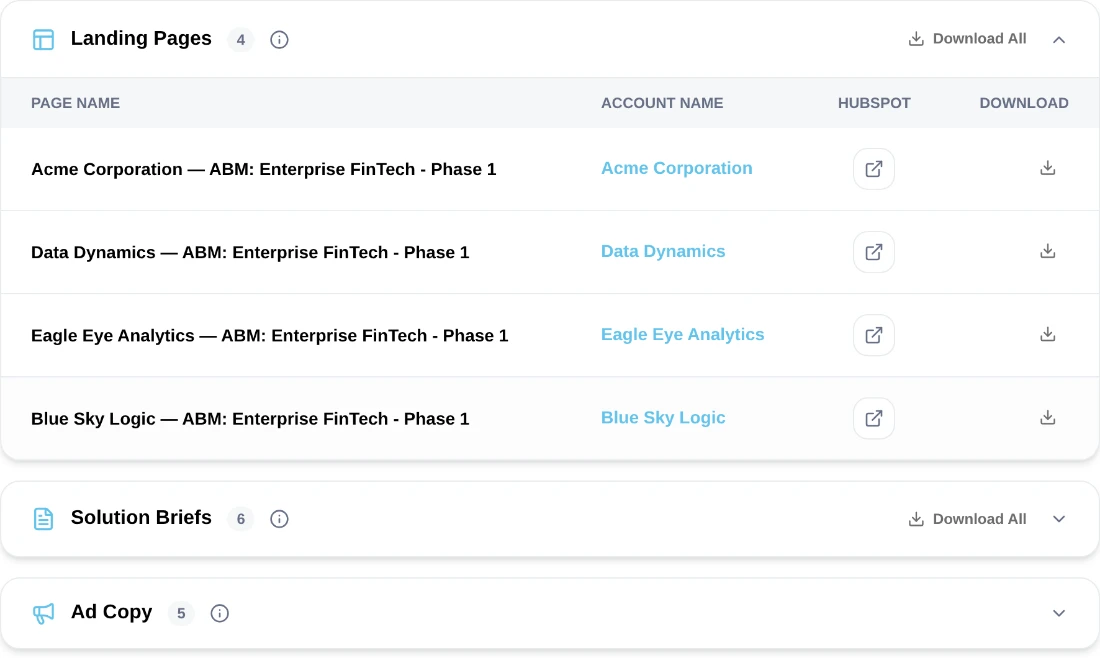
Each asset in the assets tab carries the account it was written for, and more than one way to leave the system. Landing pages and solution briefs push into HubSpot. Ad assets export as a CSV shaped for Google Ads or LinkedIn Ads, because those platforms ingest bulk uploads rather than accepting a push. Everything else downloads.
Opening an asset first is worth the extra click. The preview shows the content with a Copy control, and for a landing page it shows the final URL with the campaign UTMs already appended, which is the moment to notice if the tagging is not what you expected. That is much cheaper to catch here than after traffic has been running against the wrong parameters for a week.
Review the whole batch first, marking each asset approved, edited or held. Then ship in a single deliberate pass. Doing both at once feels efficient and reliably produces a batch nobody can account for afterward: some assets pushed, some edited then pushed, some edited and forgotten in the middle.
The second pass takes minutes and leaves you able to state exactly what shipped. That matters more than it sounds, because the campaign report is about to tell you what came back, and reading it means comparing that against what went out. Note the numbers at ship time when it costs nothing. Reconstructing them a month later is possible, tedious, and usually skipped, at which point the campaign gets judged on figures whose denominator nobody actually knows.
For channels the export paths do not cover, download the asset rather than copying text out of the interface by hand. Manual re-keying is exactly where the per-account specificity you spent two modules protecting gets flattened, usually with good intentions by someone smoothing the copy as they transcribe it.
If a channel needs assets in a shape none of the export paths provide, raise it rather than working around it every campaign. A recurring manual reformatting step is a small tax that compounds, and it is the kind of thing that never gets fixed because each individual instance is only twenty minutes.
What the record looks like at the end of the example campaign's ship pass, in five lines a spreadsheet row each: "37 briefs pushed to HubSpot (3 held: two thin-record accounts regenerating after the ICP fix, one exec brief awaiting AE review). Landing page pushed, UTM check passed. 3 ad variants exported as LinkedIn CSV, uploaded, campaign live. 2 briefs downloaded for the partner portal (no HubSpot path). Denominator for the report: 42 assets live as of the 14th."
Two minutes to write. When the campaign report is read in six weeks, that last line is the difference between "conversion looks low" and "conversion on the 42 live assets is X": an answerable question instead of an argument.
Do this in the product
You should be able to answer each of these from memory before opening it. Recalling the answer is what makes it stick; recognizing it when you read it does not.
A platform-shaped CSV for Google Ads or LinkedIn Ads. Those systems ingest bulk uploads rather than accepting a direct push, unlike pages and briefs which go to HubSpot.
The final URL with campaign UTMs already appended. Catching wrong tagging here is far cheaper than discovering it after a week of traffic.
Interleaving them leaves some assets pushed, some edited then pushed, and some edited and forgotten, with nobody able to say what shipped. The campaign report is unreadable without that denominator.
Opening an asset shows its content with a Copy control, and for a landing page the final URL with campaign UTMs already appended.
Interleaving them leaves nobody able to say afterward what went out and what was held.
Retyping is where per-account specificity gets flattened, usually by someone tidying the copy on the way through.
See agents carry the repeatable work of GTM across sales, marketing, customer success, and RevOps. Every action prepared, reviewed, and recorded. Fictional data, real product.
Explore the demo